E-Signature Request Templates

We're releasing E-Signature Request Templates, giving recruiting teams a faster and more consistent way to send e-signature requests.
When sending NDAs, offer letters, or other recurring documents, teams can now select a template to pre-fill the Send E-Signature Request form with standardized settings, rather than configuring each request from scratch. This eliminates the need to re-enter the same details every time and reduces the risk of inconsistencies.
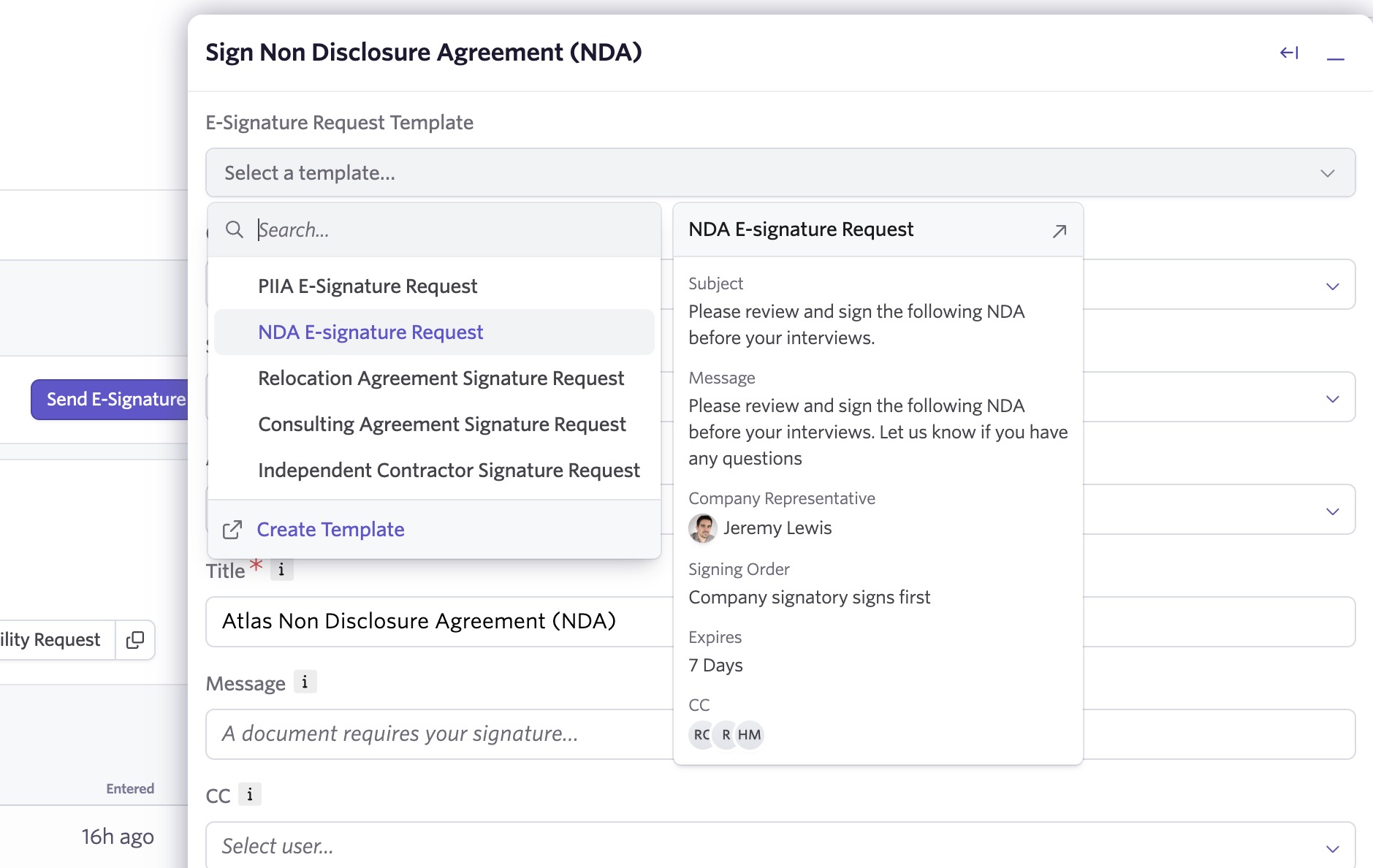
Create templates for your most common requests
Templates are available for both Offer E-Signature Documents and other E-Signature Documents. When you select a template while sending a request, the form automatically populates with the saved settings. You can still edit any field before sending.
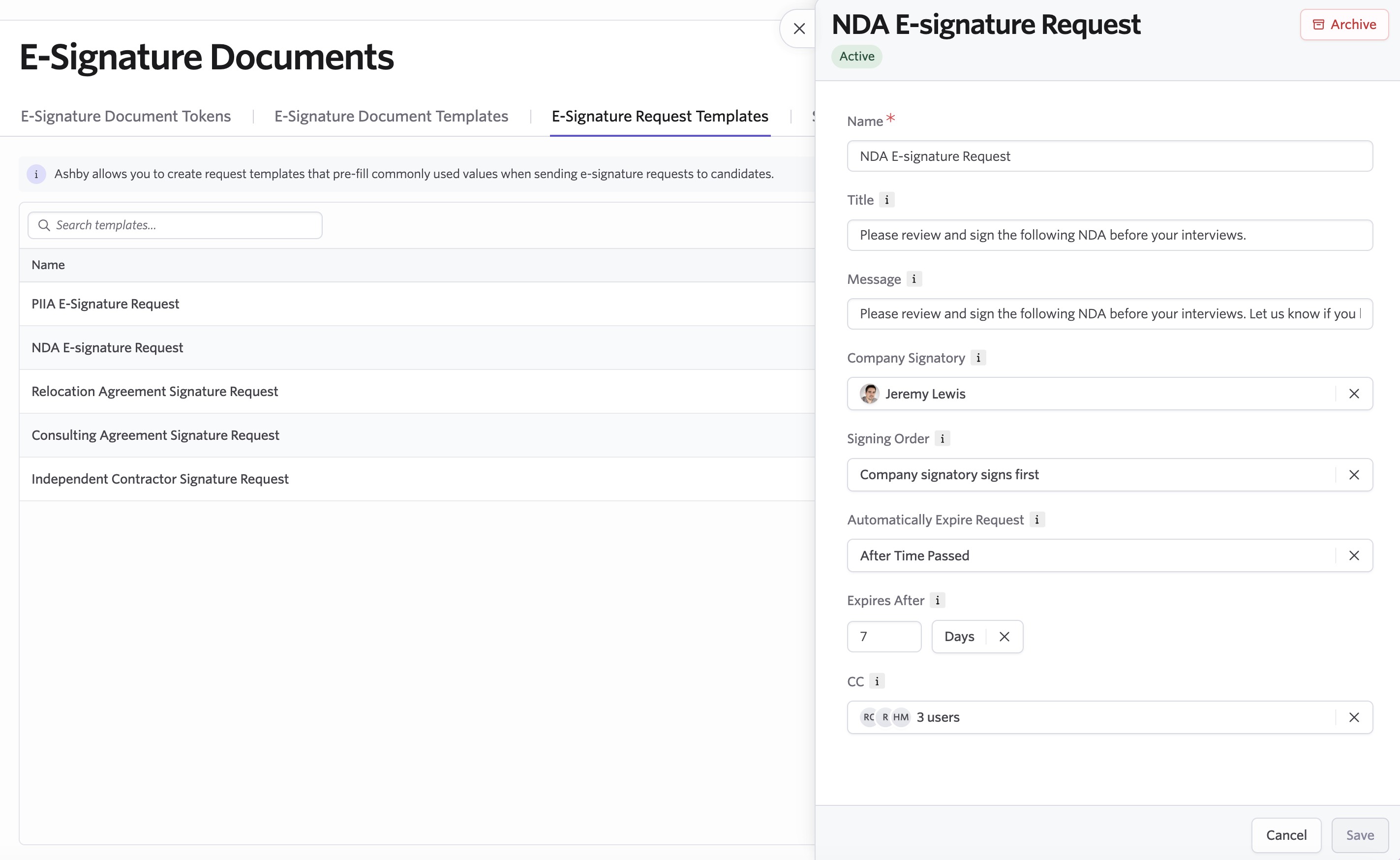
Templates support the following fields:
- Company Signatory
- Signing Order
- Automatic Expiration: set a relative expiration (e.g., 7 days after sending) or a fixed date and time
- Request Title
- Message
- CC recipients, including contextual options like Hiring Manager
Getting started
E-Signature Request Templates are available across all plans. Templates are configured separately depending on whether you're working with Offer or non-offer E-Signature Documents.
For Offer E-Signature templates, navigate to Admin from the top menu, select Offers from the left-hand menu, and open the Offer Signature Request Templates tab.
For E-Signature Document request templates, navigate to Integrations in the left-hand menu, select E-Signature Documents, and open the E-Signature Request Templates tab.
Visit our help article for more details.

