Emoji reactions on candidate notes

Today, we're releasing emoji reactions on candidate notes to all customers in Ashby.
When someone on your hiring team leaves a note on a candidate profile, you don't always need to write a full response. Sometimes a quick acknowledgment is enough - a thumbs up to confirm you've seen the update, or reaction to signal agreement.
Emoji reactions give your team a lightweight way to engage with notes and communicate with teammates.
How It Works
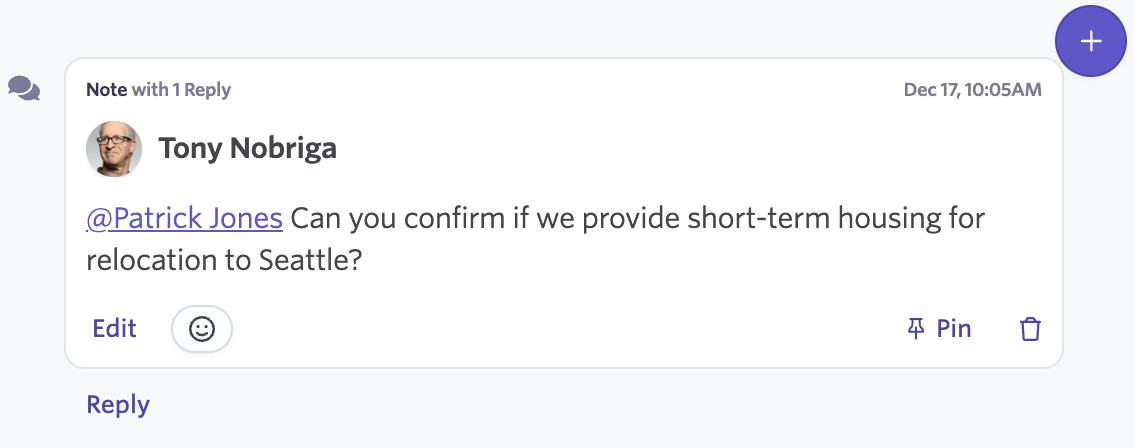
Find the emoji icon button on any candidate note.
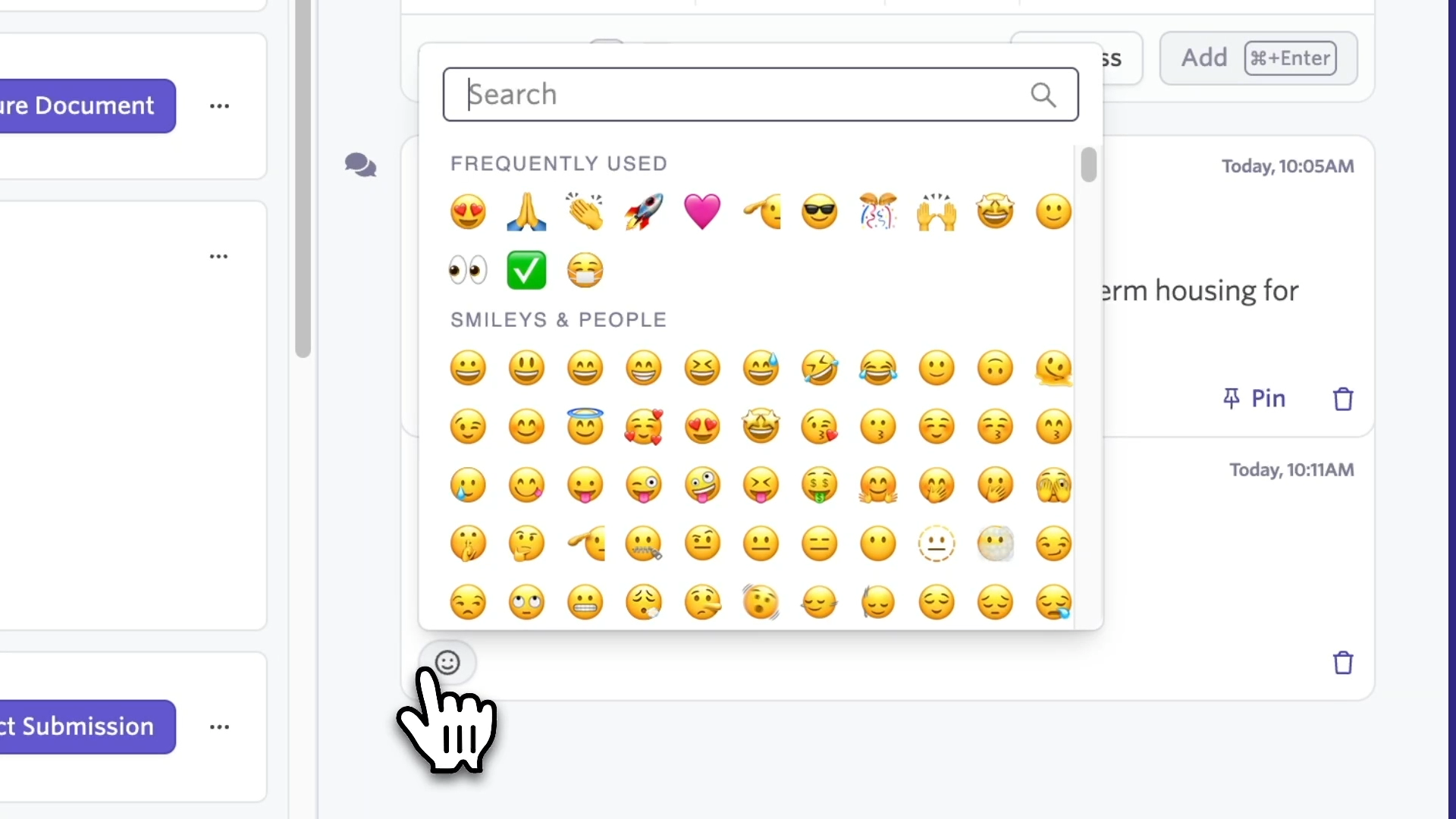
Click to open the emoji picker and choose from the full range of emojis.
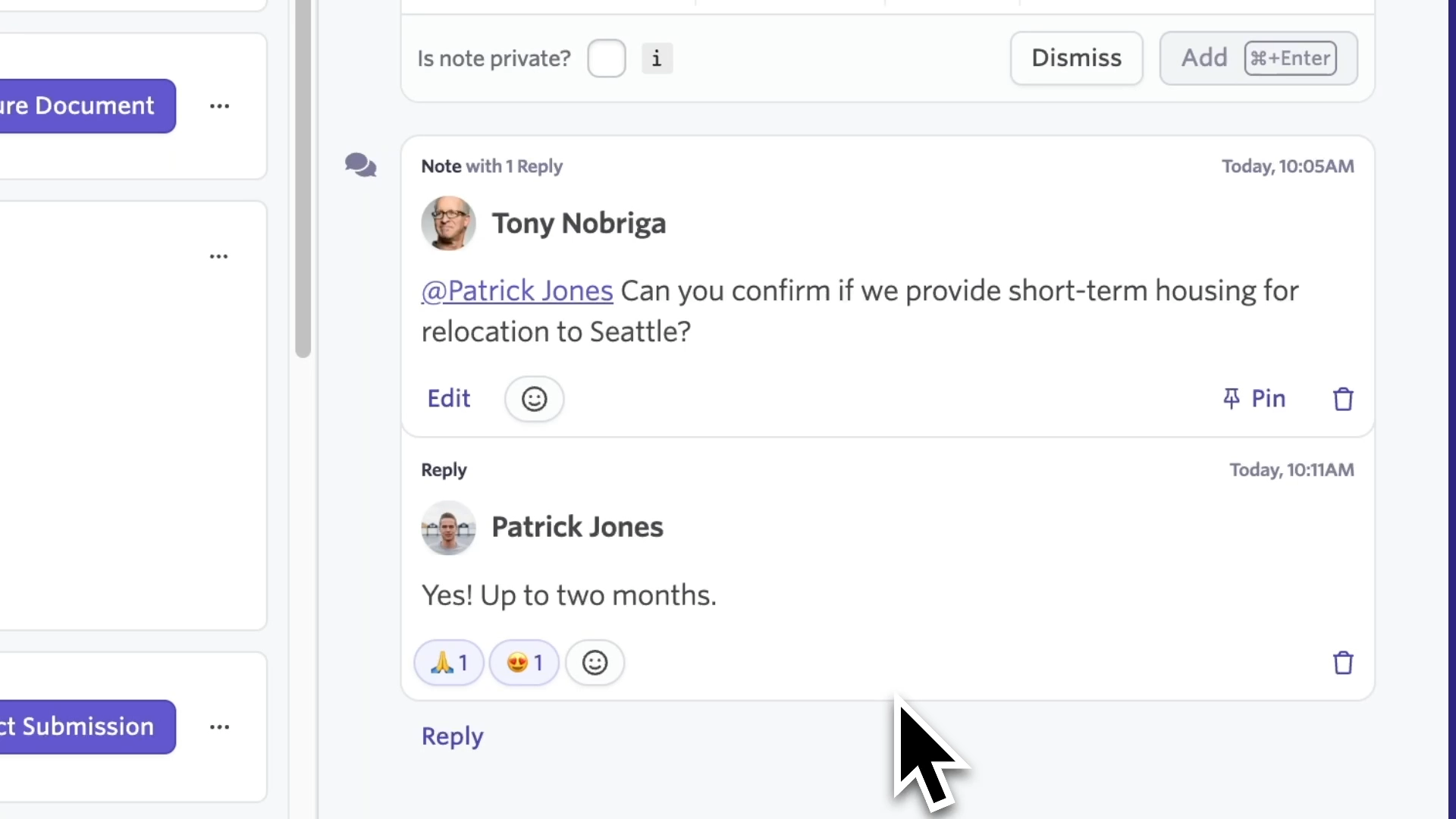
Reactions appear below the note, along with a count of how many people have reacted with each emoji.
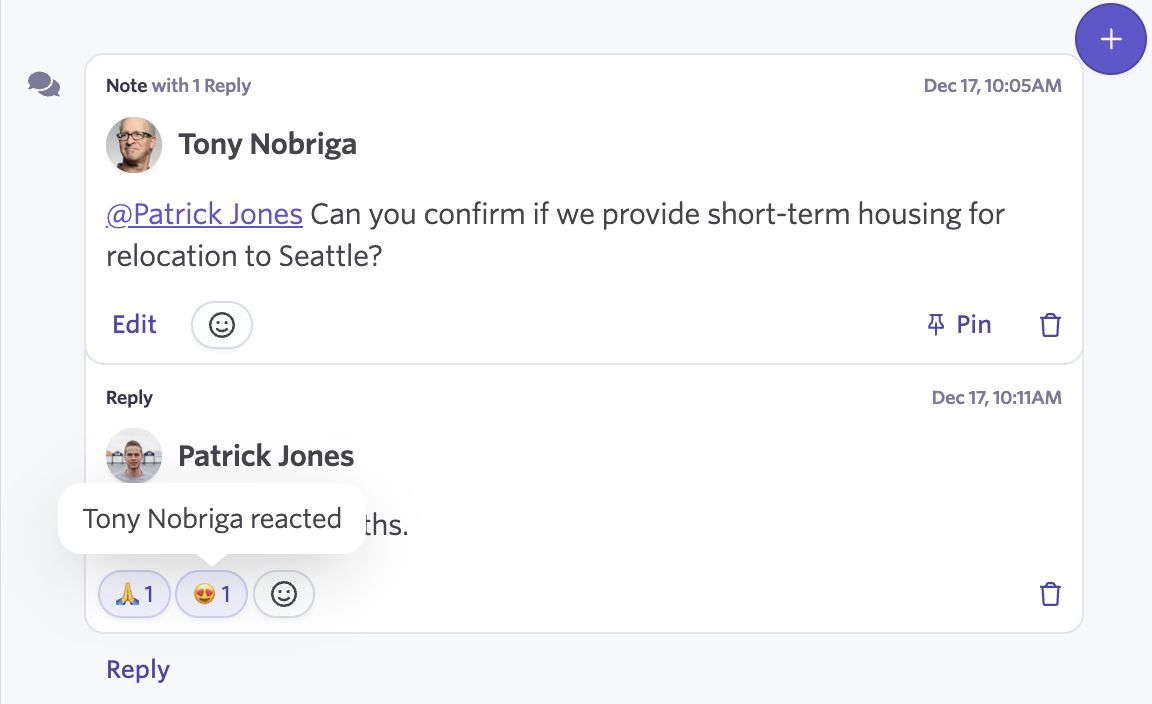
Hover over the count to see exactly who left each reaction.
Emoji reactions let your team acknowledge information quickly without creating noise. Your activity feed stays focused on significant updates while still capturing that teammates have seen and processed important notes.
Getting Started
Emoji reactions are available now across all plans. Look for the reaction icon on any note on a candidate profile.

