Sync employee data from your identity provider into Ashby

Today, we're releasing SCIM Field Sync to customers using Directory Sync. If your organization manages employees through an identity provider like Okta, that system already holds a lot of useful information about your people: their titles, departments, managers, and more.
Until now, getting that data into Ashby meant maintaining it manually, or going without it entirely.
With SCIM Field Sync, you can choose which fields to sync from your IdP directly into Ashby as Employee Custom Fields, keeping your employee data accurate without any manual upkeep.
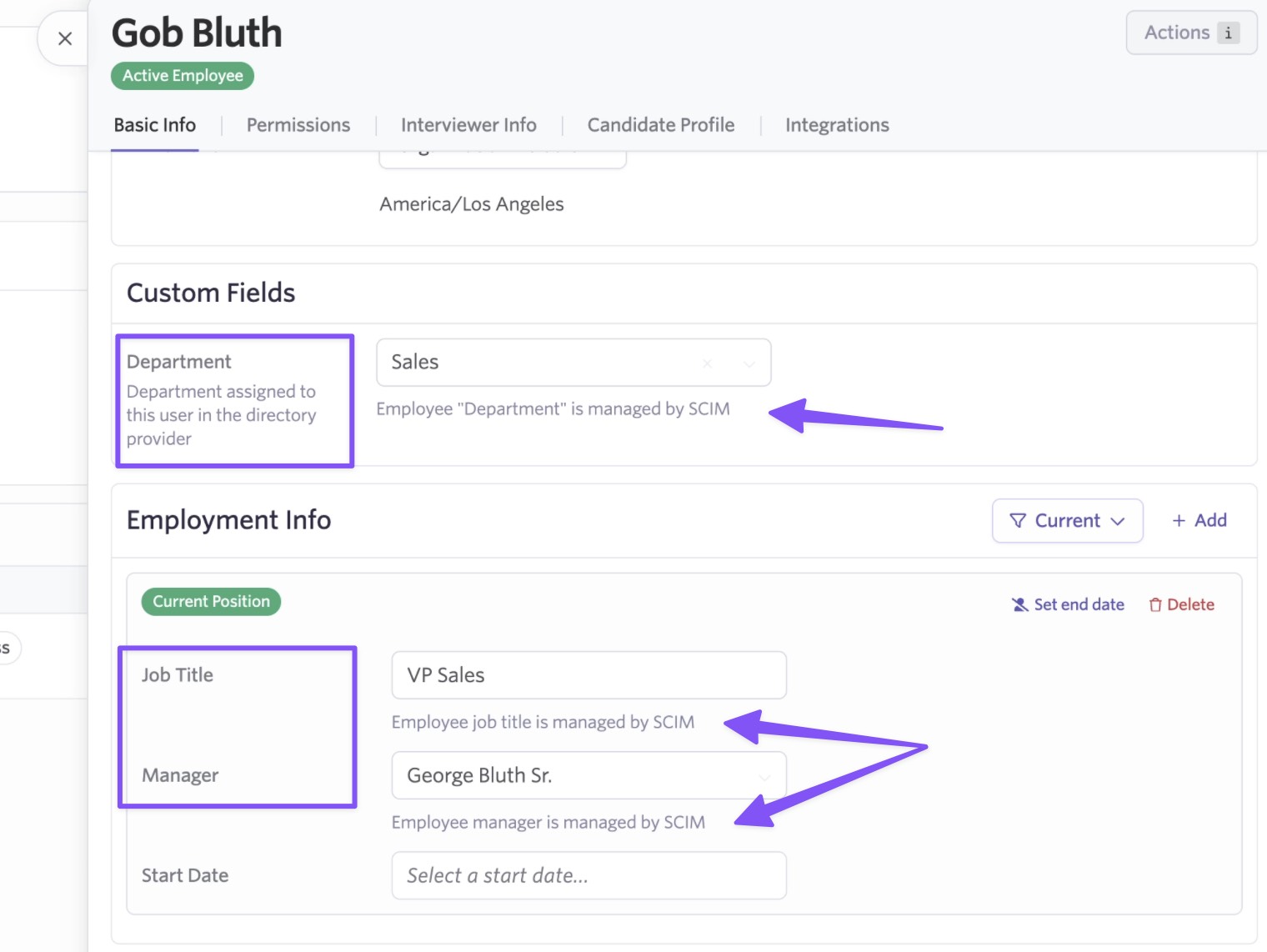
Which fields you can sync
You can sync any combination of the following fields from your identity provider into Ashby:
- Job Title
- Name
- Groups
- Cost Center
- Division
- Department
- Manager
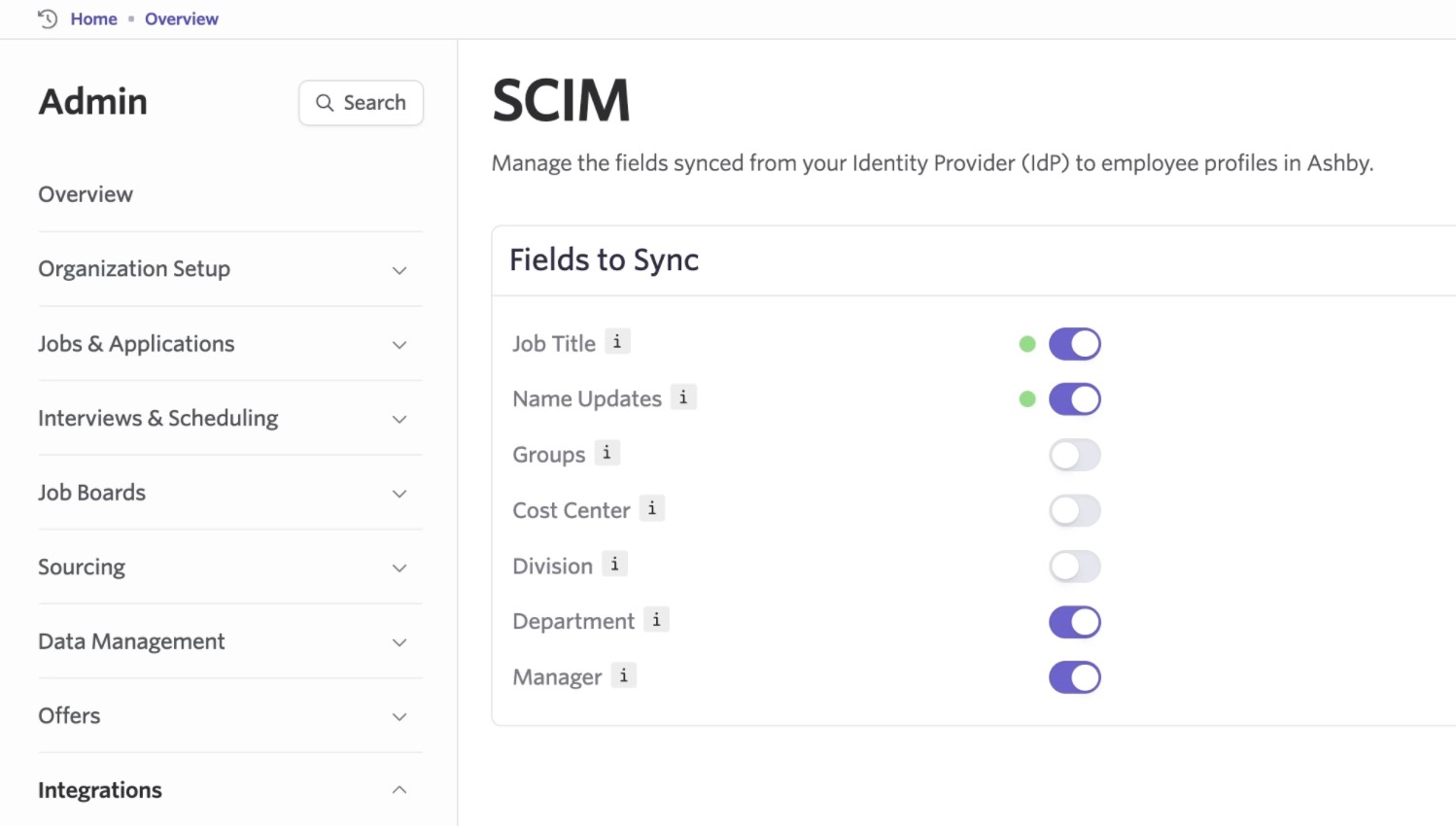
Job Title, Name, and Manager are immediately useful for most teams. When someone gets promoted, changes their name, or moves to a new manager, those updates automatically flow into Ashby, so there’s no need to track changes or update records manually.
Example: reporting by Job Title
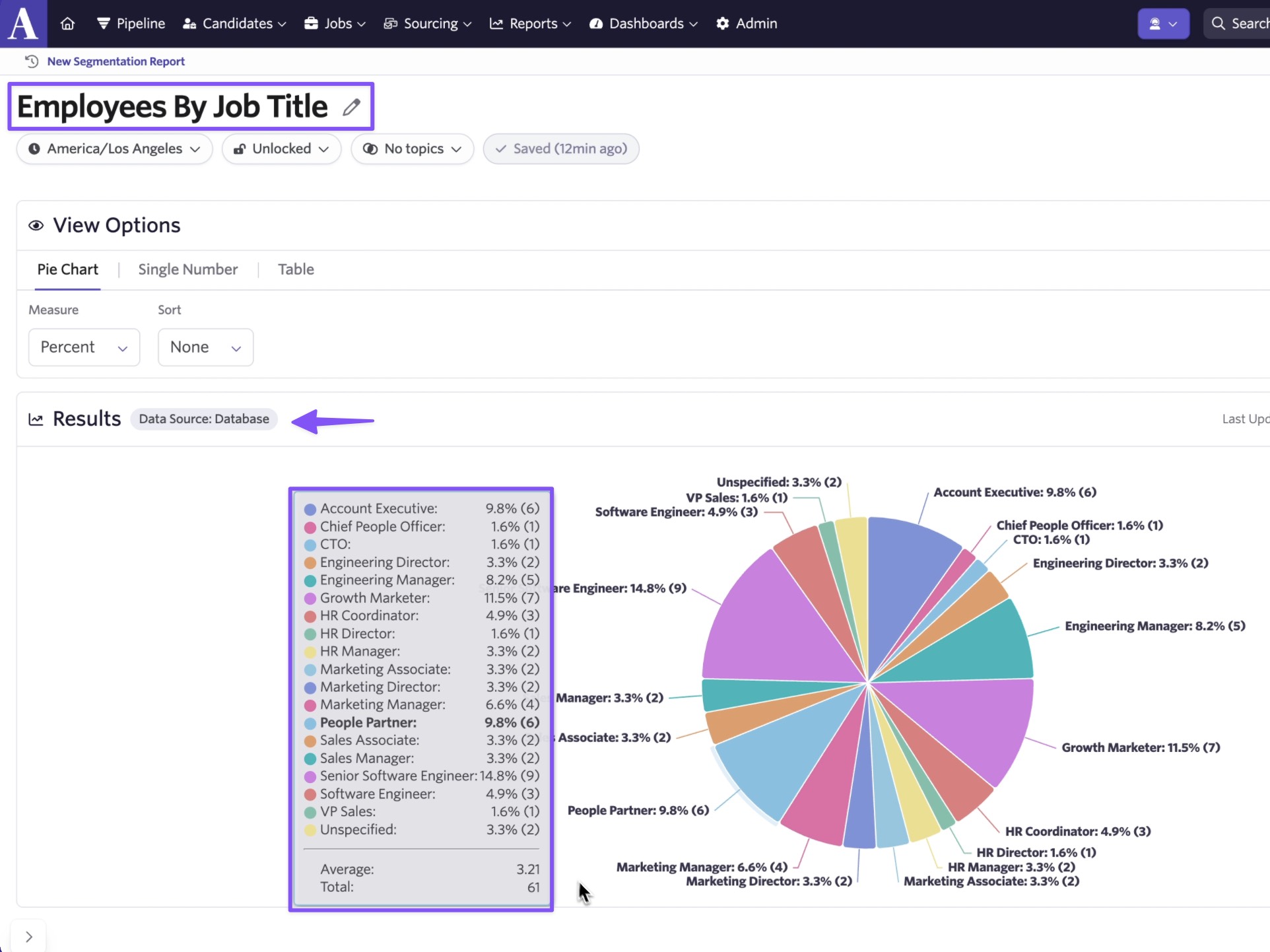
Manager is especially powerful in Ashby Reporting. Once synced, you can use the “In Management Hierarchy Of” field to run queries across your org’s reporting structure, such as identifying all interviews conducted by a manager’s direct and indirect reports.
Cost Center, Department, and Division add additional dimensions for grouping and filtering employee data in reports.
How to set it up
Go to Admin > Integrations > SCIM, then select the fields you want to sync. These fields will appear on Employee Profiles in Ashby and stay up to date as changes are made in your identity provider.
SCIM Field Sync is available to customers on Plus plans or higher. Visit our help center for more information.

