Updates to sending emails from the candidate profile

You can now quickly identify and add key hiring team and interviewers on emails to the candidates. A recipient selection tool allows you to discover and select relevant team members without leaving the email draft.
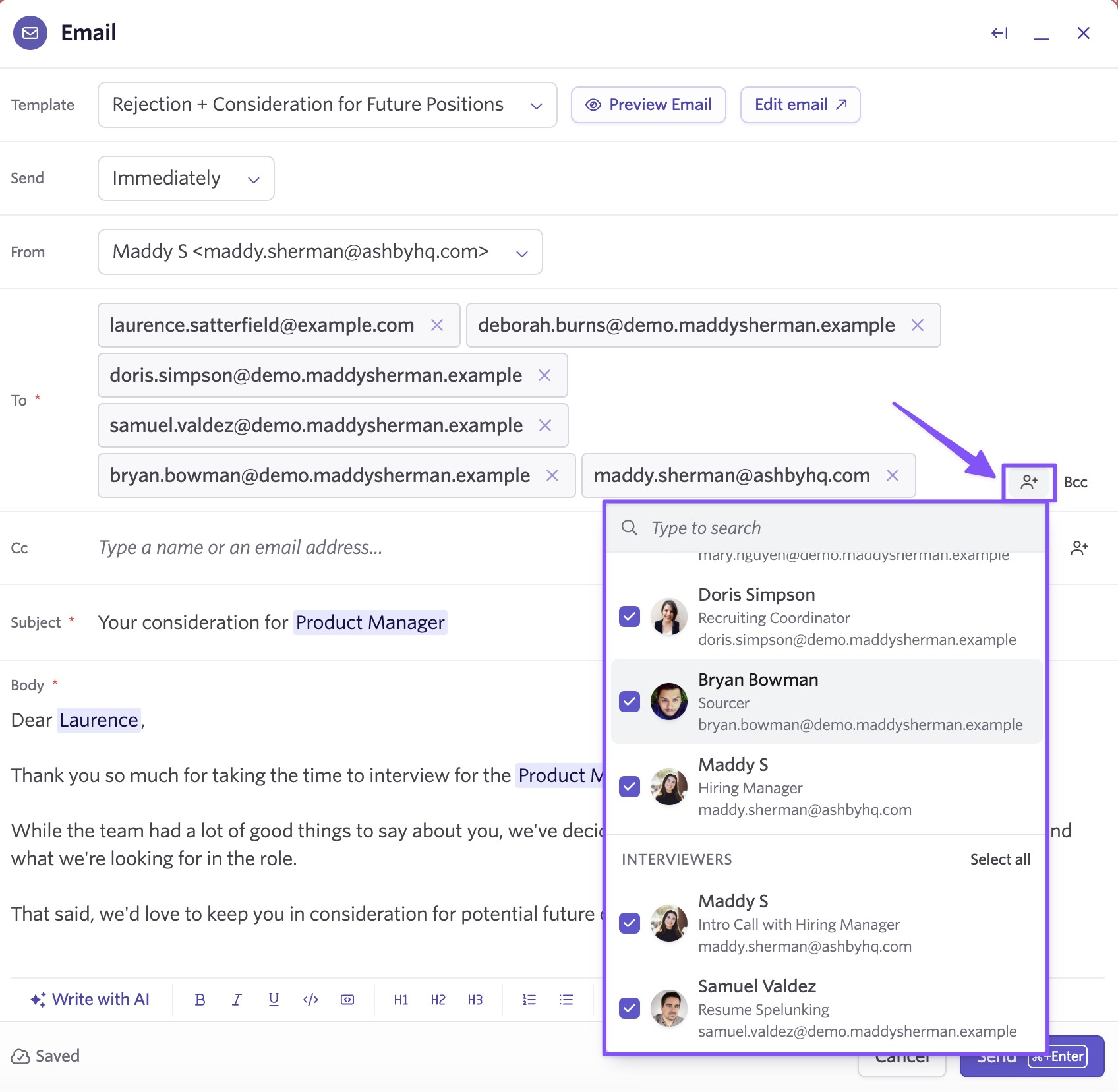
Use the user selector icon next to the “To” field to quickly add the right people. When viewing a candidate within a specific job application, recipients are grouped into Hiring Team and Interviewers, making it easy to loop in the right stakeholders. Selecting a user in one group automatically selects them in the other if they appear in both.
To get started, navigate to any candidate profile and select the Email button in the top right, then select the user selector icon next to the "To" field.
See more information in our help article here.

