Back to all product releases
View submitted take-home assignment in mobile

Sheanee Michaud
Product Expert
All-in-one
ATS
Foundations, Plus, Enterprise
Core Update
For interviewers who review take-homes on the go, you can now view take-home submissions directly from the interview briefing on mobile!
When a candidate submits their take-home assignment, a View submission button will appear.
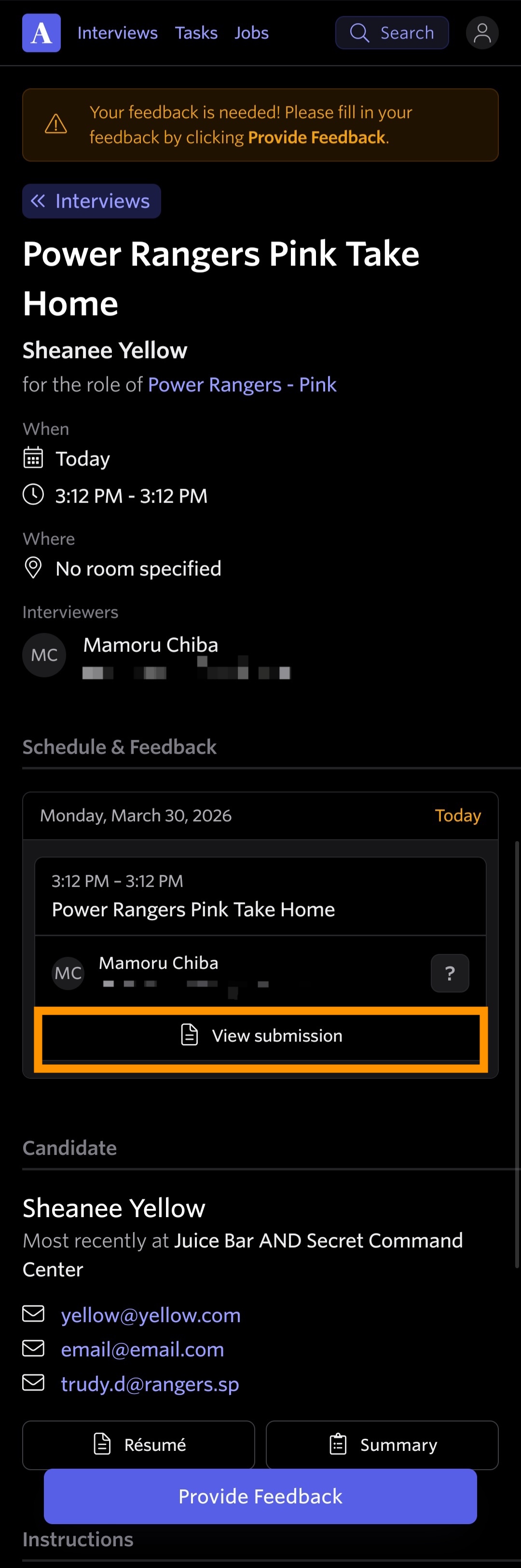
Clicking that button will take you to the candidate’s submitted files and let you view any notes they've added, along with the date they submitted their assignment.
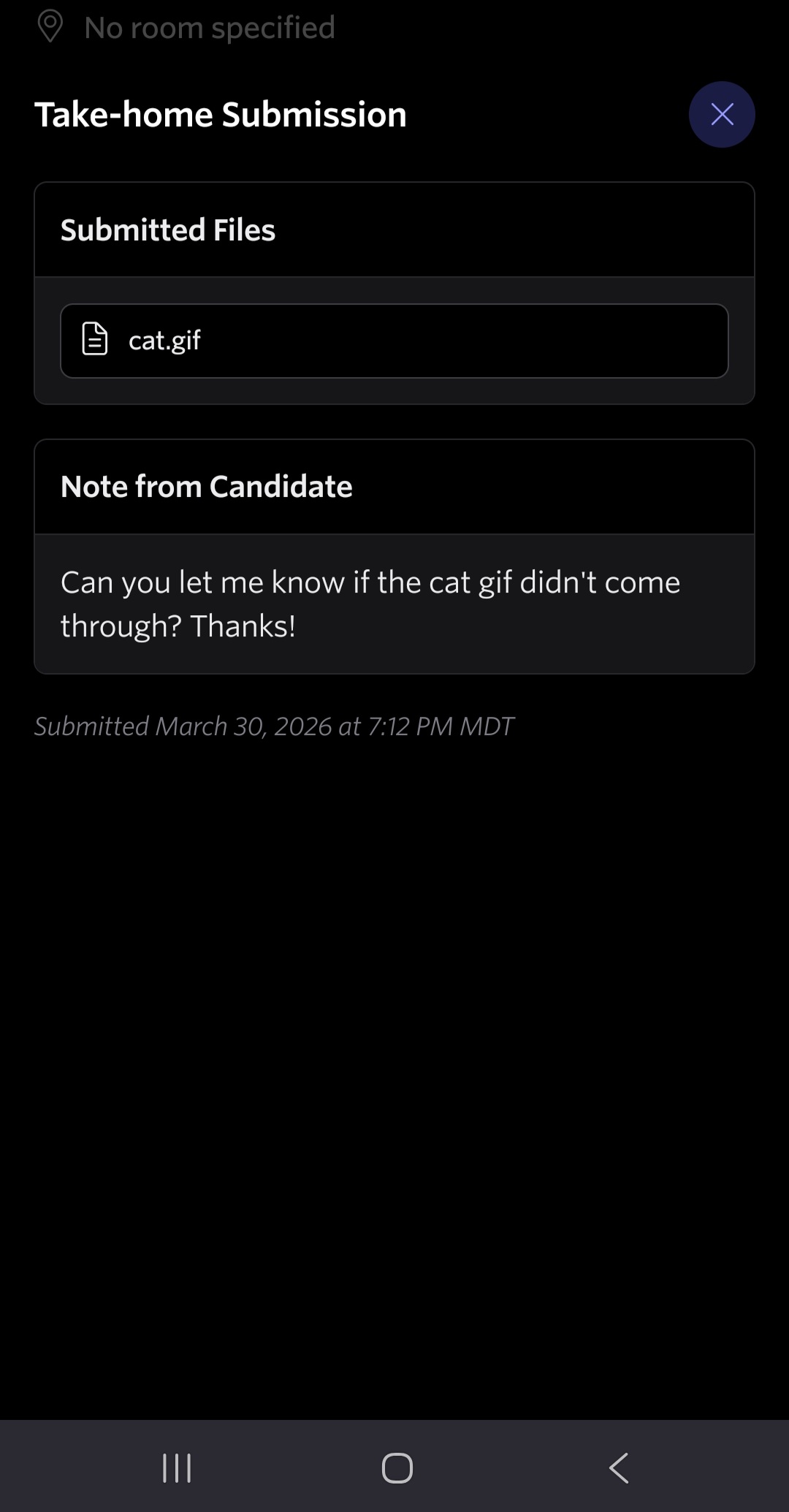
Viewing the candidate's submitted take-home assignment could also be helpful if you’re submitting feedback for another interview on the mobile web app and would like to view the submitted file. Viewing and reviewing take-home assignments in the mobile web app replicates the desktop experience, providing an identical workflow on mobile.

