AI Notetaker Updates: Improved user management, reporting, and consent customization

We've been improving key pillars of AI Notetaker's admin experience around user management, reporting, and consent.
As a reminder, because AI note-taking is native to Ashby:
- Once you purchase AI Notetaker, it's available to all users in your Ashby account
- Consent is managed entirely in Ashby
- You can leverage Ashby's robust reporting infrastructure for AI Notetaker insights
By taking advantage of existing building blocks in Ashby, we're able to deliver these improvements faster and keep everything in one place.
Let's take a look at these updates.
Streamlined User Management for AI Notetaker
You can now manage AI Notetaker access directly from a centralized admin view, rather than navigating into individual employee profiles one by one.
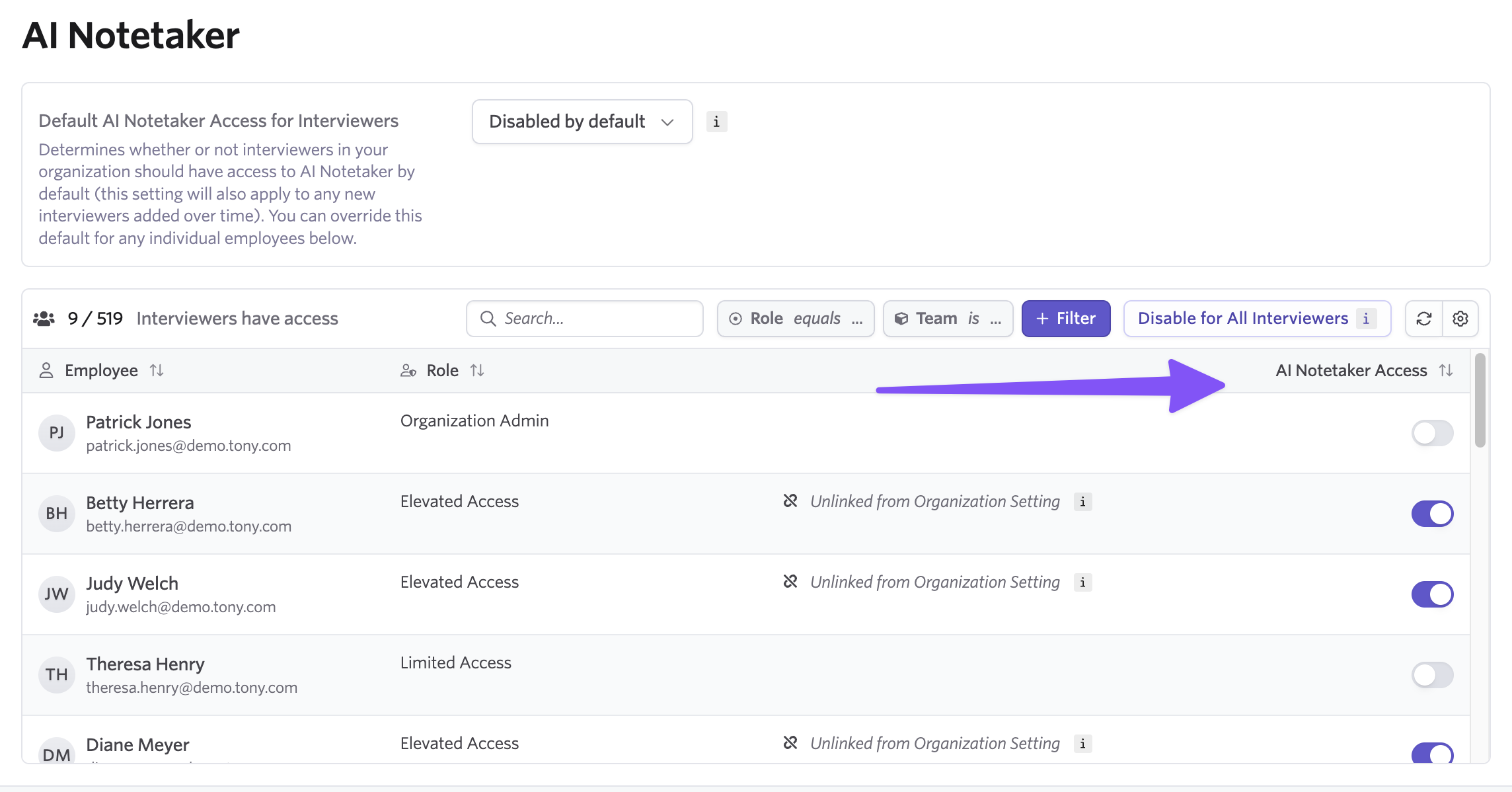
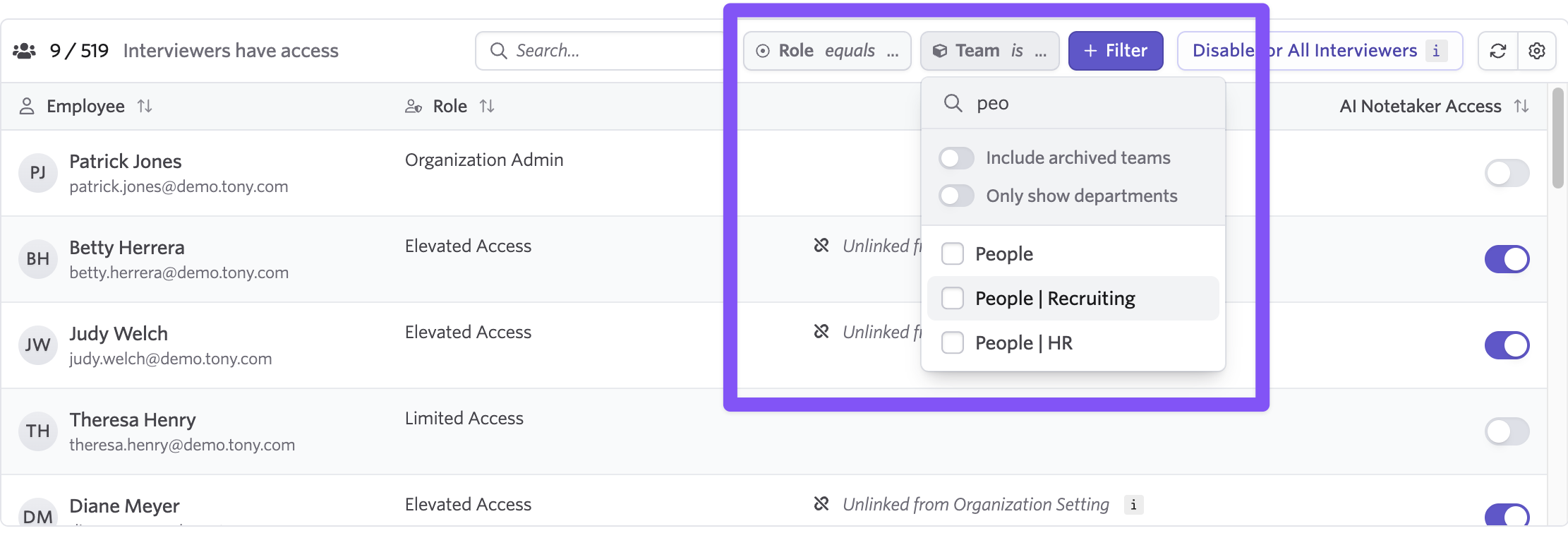
From here, you can see who has AI Notetaker enabled, add or remove access for specific users, and filter the list to quickly find who you're looking for.
When opting into AI features or enabling AI Notetaker initially, a new wizard walks you through the configuration, prompting you to enable it for all users at once or select specific people.
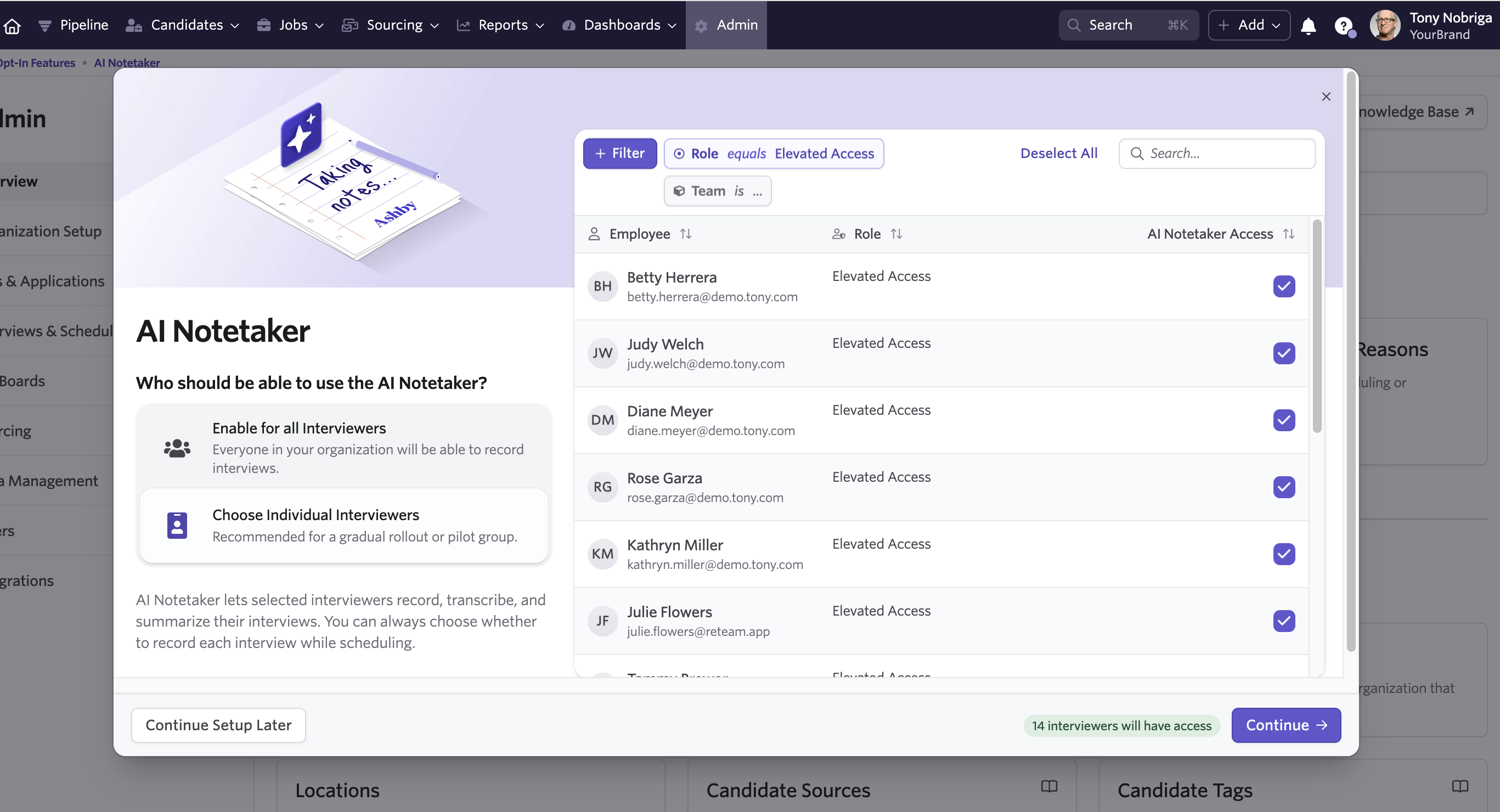
The wizard helps streamline setup and the new user management helps you enable access to the right people at your org from this single view.
New AI Notetaker Recordings Subject in Reporting
The new AI Notetaker Recordings subject gives you visibility into all recordings happening across your organization, with the ability to filter, sort, and click through to any recording.
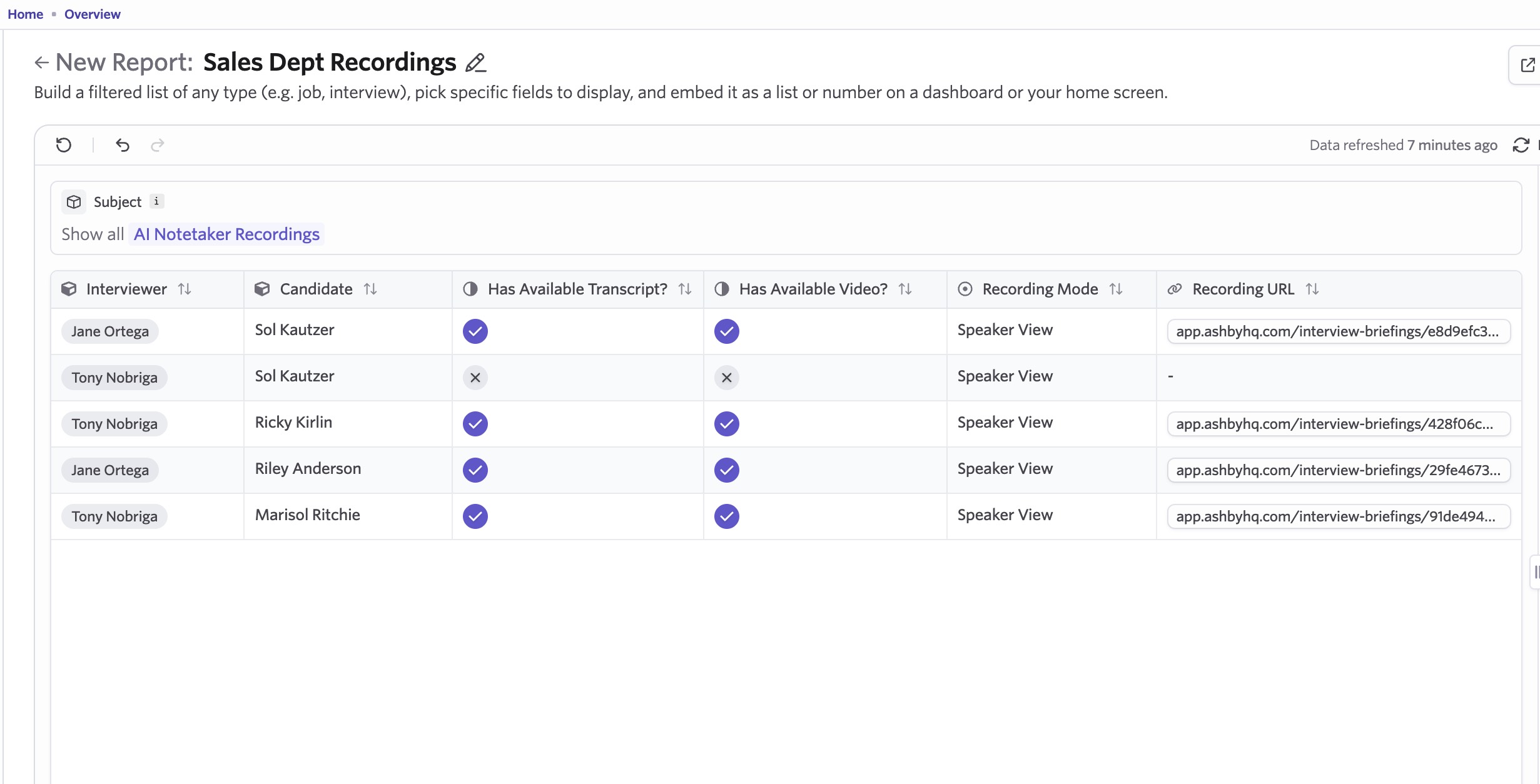
Four new fields are currently available:
- Recording mode - Shows the speaker configuration for each recording (gallery, speaker, audio)
- Has available transcript? - Whether a transcript has been generated
- Has available video? - Whether video is available for the recording
- Recording URL - A direct link to the recording (for users with access)
Because this uses Ashby's reporting infrastructure, you can connect recordings to existing hiring data. Filter by job, candidate, interview stage, department, or any other dimension connected to the job consideration or interview.

This is particularly useful for stakeholders who need visibility into interviews happening across their teams.
Instead of hunting through individual candidate profiles, you can pull up a filtered view of recordings for your department, scan what's happening, and click into anything that needs a closer look.
We'll continue to expand with additional fields in the future.
Candidate opt-out disclosure for invites
Automatically include custom wording in invites if a candidate opts out of the AI Notetaker recording. This can be used to confirm to the candidate their opt-out status, as well as include the Candidate Consent Management link, so they can choose to opt back in if they'd like.
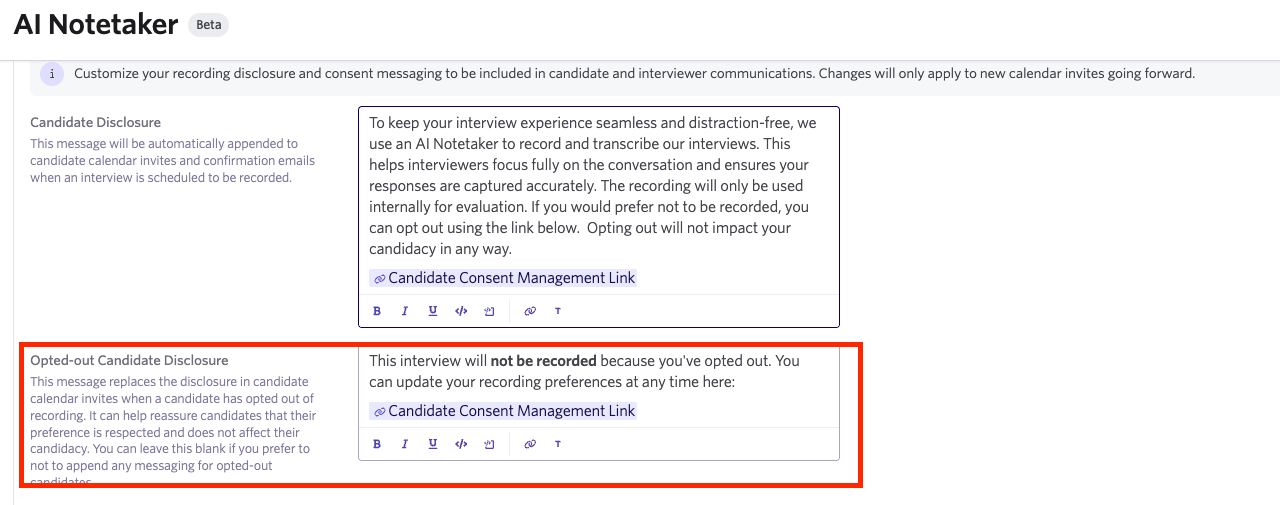
Set this messaging under the Opted-out Candidate Disclosure section of the AI Notetaker settings page.
We're particularly excited for these updates as they highlight the compounding benefits of having native AI note-taking directly in Ashby. To get started with AI Notetaker setup you can head to our AI opt-in features page or you can go to AI Notetaker admin and manage existing user access and settings.

