Introducing Audit Logs to see what changed, when, and by whom

Today, we’re releasing Audit Logs to Enterprise customers. Audit Logs gives authorized administrators a searchable, organization-wide record of important activity in Ashby. You can investigate events directly from the Ashby Admin experience or retrieve them through the API for use in your own data warehouse or security systems.
As an increasing number of people, integrations, and automations take action in your recruiting system, it becomes more important to understand how changes happened. An organization setting may be updated, a job posting may be unpublished, or a user may be granted new access. When something unexpected occurs, administrators need a reliable way to answer a few basic questions: What changed? Who changed it? When did it happen?
Without a persistent record, teams can be left piecing together information from limited history views, internal conversations, or support requests. Security teams face a related challenge. They often collect events from every system their organization uses in a centralized security platform, but they have not had a way to incorporate Ashby activity into that monitoring.
An organization-wide view of important activity
Audit Logs appears as a new section under Admin for users who have been explicitly granted access.
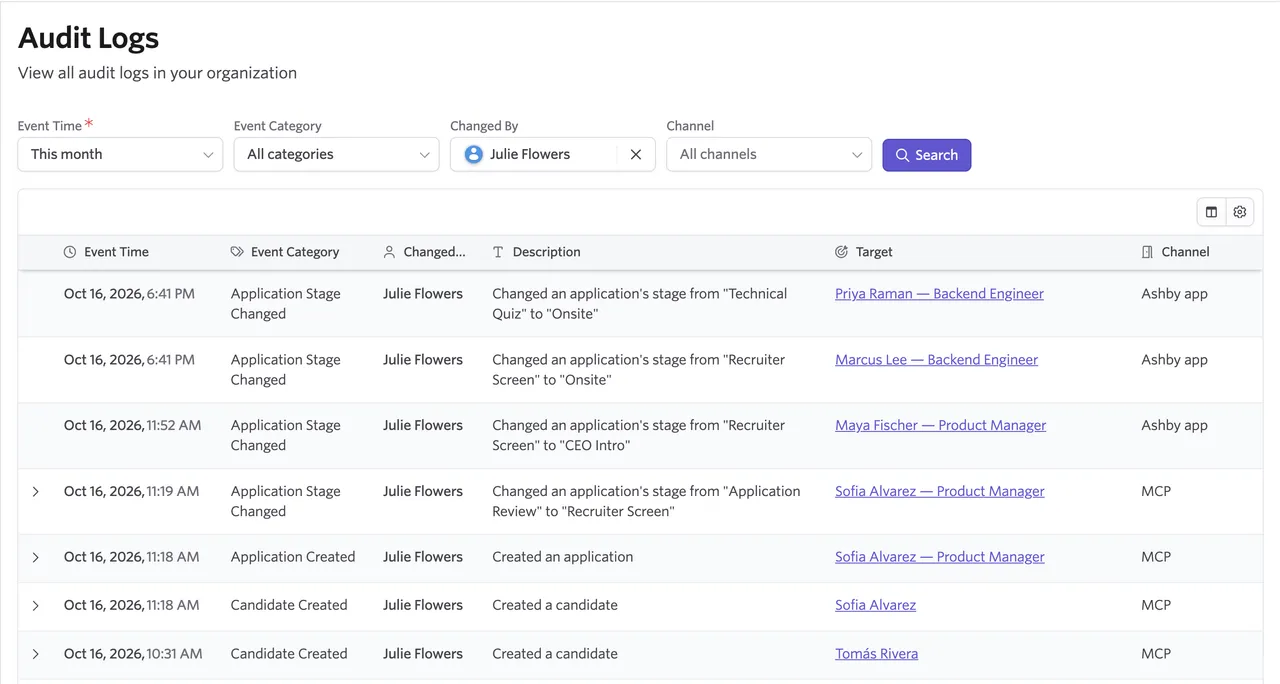
From this view, you can review a chronological record of activity across your Ashby organization. Each entry shows when the event occurred, the person or API key responsible for it, what happened, and the Ashby record or setting affected.
This gives administrators a central place to investigate questions such as:
- Who changed an organization setting?
- When was a job posting published, updated, or unpublished?
- Who changed a candidate's source?
- When was a user granted access to a job?
- Which API key performed a particular action?
This release covers roughly 150 event types across important administrative and recruiting workflows. We will continue expanding event coverage based on customer feedback.
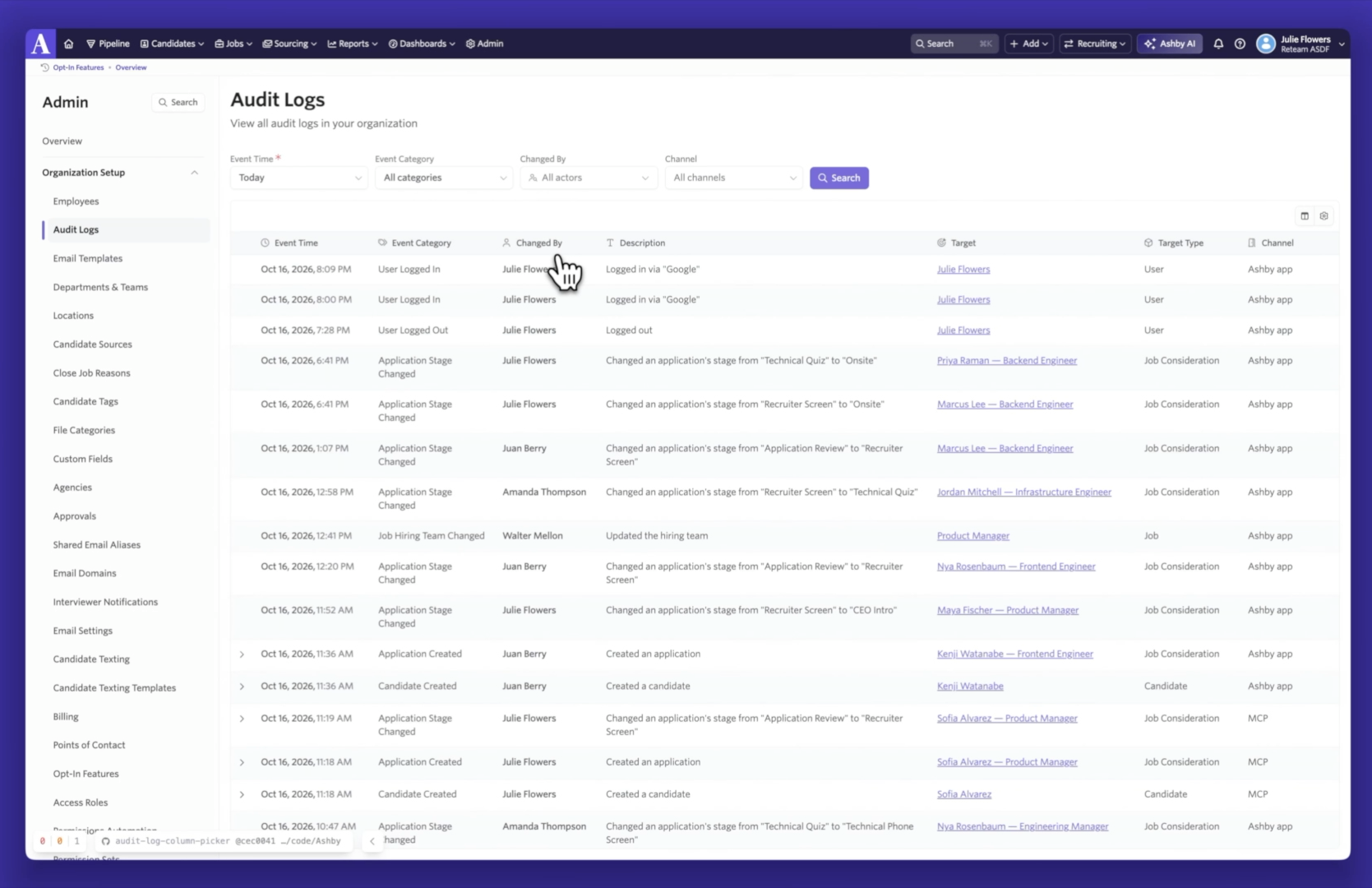
Filter Audit Logs by date, event type, and actor
An active Ashby organization can generate a significant number of events, so the Audit Log gives you several ways to narrow the results.
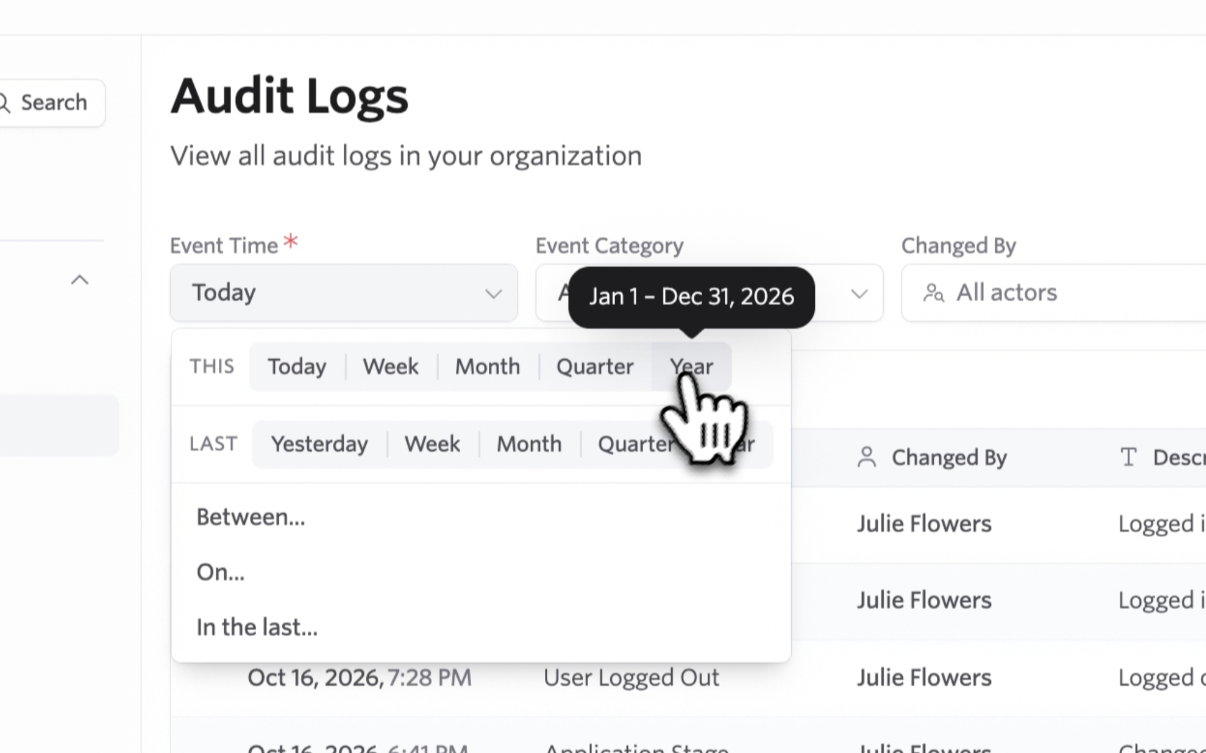
Start by selecting a date range. You can use the same flexible date controls available elsewhere in Ashby to review activity from a specific day, week, or custom period.
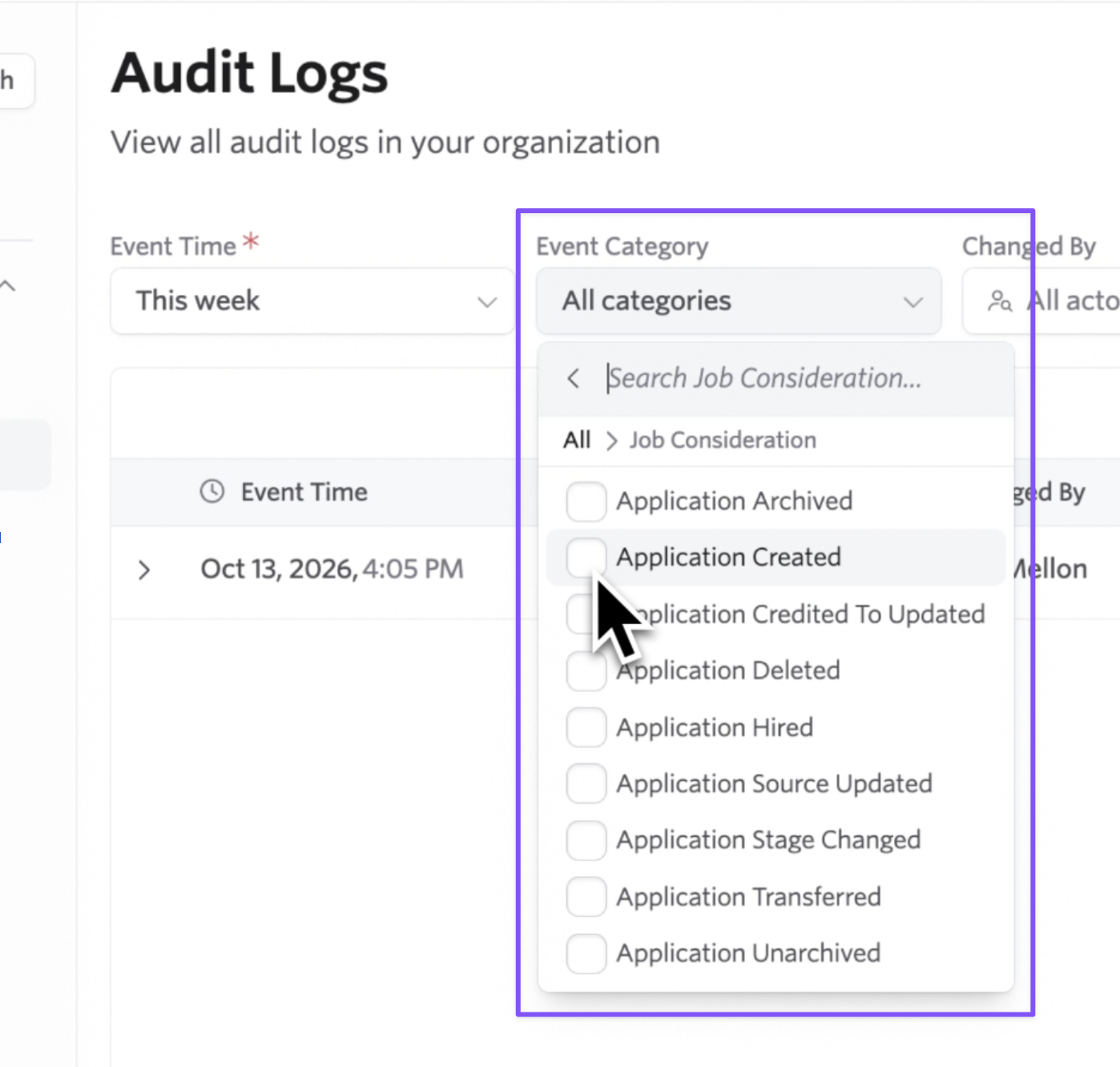
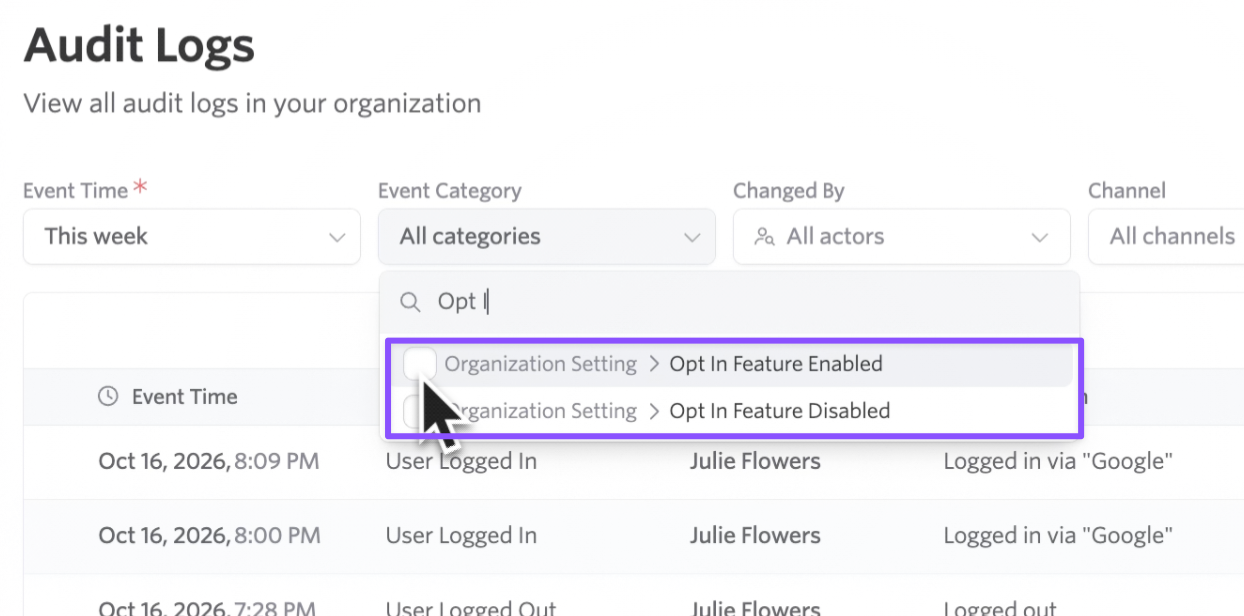
From there, you can filter by event category. For example, you might isolate changes to organization settings rather than reviewing every event that happened during the selected period.
You can also filter by actor. Actors include individual Ashby users as well as API keys, which means you can investigate both changes made through the application and activity originating from an integration.
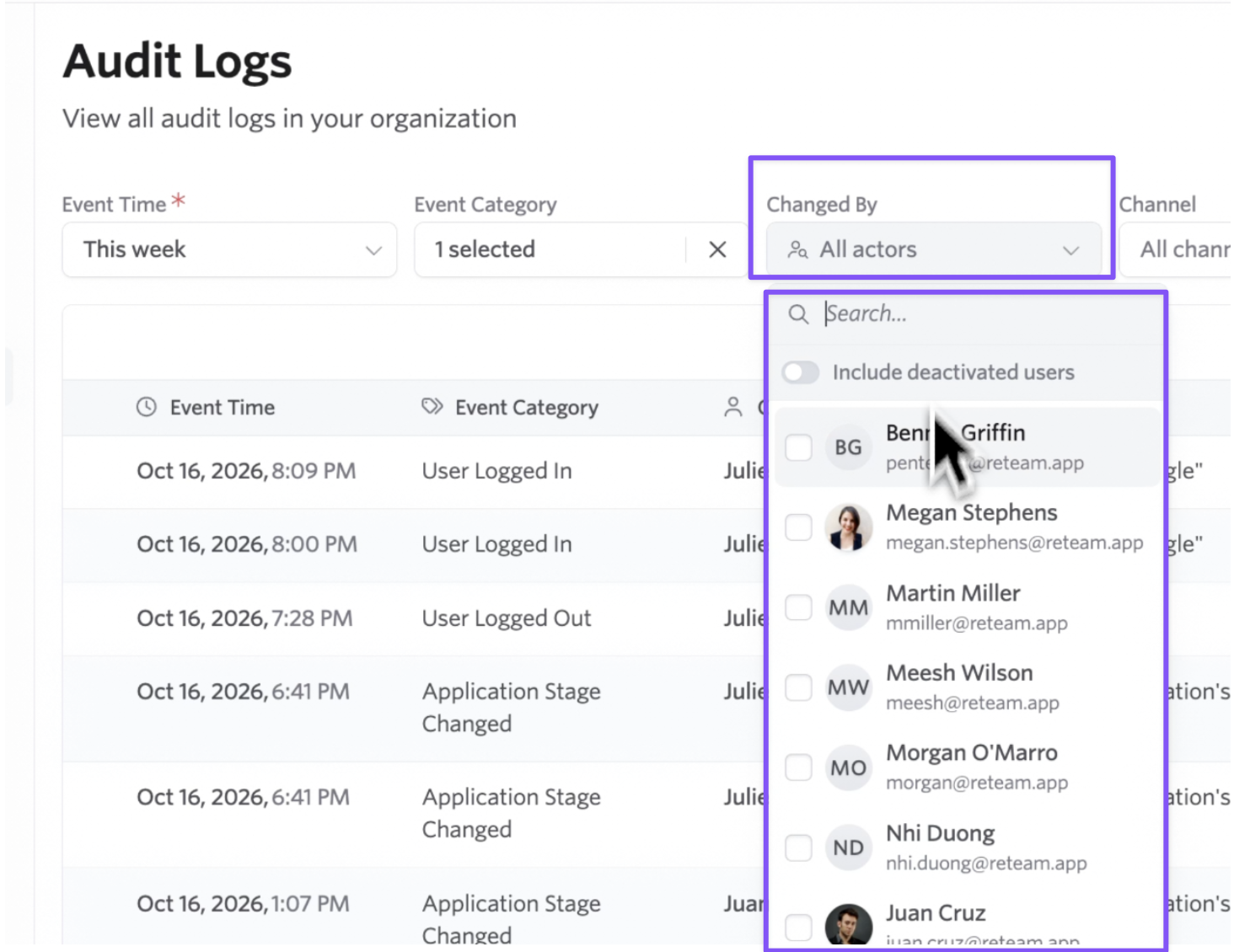
For example, you could review all organization-setting changes from the past week, then narrow the results to actions taken by a particular administrator. You could also select an API key to understand what that integration has been doing across your Ashby organization.
Understand the details behind each change
Audit Logs shows more than the fact that an event happened. When additional information is available, you can expand an entry to see the details behind the change.
For updates to settings and other fields, the event can show the previous and new values. If an administrator enables an opt-in feature, for example, the log can show that the setting changed from disabled to enabled.
Events can also include a target, which identifies the Ashby record affected by the action. When the target has a corresponding page in Ashby, it is rendered as a link. You can move directly from the Audit Log to the affected job posting, candidate, application, or other supported record to continue your investigation.
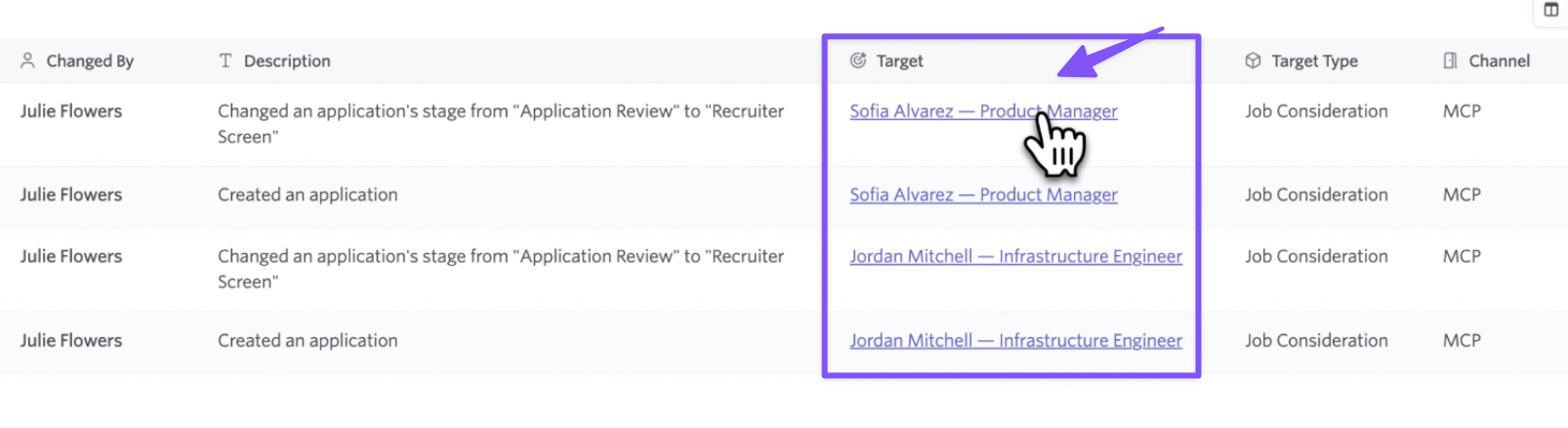
Some events involve multiple related records. If a user is linked to a candidate profile, for example, the entry can include links to both the candidate and the application involved.
These details help administrators move from identifying an event to understanding its context without manually searching across the rest of Ashby.
Bring Ashby Audit Logs into your security systems
In addition to the in-app experience, Enterprise customers can retrieve Audit Logs through the Ashby API.
Security and IT teams commonly collect activity from the software their organization uses in a security information and event management system, or SIEM. These systems centralize events from multiple sources and help teams monitor for unusual activity, unexpected permission changes, potential insider threats, and other security concerns.
Using the auditLog.list endpoint, your team can pull Ashby Audit Logs on a recurring schedule and store them in your data warehouse or security platform. The Audit Log Vocabulary documents the event categories and target types available through the API, giving your security team a reference for interpreting each entry.
Because API keys also appear as actors in Audit Logs, administrators can use the Ashby UI to investigate integration activity while security teams analyze the same underlying events in their own systems.
- View the Audit Log API documentation
- View the Audit Log Vocabulary
Control who can access Audit Logs
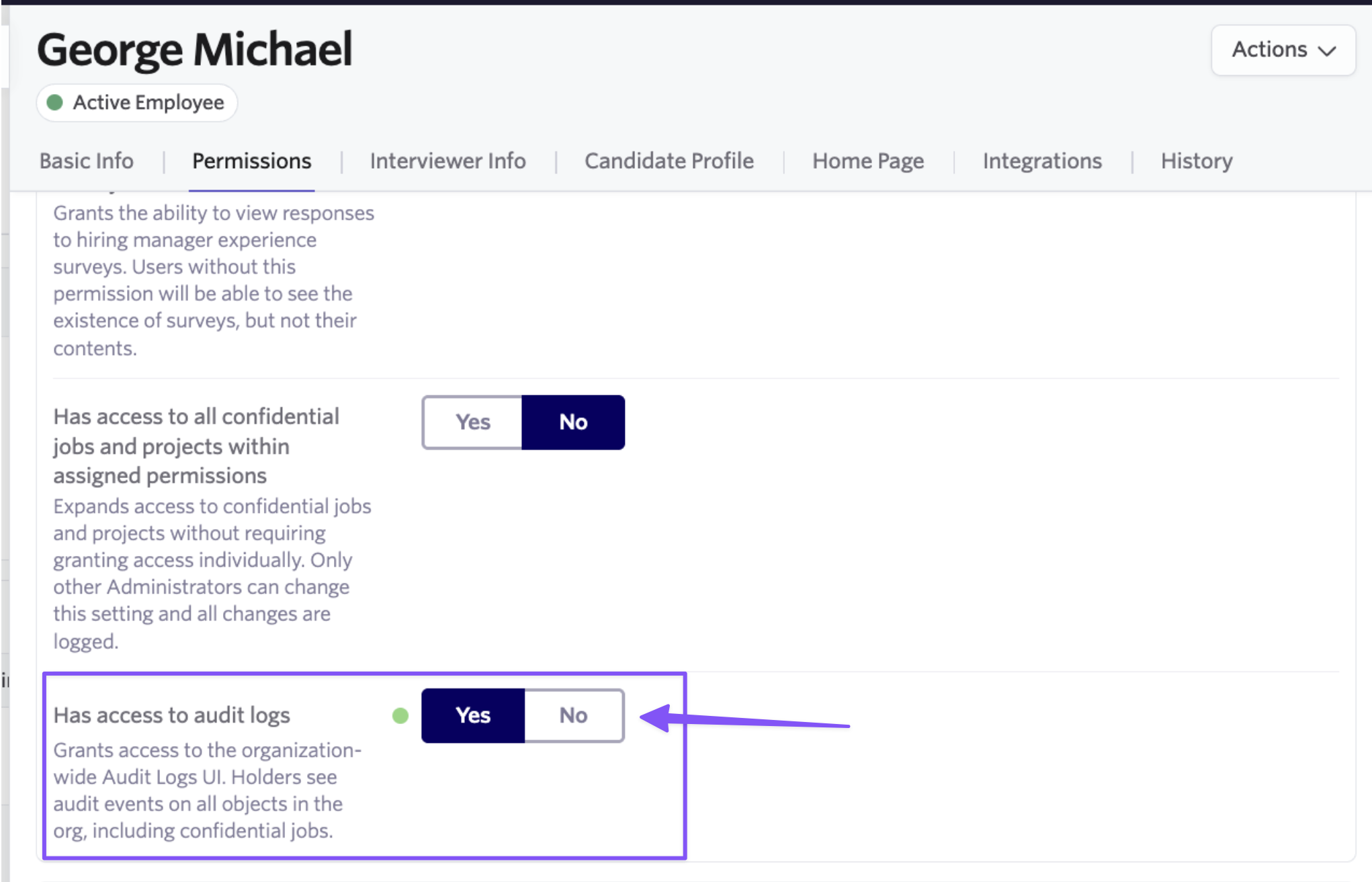
Audit Logs can contain sensitive information about administrative activity, so being an Org Admin does not automatically provide access.
When Audit Logs is enabled for your organization, Ashby Success will grant access to an initial Org Admin. That administrator can then grant access to additional people who need to review the log.
This lets your organization limit the feature to a smaller group of administrators, security professionals, or compliance stakeholders rather than making the organization-wide history visible to every admin.
Audit Log entries are retained indefinitely, but they are designed to limit the sensitive information stored within them. Candidate personally identifiable information is never stored directly in an Audit Log entry. Certain Ashby user information, including IP addresses, is redacted after 30 days.
What changes for your team
For Org Admins and Recruiting Operations, Audit Logs provides a direct way to investigate changes to important settings, permissions, and recruiting records. Instead of relying on memory or starting with a support request, you can review the relevant period, narrow the results, and open the affected record.
For IT and Security, the API provides a structured way to incorporate Ashby events into the monitoring systems you already use. Your team can collect activity from Ashby alongside events from the rest of your technology stack.
For Compliance and Legal teams, Audit Logs creates a durable record that can support internal reviews, security investigations, and questions about when and how important changes were made.
Together, the in-app experience and API make activity in Ashby more observable without requiring every stakeholder to use the same investigation workflow.
What’s included
Audit Logs is included with the Enterprise plan. This release includes:
- The organization-wide Audit Log under Admin
- Filters for date range, event category, and actor
- Detailed metadata and changed-field information for supported events
- Links from events to affected records in Ashby
- API access through
auditLog.list - Public documentation for supported Audit Log events and target types
- Access controls that limit visibility to explicitly authorized Org Admins
Audit Logs is not a separate add-on. Access must be enabled for your organization before an administrator can begin using it.
This initial release covers roughly 150 event types. Ashby includes a broad range of settings, records, and workflows, so not every possible action is represented at launch. We will continue adding event coverage as customers begin using Audit Logs and identify additional activity that is important to their administrative and security processes.
Getting started
To enable Audit Logs, contact your Ashby Customer Success Manager. Ashby Success will grant access to an initial Org Admin, who can then authorize additional administrators.
Once you have access, you can find the Audit Log at Admin > Audit Logs.
To retrieve Audit Logs through the API, create an API key with Audit Log read access and use the auditLog.list endpoint.
Visit our help article for setup instructions and additional details.

