Bulk Actions on Custom List Reports

Today, we're releasing bulk actions on custom list reports for job considerations, jobs, candidates, email sequences, and openings. You can now filter to the records you want, select them, and act on all of them at once, the same way you already can on candidate lists.
Until now, candidate lists and custom list reports had different capabilities. Candidate lists let you filter for the records you want and take action on them in bulk. Custom lists, built around subjects such as job considerations, jobs, openings, and email sequences, offered similar filtering capabilities but did not allow you to take action on the results.
One of the most common requests we heard was for bulk archiving job considerations. Teams with large pipelines often had active job considerations tied to closed jobs, but no self-serve way to clean them up efficiently. High-volume cleanups meant repeating the same action for each job or filing a support ticket for help. With this update, you can take bulk action on custom list reports.
What's in this release?
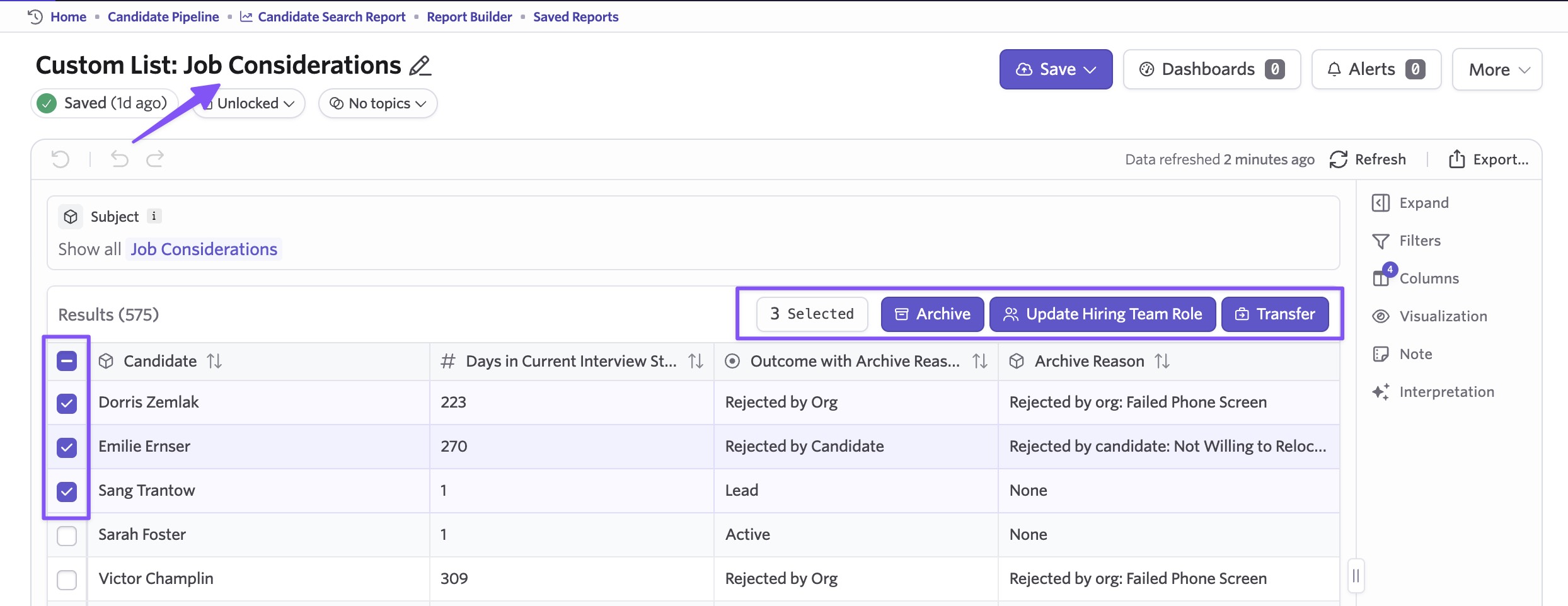
Select one or more rows on a custom list report and a toolbar appears above the table, showing the bulk actions available for that subject.
The available actions include:
- Job considerations: Archive selected job considerations across any number of jobs at once, with options to cancel active sequences, stop feedback reminders, notify rejected applicants, and update the archive reason on job considerations that are already archived. You can also transfer job considerations to a different job and set the hiring team role in bulk.
- Jobs: Close a job or copy an interview plan to a job.
- Candidates: Every bulk action available on candidate lists, except the email-related actions. A candidate custom list behaves exactly like the standard candidate list.
- Email sequences (Sequences): Pause, unpause, or cancel.
- Openings: Archive, restore, or delete, now available from the main openings page in addition to the openings tab on a job.
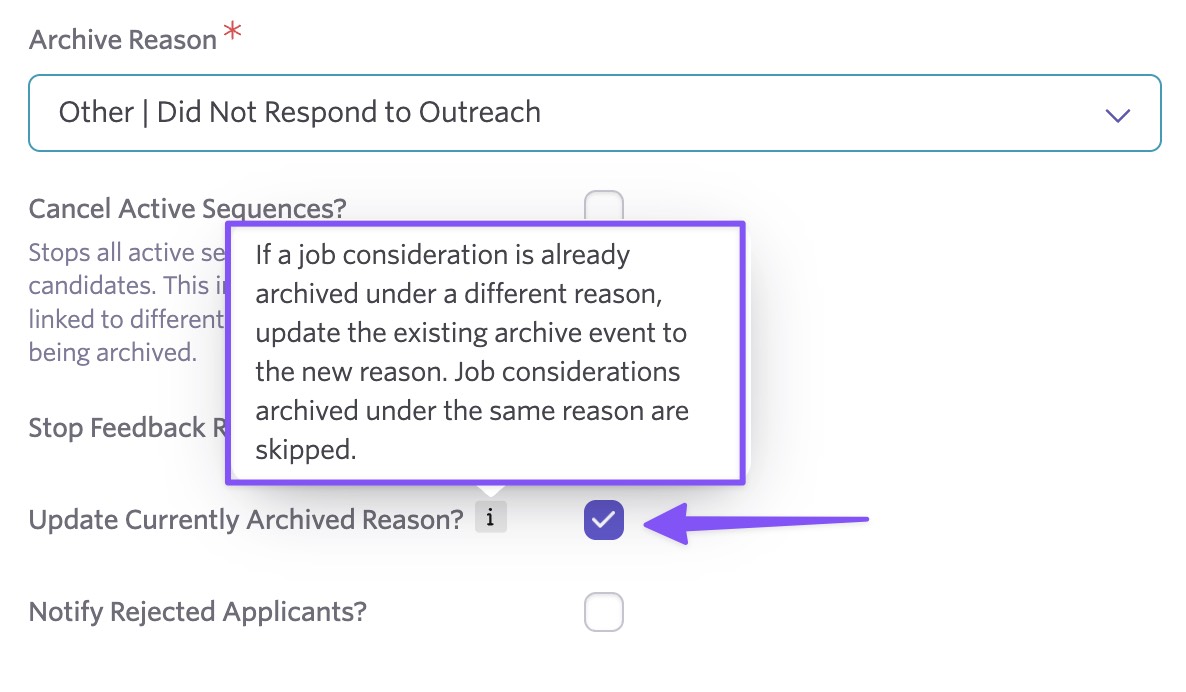
We've also made archiving more predictable when a job consideration is already archived. If you check the box for “Update Currently Archived Reason?” Ashby updates the archive reason in place when it's different and skips job considerations already archived under the same reason. No duplicate history events are created.
Getting started
Bulk actions on custom list reports are available now for Plus and Enterprise customers. To get started, open any custom list report, select the rows you want, and choose an action from the toolbar. Visit our help center for more details.

