Understand past candidate interactions with AI Candidate History Summary in the Chrome Extension

Today, we’re releasing AI Candidate History Summary in Ashby’s Chrome Extension, giving you a concise, cited overview of a candidate’s past interactions with your team directly where you’re sourcing.
When you come across a promising candidate, your team may already have a relationship with them. They might have interviewed for another role, replied to a previous outreach sequence, or declined an offer because the timing wasn’t right.
That history helps you decide whether and how to reconnect. But piecing it together can mean opening past applications, reviewing feedback, and reading across notes and message threads. AI Candidate History Summary brings that context together so you can quickly understand where the relationship stands before taking your next step.
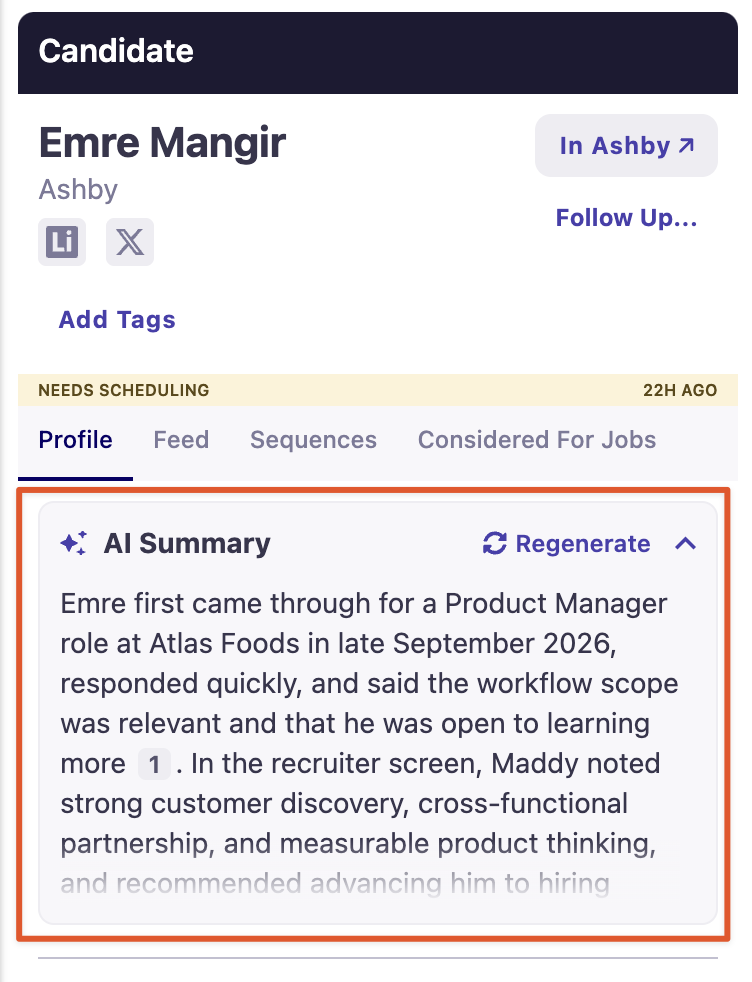
Get the relationship context while you source
When viewing an existing candidate in the Chrome Extension, select Generate Summary below their tags and above the candidate information tabs.
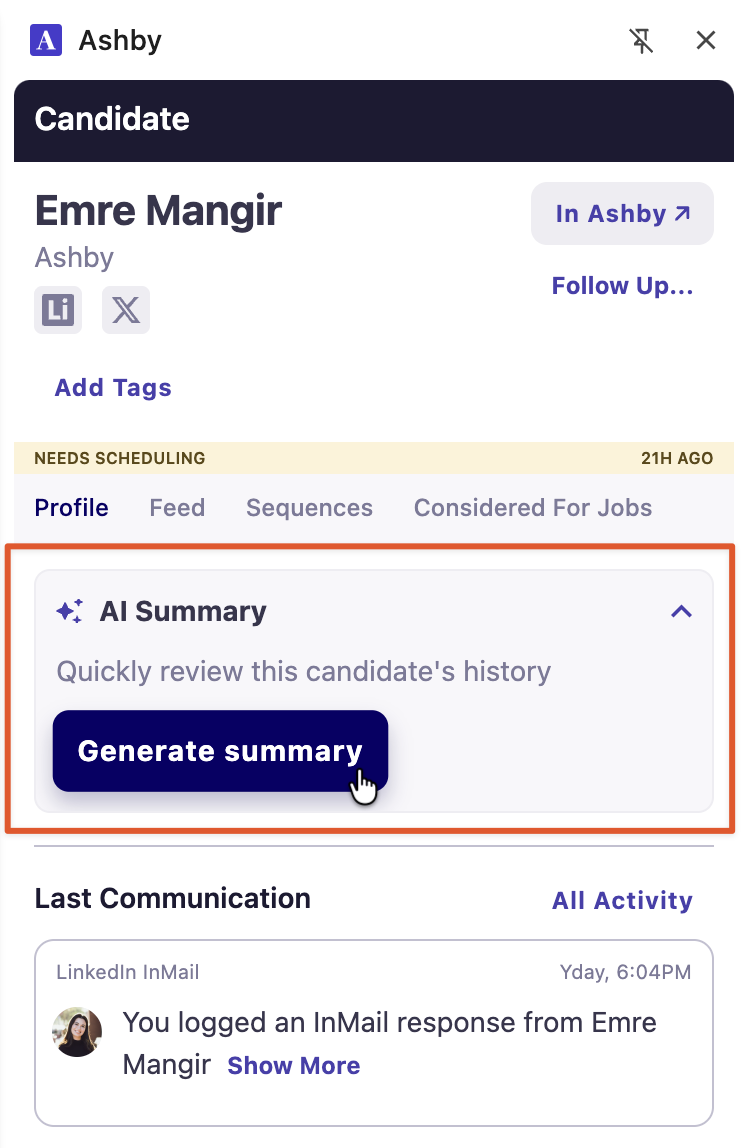
The summary brings together context from across their history in Ashby, including applications, sequences, interviews and feedback, offers, notes, talent projects, emails, and messages.
Text appears as it’s generated, so you can start reading before the full summary is complete. Each summary is approximately 150 words or fewer, with short paragraphs that make it easy to scan. Candidates with less history receive a shorter summary.
This gives you a quick way to understand your team’s past interactions before deciding what to do next.
Focus on the details that inform your next step
A candidate’s activity history can contain many individual updates. The summary emphasizes decisions, outcomes, and signals relevant to re-engagement, helping you find the details that matter without reading every process step.
For example, it can help you identify:
- A past candidate who received strong interview feedback
- A declined offer that provides context for a new conversation
- A previous exchange that explains where the relationship left off
- A recorded do-not-contact status or fraud signal that needs attention before outreach
A recruiter revisiting a past finalist can quickly understand how the previous process ended. A sourcer checking a familiar name can see whether the team has already reached out and what happened.
For candidates with extensive histories, the summary draws on the most recent records in each category. You can use it as a starting point, then explore the underlying records when you need more detail.
Follow citations to the original records
Each factual statement includes an inline citation so you can review the source behind it.
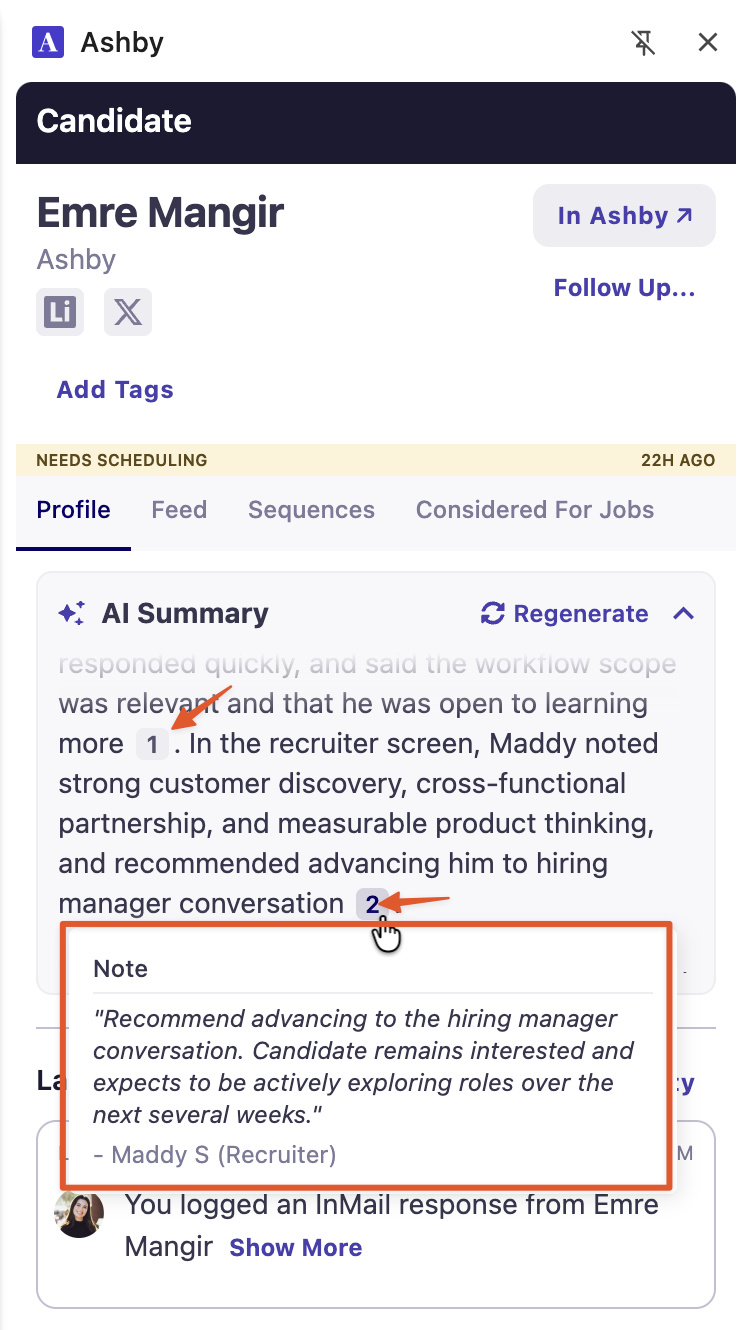
Click on a citation to open the relevant record in Ashby, such as an application, interview feedback, sequence, talent project, note, or text message. Where a direct link isn’t available, the citation takes you to the candidate profile.
If a summary highlights strong past feedback, you can open the original evaluation. If it references a previous conversation, you can review that exchange before drafting your outreach.
The summary helps you get oriented quickly, while citations keep the supporting context within reach.
Respect each user’s access
Summaries are generated for each user and respect their existing permissions in Ashby.
Information you do not have permission to view is excluded from the context used to generate your summary. For example, if a candidate previously applied to a confidential job you cannot access, that application will not appear in your summary.
This means different team members may see different summaries for the same candidate, based on the information available to each person.
Getting started
First, go to Admin Settings > Opt-In Features and enable Candidate History Summary under the AI Features section.
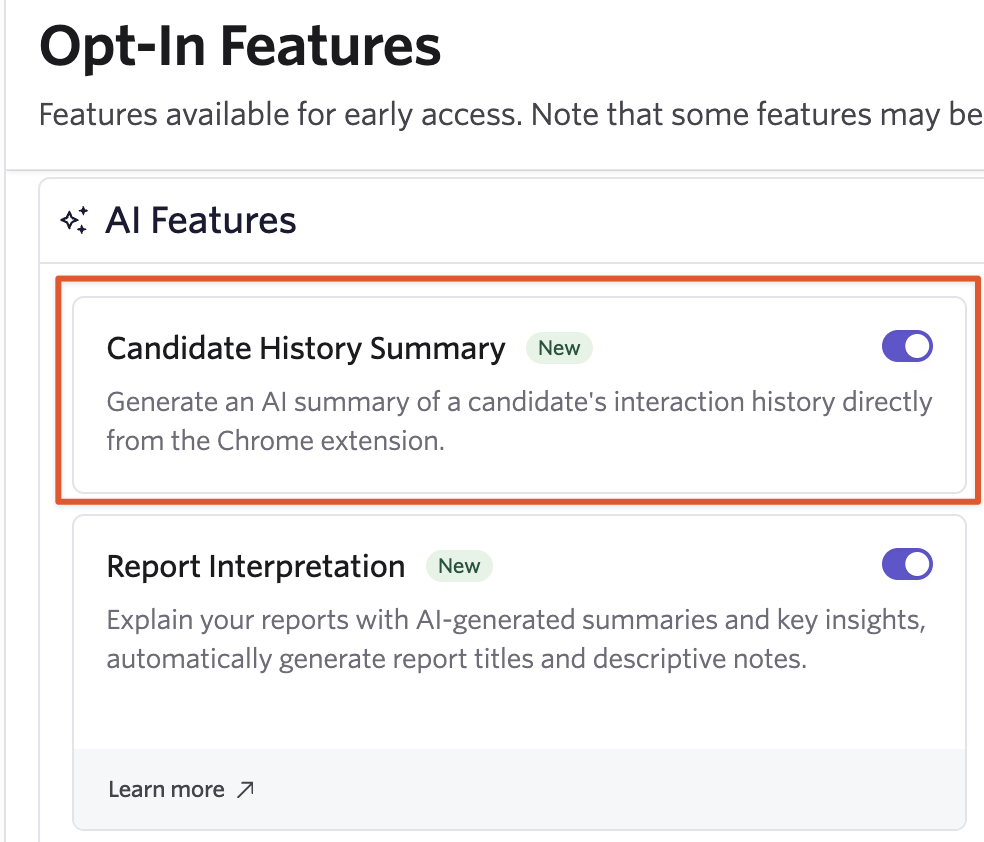
To generate a candidate history summary:
- Open Ashby’s Chrome Extension while viewing an existing candidate.
- Select Generate Summary below the candidate’s tags.
- Review the summary and follow citations for any details you want to explore.
- Manually regenerate the summary when you need updated context after new activity.
Summaries are designed for candidates who already have interaction history in Ashby. If there is no history to summarize, the extension will let you know.
AI Candidate History Summary is generally available in Ashby’s Chrome Extension for customers on all plans.
Visit our help article for more information.

