Manage reusable company documents in one place
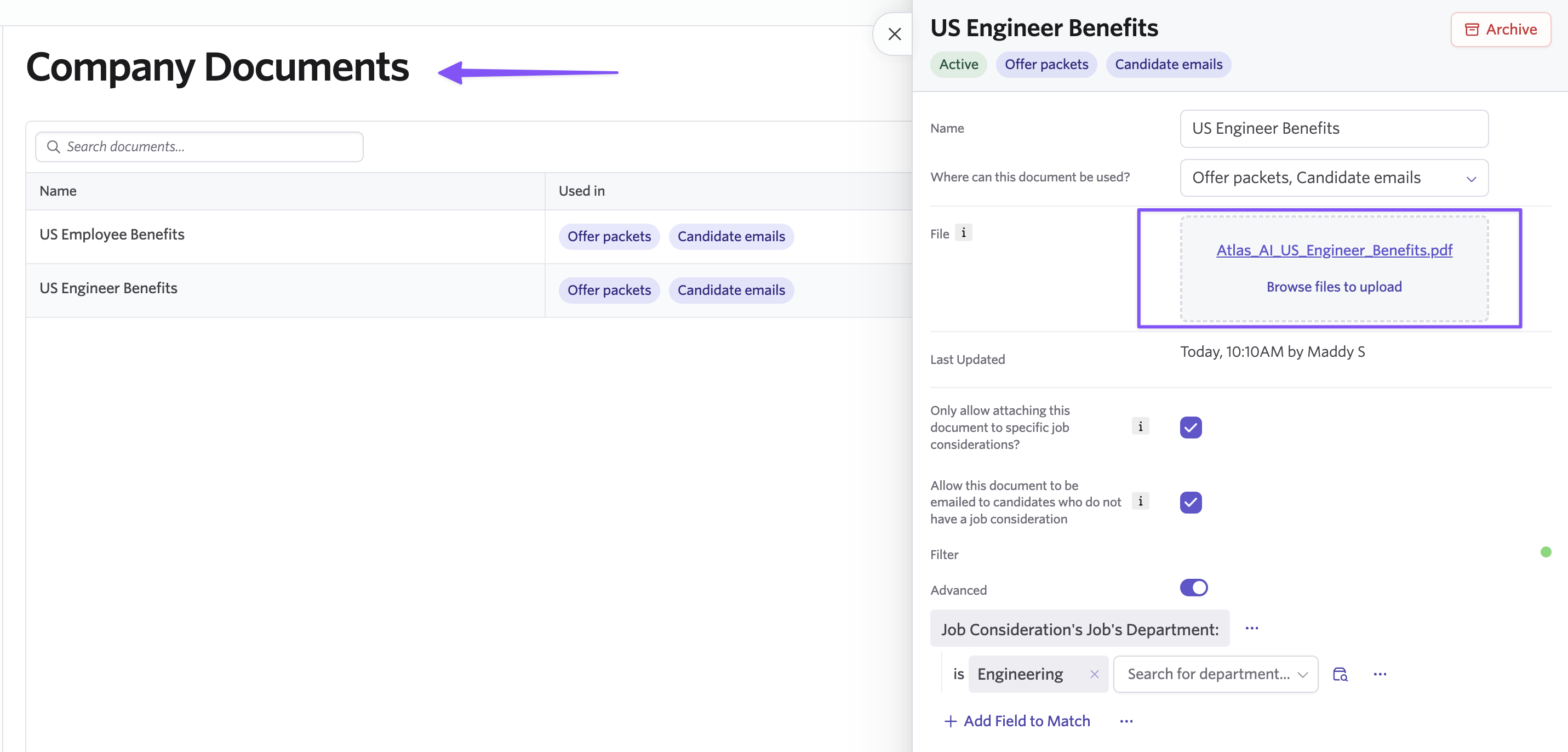
You can now upload and manage reusable candidate-facing documents in a central Company Document Library, then use them across offers, emails, and email templates.
Instead of uploading separate copies of frequently used files like benefits guides, culture decks, and policy documents wherever they're needed, you can maintain one document in Ashby and reference it across your candidate communications.
When you update a document in the library, the new version is automatically used everywhere that document is referenced. This makes it easier to keep candidate-facing materials consistent and up to date without tracking down and replacing individual copies.
Included in this update:
- A new Company Documents section in Admin for managing reusable, org-level files
- Add library documents to offer packets and individual offers
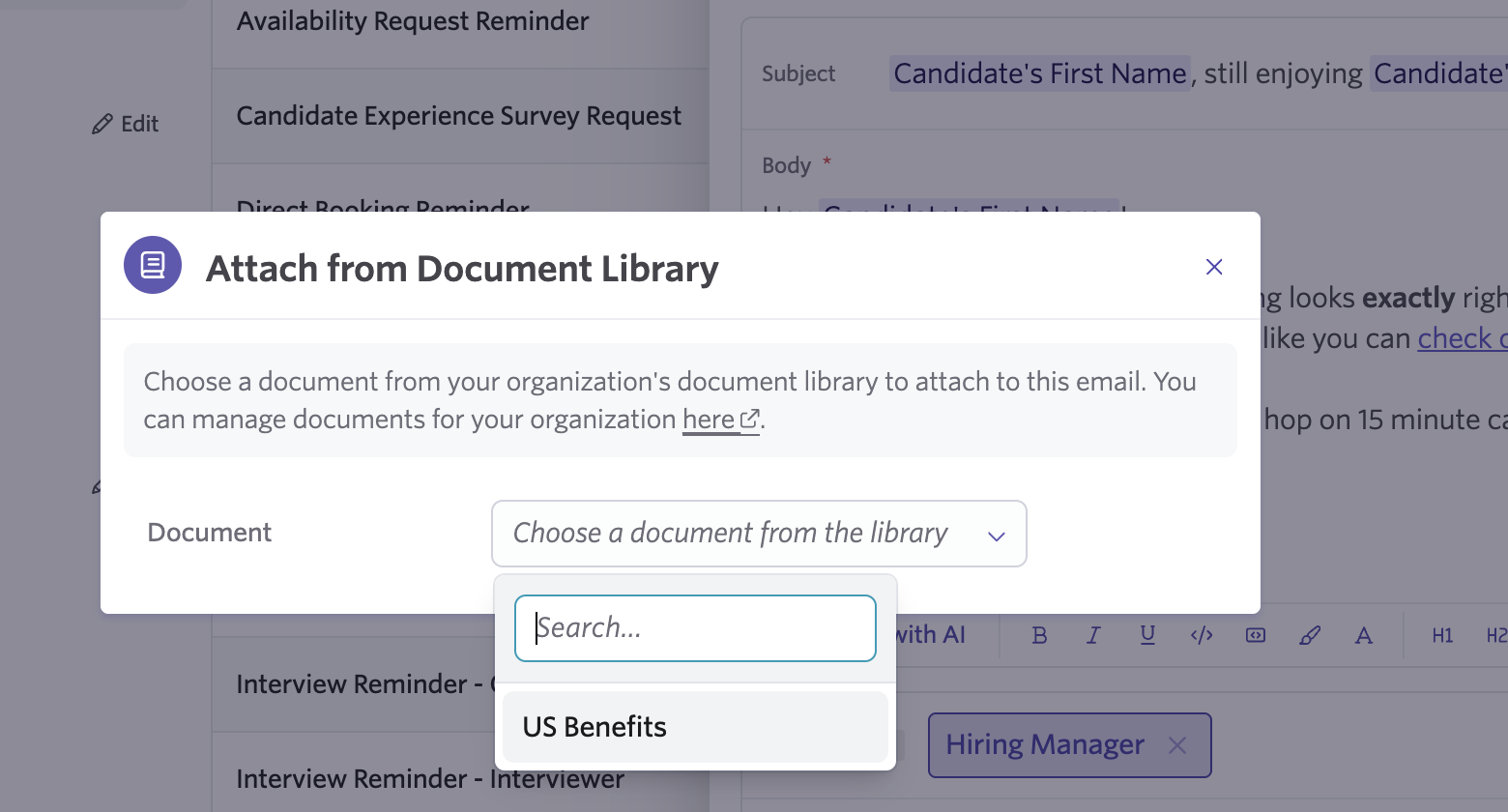
- Attach library documents to emails and email templates
- Add optional scope filters to control where each document can be used
- Update a document once and automatically use the latest version everywhere it is referenced
Update a document once, everywhere it is used
Each document in the library has a name, file, and optional scope filter. Offers and emails reference the document in the library rather than creating separate copies.
When you replace a file in the Company Document Library, the updated version is automatically used anywhere that document is referenced. For example, you can maintain one benefits guide and use it across offer packets and candidate emails. When the guide changes, you only need to update it once.
Add library documents to offers and emails
When building an offer packet or creating an individual offer, you can select documents directly from the Company Document Library. You can also attach library documents to individual emails and email templates.
You can still upload an ad hoc file directly to an offer when you need a document specific to an individual candidate.
This gives teams a central source for frequently used materials while preserving the flexibility to add one-off documents when needed.
Control where documents can be used
You can add an optional scope filter to each library document to control where it is available for selection.
This lets you make documents available only in the workflows where they're relevant, helping teams find the right file without cluttering every document picker.
Getting started
The Company Document Library is available on Plus and Enterprise plans.
To get started, go to Admin → Company Documents and add your first file. Visit our Help Center for more details.

