Share compensation details in candidate communications with the new Job Compensation token

Today, we're releasing a new Job Compensation token, giving you a way to include a job's compensation details directly in any candidate-facing communication sent through a template in Ashby.
Compensation disclosure requirements are expanding. Under the EU Pay Transparency Directive, for example, employers need to share the initial pay level or range with a candidate before the interview process begins, either on the job posting itself or in a separate communication.
Not every organization wants compensation on the public posting, but the obligation to share it still stands. The Job Compensation token gives you a way to meet that requirement without changing what's visible on your job postings.
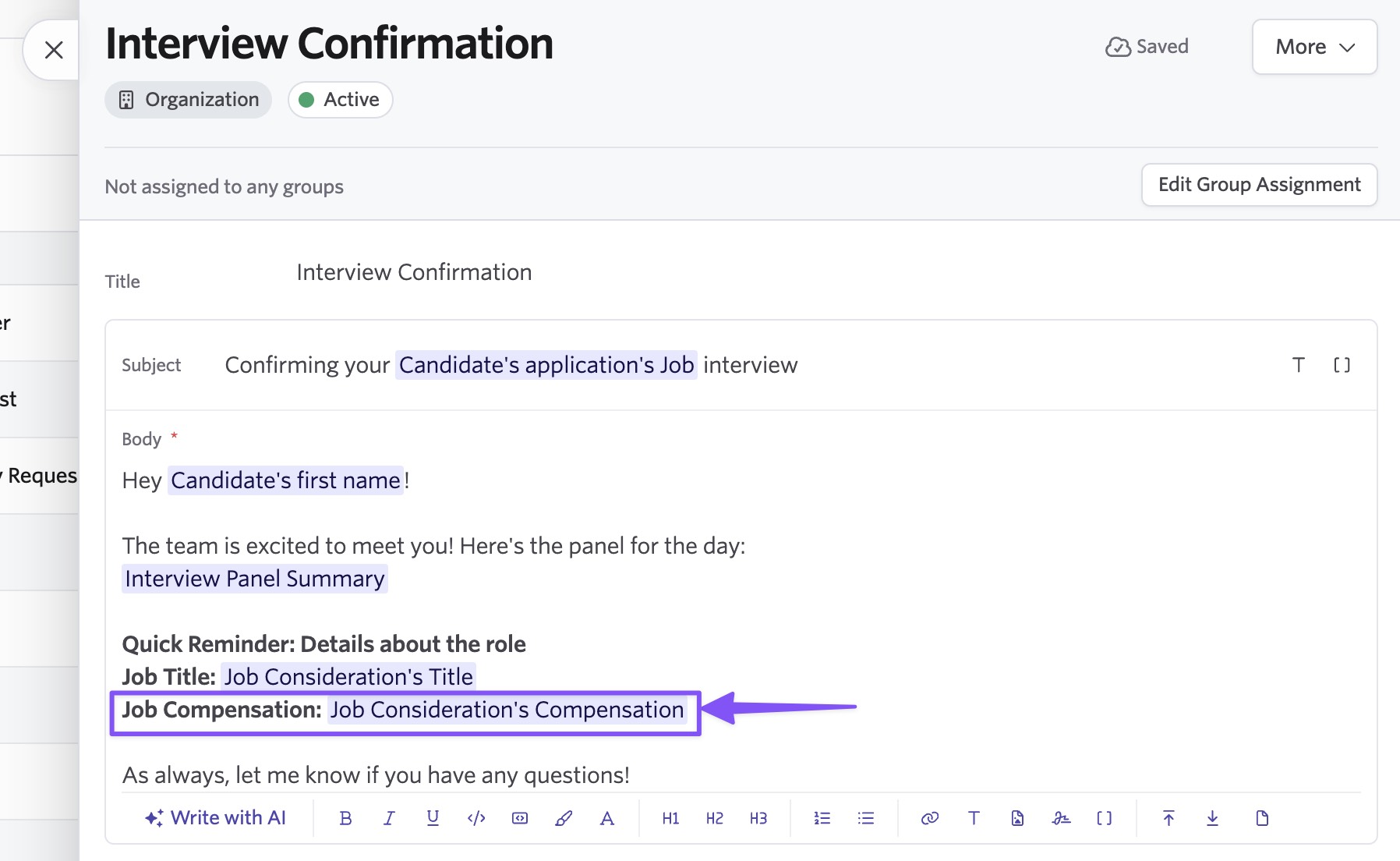
How it works
The token is available as "Job Consideration's Compensation" in the token selector.
The token resolves to the same formatted compensation summary that appears on your job posting, for example "USD 120,000 - 150,000 per year," so candidates see consistent numbers wherever compensation shows up. If a job has multiple postings with different compensation, the token uses the compensation tied to the posting the candidate actually applied to. If a candidate was manually considered for a job, or a posting doesn't define its own compensation, the token falls back to the compensation set on the job itself.
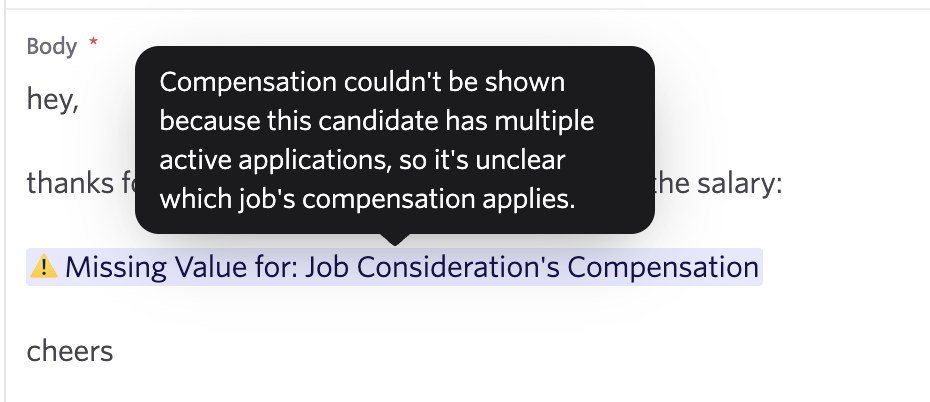
Because job and application details can be ambiguous in some cases, the token follows Ashby's strict unresolved-token rules for campaign sends. If compensation can't be confidently resolved for a candidate, the send is blocked rather than going out with missing or incorrect information, and a tooltip on the token explains why it couldn't resolve.
Where you can use it
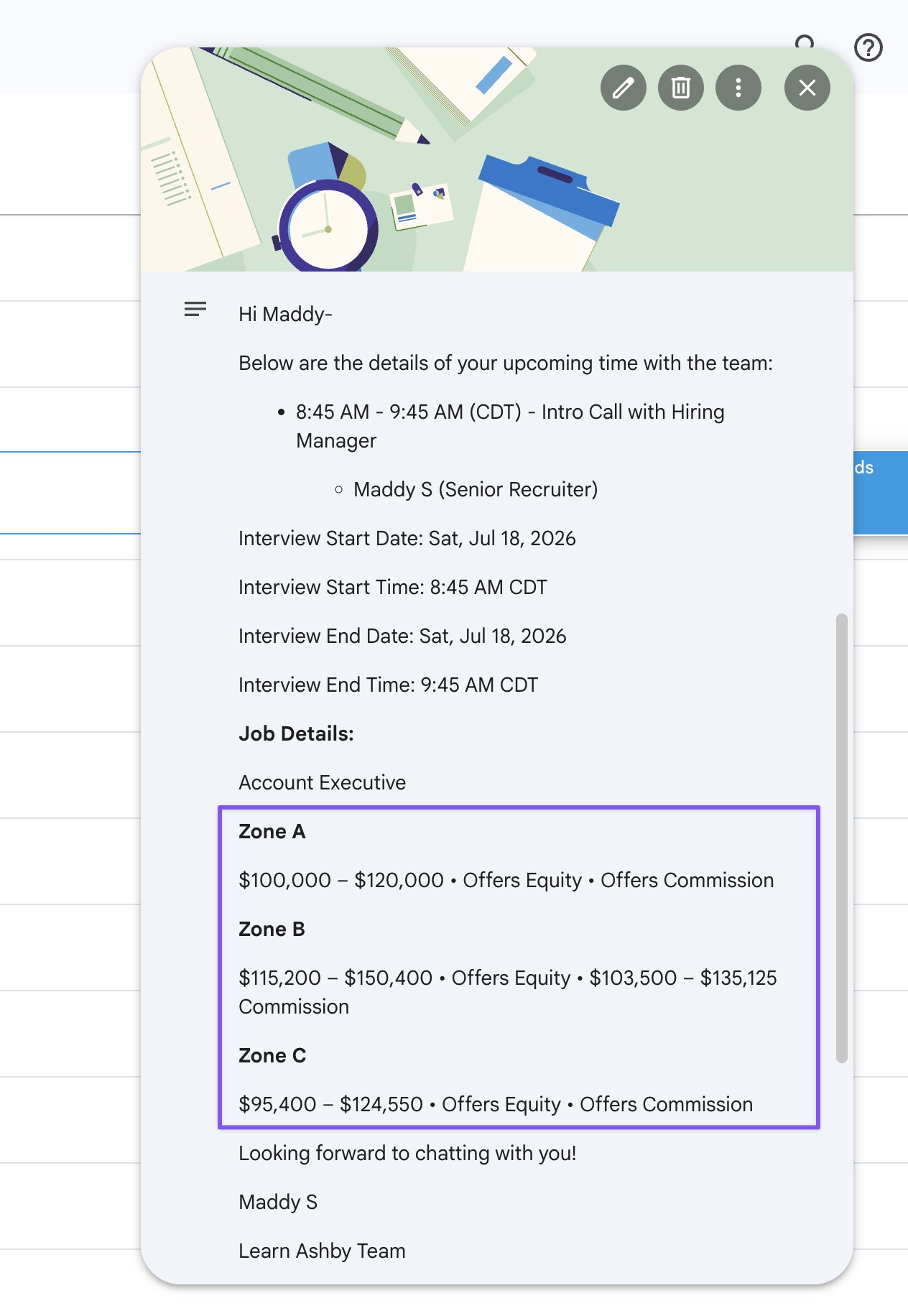
Add the Job Compensation token to any email template, including interview confirmation emails, and it will also carry through to calendar invite details when that template is used to schedule a candidate. That means a candidate's interview confirmation email and their calendar invite can both show compensation automatically, with no manual copy-paste required.
Note: this token is not yet supported for SMS or WhatsApp communications.
Getting started
The Job Compensation token is available to all customers on Foundations, Plus, and Enterprise plans. To get started, open the token selector and select "Job Consideration's Compensation". Visit our help center for more details on setting up templates with the Job Compensation token.

