Do Not Contact company lists

You can now create and manage a “Do Not Contact” (DNC) list to track companies whose employees you should not reach out to. Ashby users will receive a notice when attempting to contact a candidate associated with one of these restricted companies.
You’ve always been able to mark candidates as “Do Not Contact” but now doing it at the company level gives your team greater flexibility to handle cases like:
- Non-solicitation agreements with other companies
- M&A activity
- Managing recruiting across a suite of companies (brands, portfolio companies)
To manage your company's DNC list you can do so under the Do Not Contact Rules section in admin.
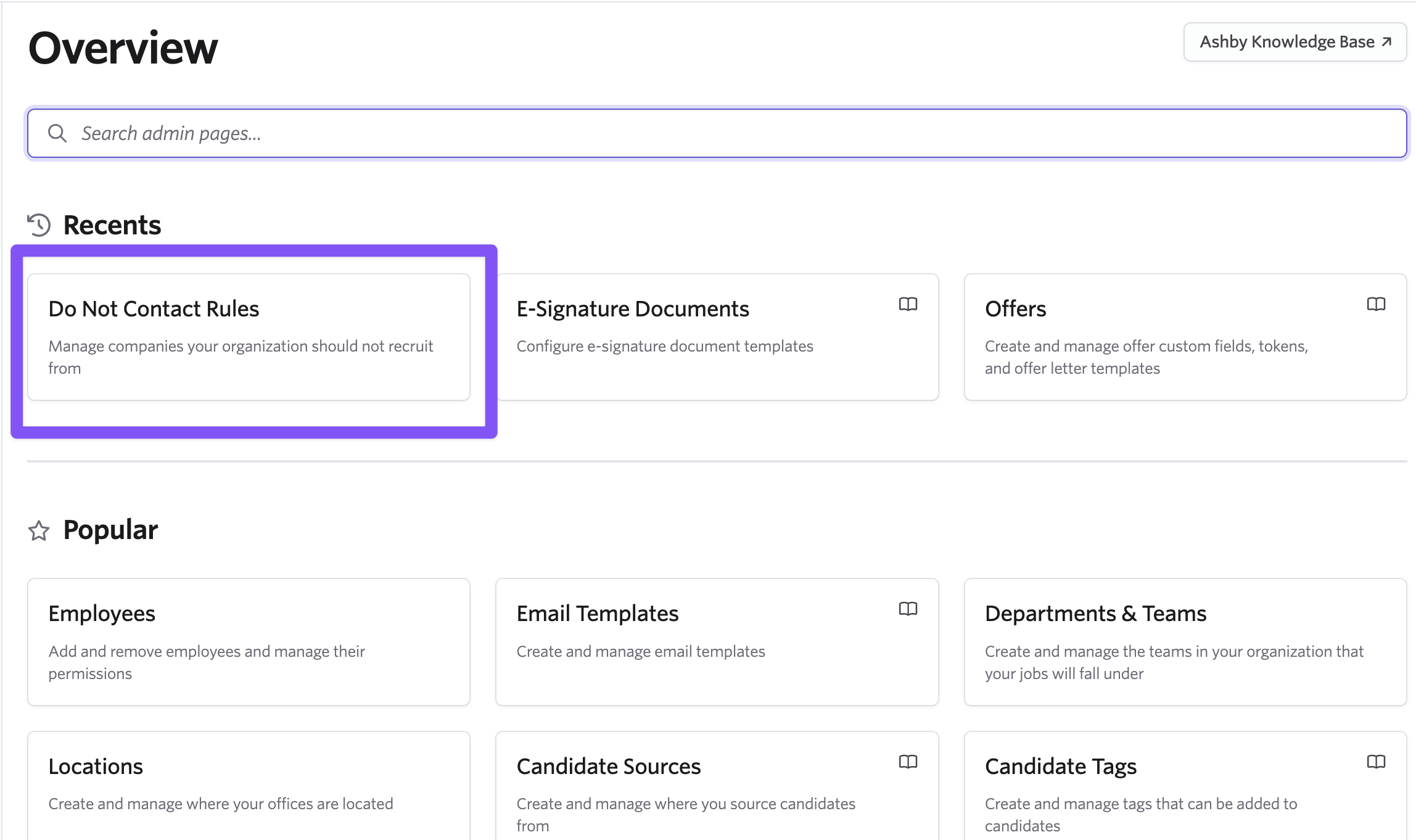
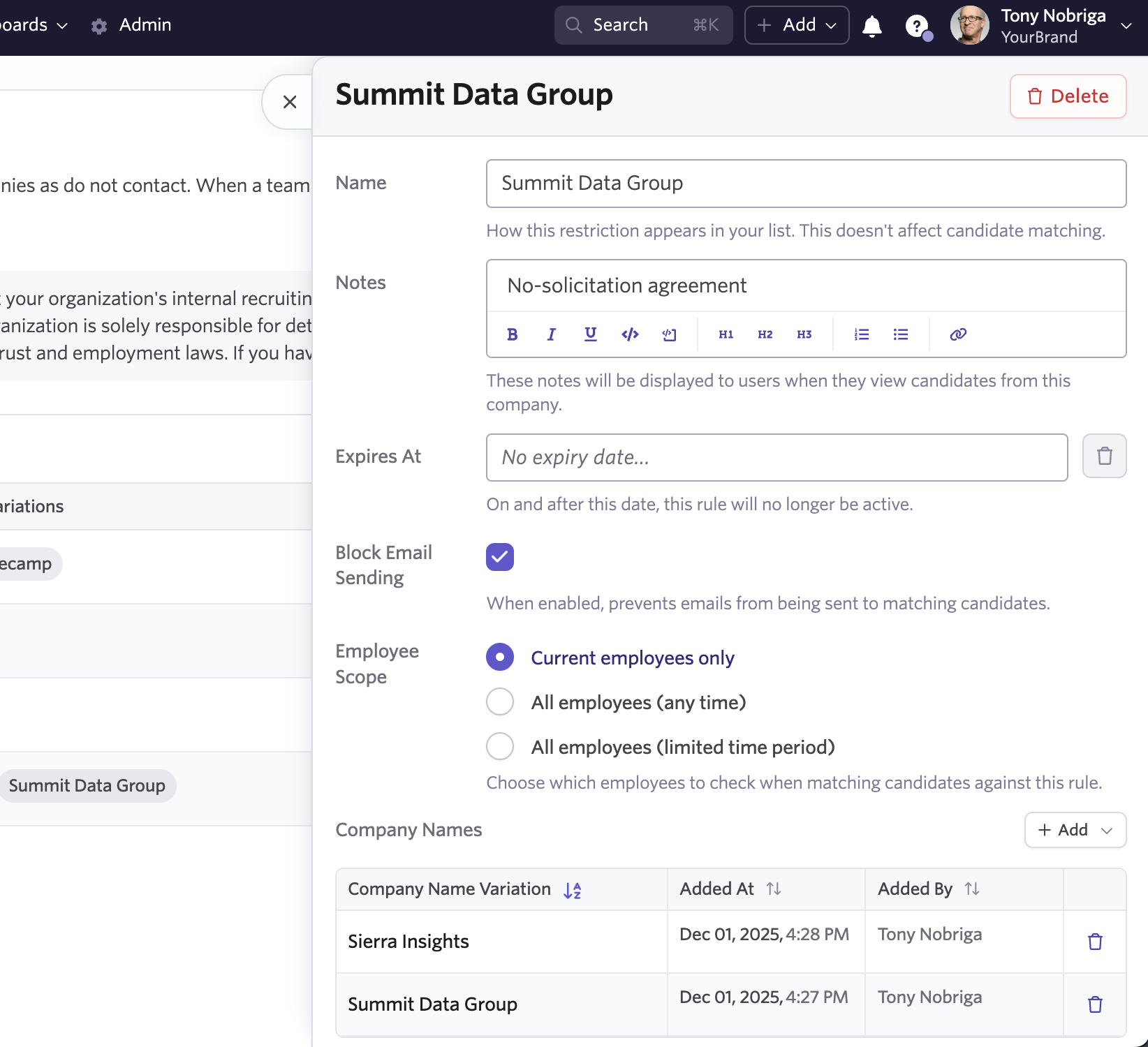
Here you can easily add companies as rules.

You'll also have the option to add notes, company name variations, control over explicit blocking of email sending, and whether or not this should include previous or just active employees.
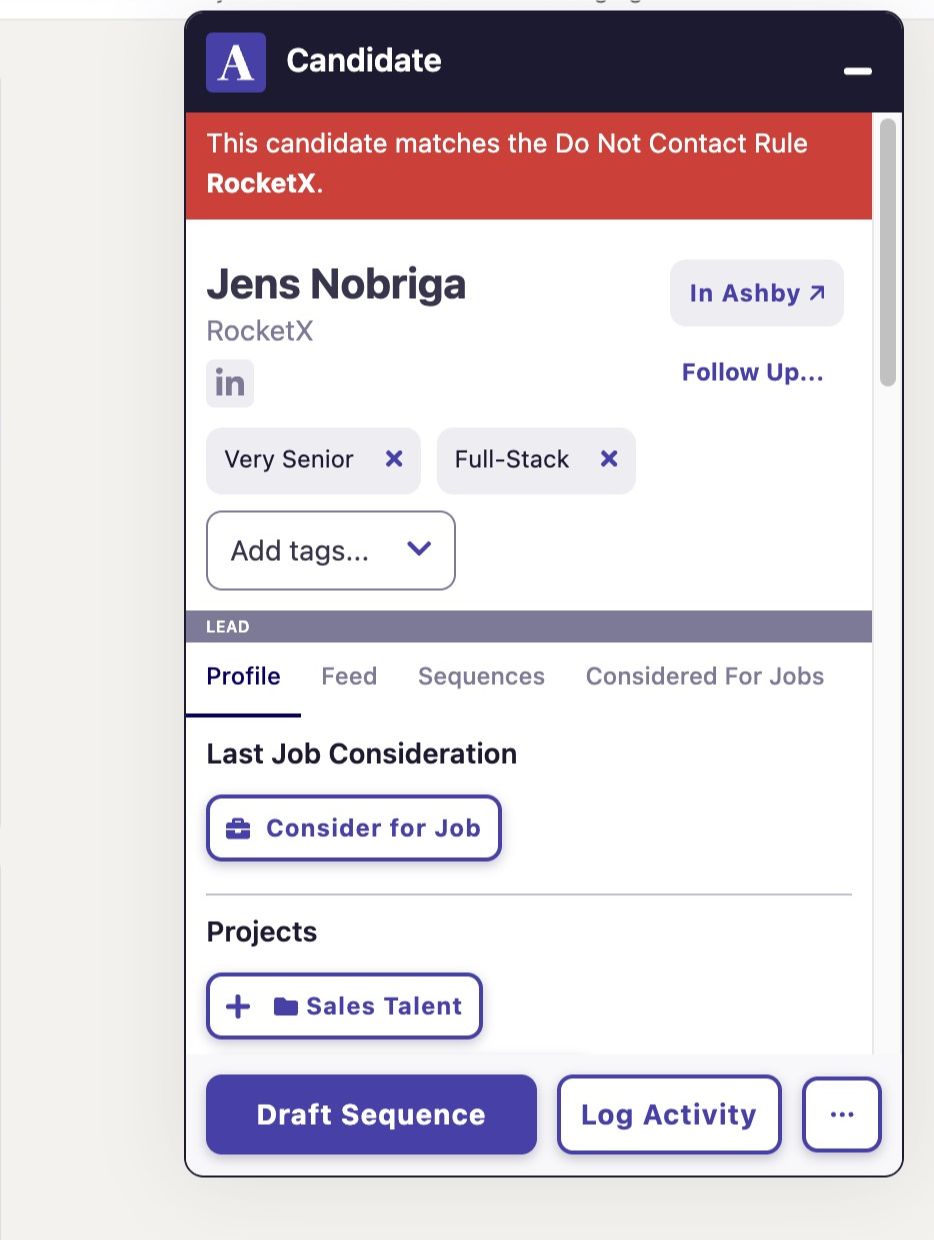
When sourcing with Ashby’s chrome extension we’ll show a warning that indicates the person works at a company that belongs to your “Do Not Contact” list.
If you have an existing DNC list we can also upload this directly to Ashby so you can have your bootstrapped list from the start.
The “Do Not Contact” company list feature is available for Plus and Enterprise customers. Learn more in the Ashby Knowledge Base.

