New custom field type: Employee

You can now use "Employee" as a field type for your custom fields in Ashby.
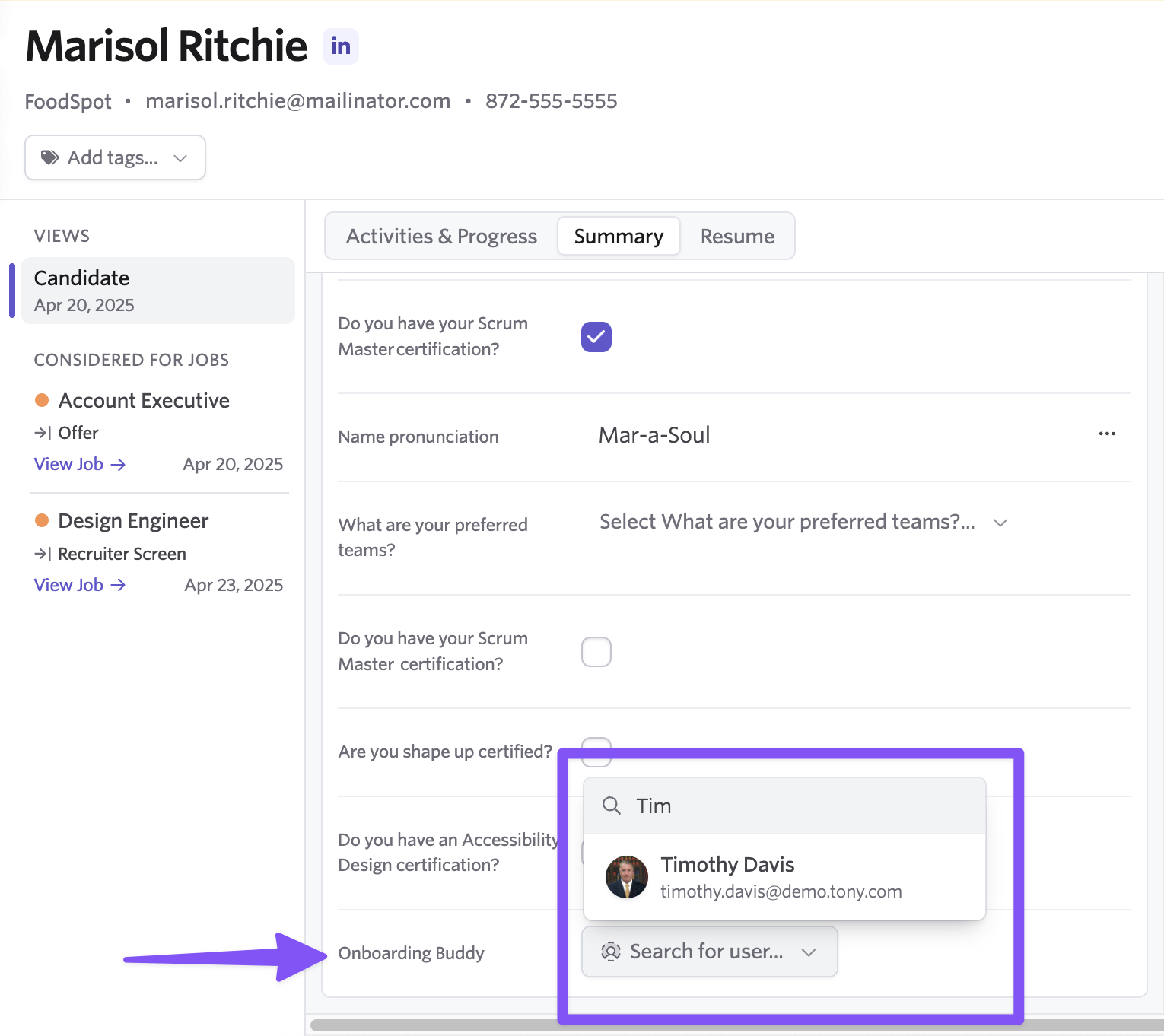
This gives you a structured way to associate Employees, via custom fields, to various objects in Ashby: Candidate, Job, Offer, and more.
This structure ensures consistency when setting these field values and makes reporting easier, since you can reference Employee objects directly instead of relying on matching text strings. It also allows us to passthrough data in a much easier way.
As an example, if you have an "onboarding buddy" custom field with an employee field type you can easily pull in their name to the offer letter without needing to type it out.
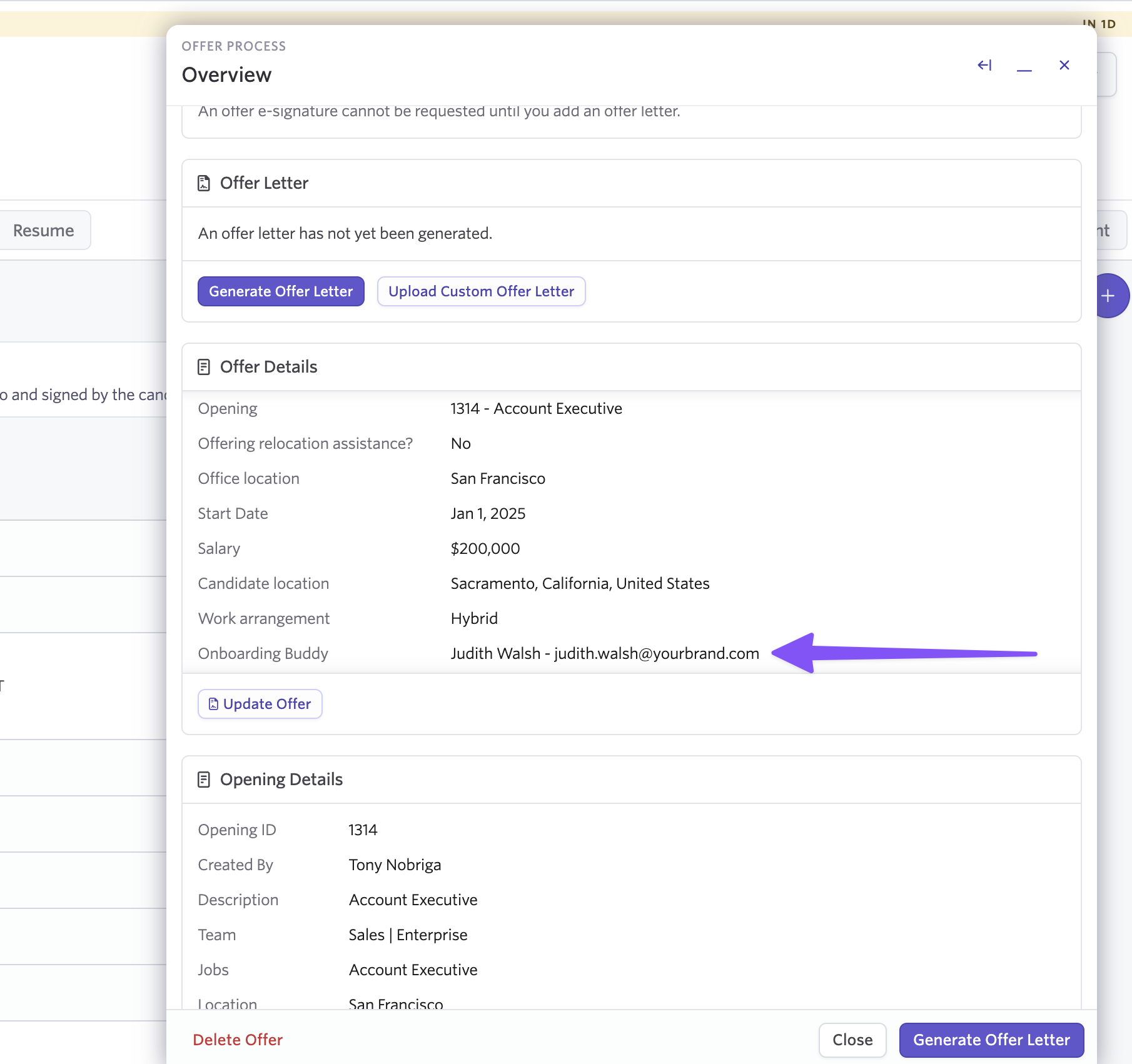
Using Employee as a field type (rather than text) sets the stage for various kinds of first-class references and linking, both now and in the future.
How to set up Employee field types
When you create a new custom field, you'll see Employee as a field type option.
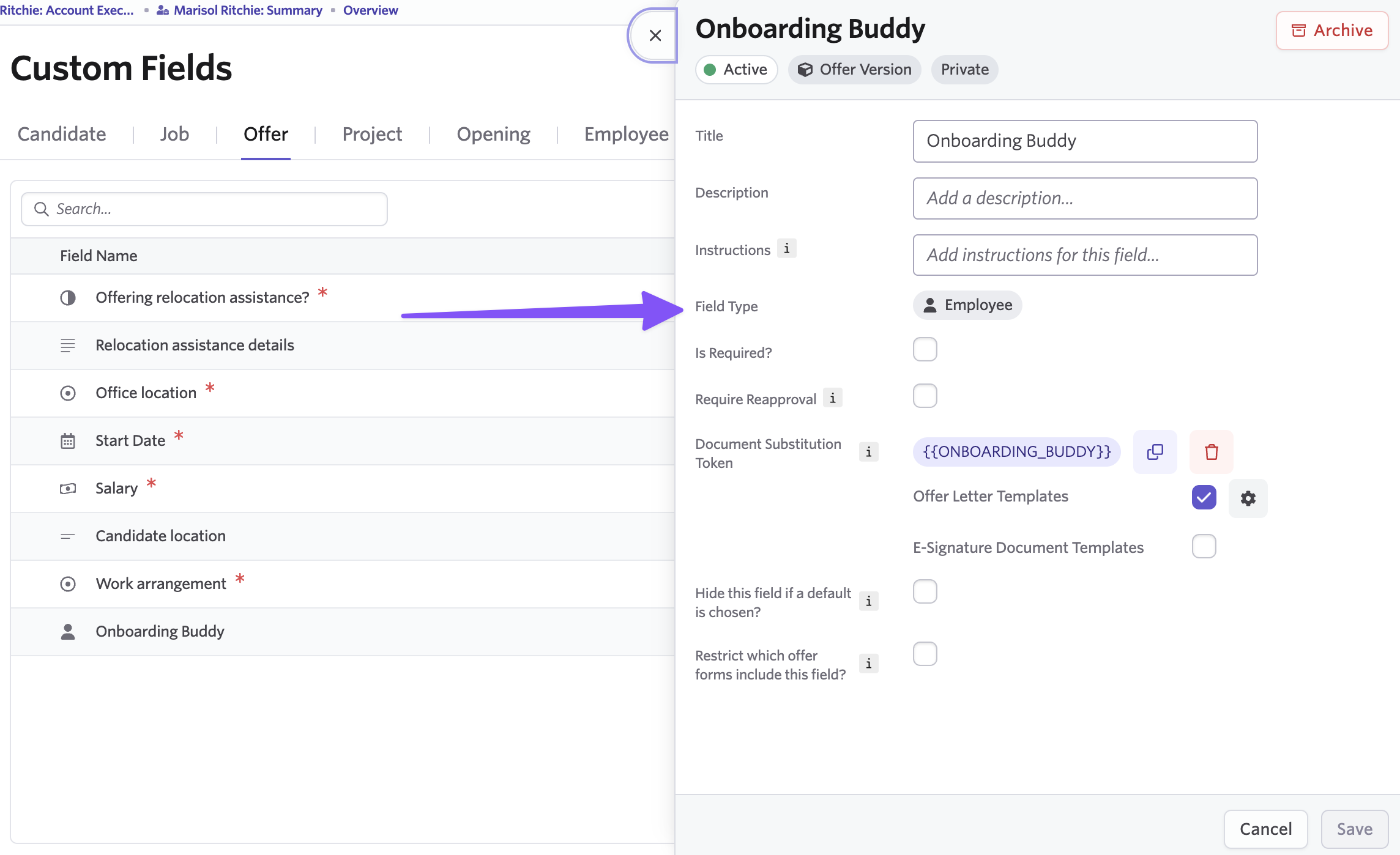
Employee fields appear as a single-select dropdown showing all employees in your Ashby instance.
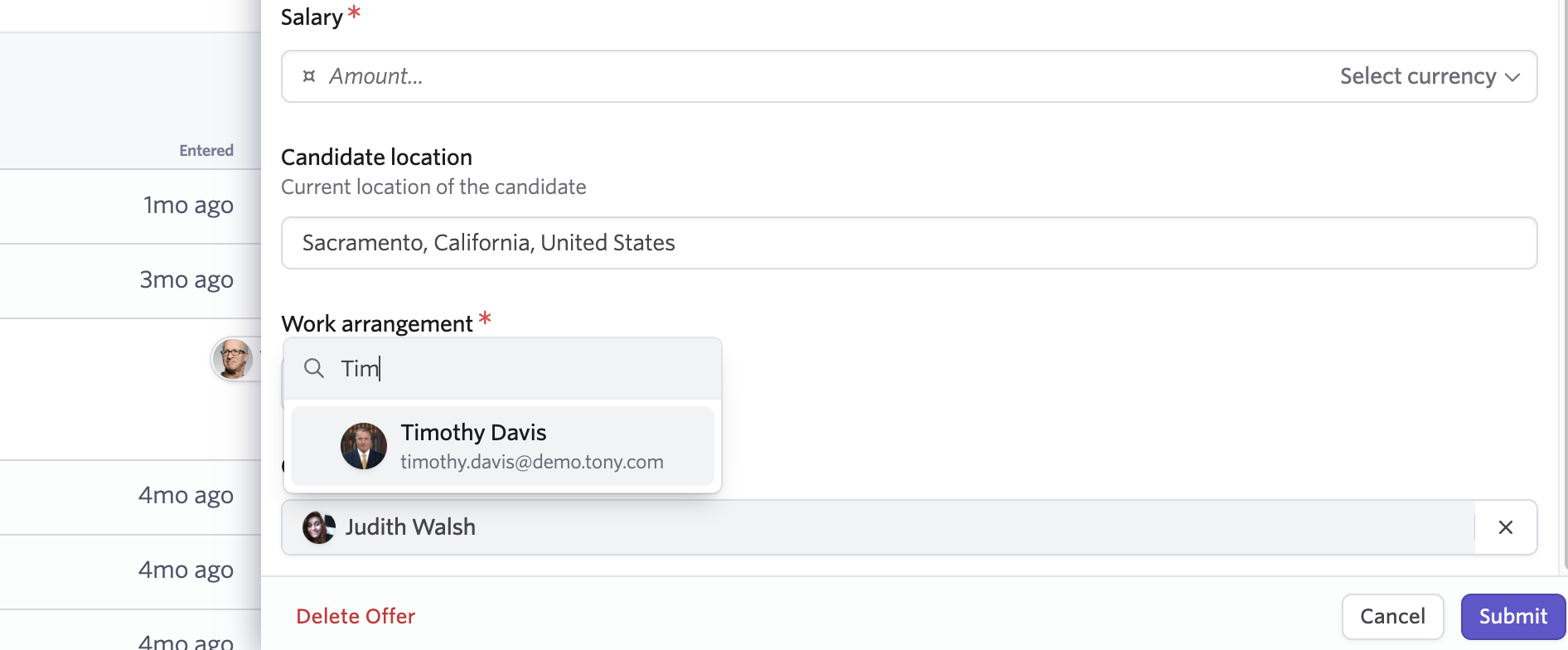
Employee types on custom fields are available on:
- Candidates
- Jobs
- Offers
- Openings
- Projects
- Employees
- Archive Details
Reporting on employee fields
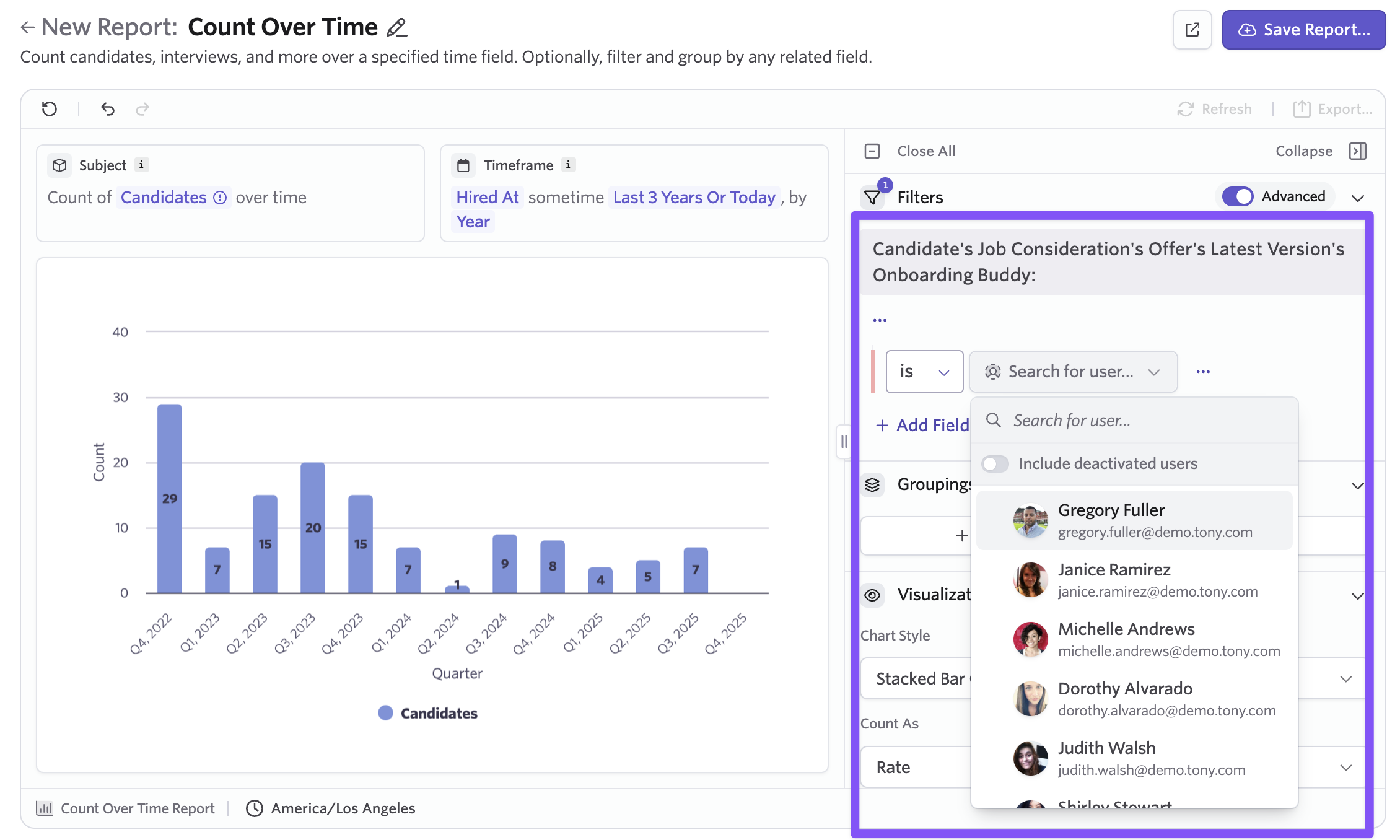
Employee custom fields are available in reporting like any other custom field.
Getting started
Employee custom fields are available today. Head to your admin settings to create a new custom field and select Employee as the field type.

