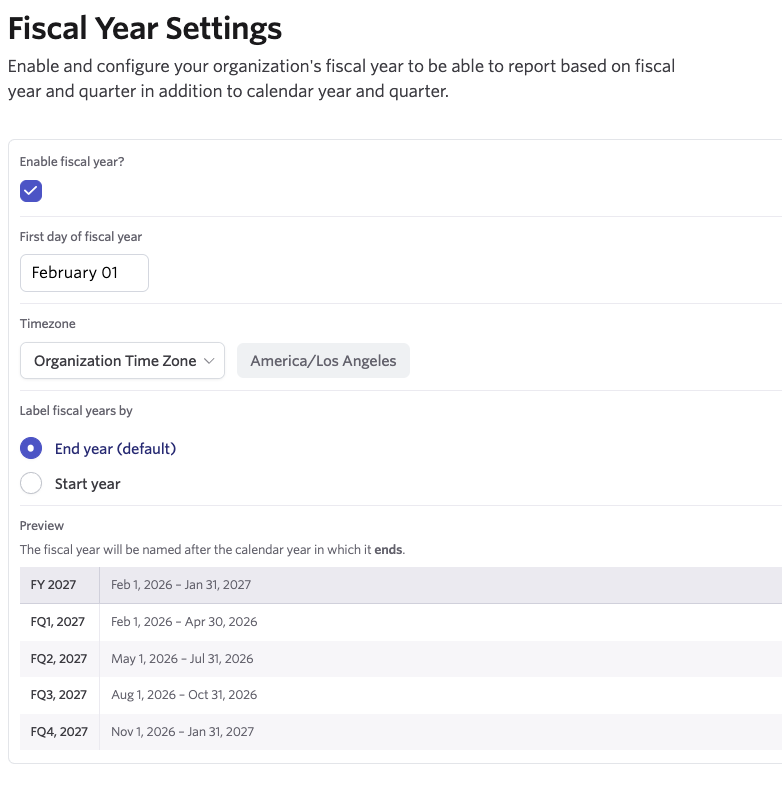
We've updated the fiscal year settings to offer more flexibility for time zones and labels. Fiscal years follow your organization’s time zone by default, helping keep fiscal buckets, labels, and tooltips aligned when your organization’s time zone changes. You can still select a custom time zone if that better fits your Organization's reporting needs.
You can also choose how a fiscal year is labeled. By default, this is labeled using the calendar year in which the fiscal year ends, but this can be updated to the calendar year in which the fiscal year starts instead. When making these updates, you can preview how the selected option will appear.