Event-level panel settings for more scheduling control

Today, we're releasing improved panel scheduling options to give you more control over multi-event interview schedules in Ashby.
You can now configure events in a panel individually - unique titles and descriptions per interview, interview resources attached only where needed, and flexible options for how you send invites.
This makes it easier to provide clarity on different events to interviewers and candidates while reducing the need for any extra steps outside of Ashby.
What's New
Flexible invite structure
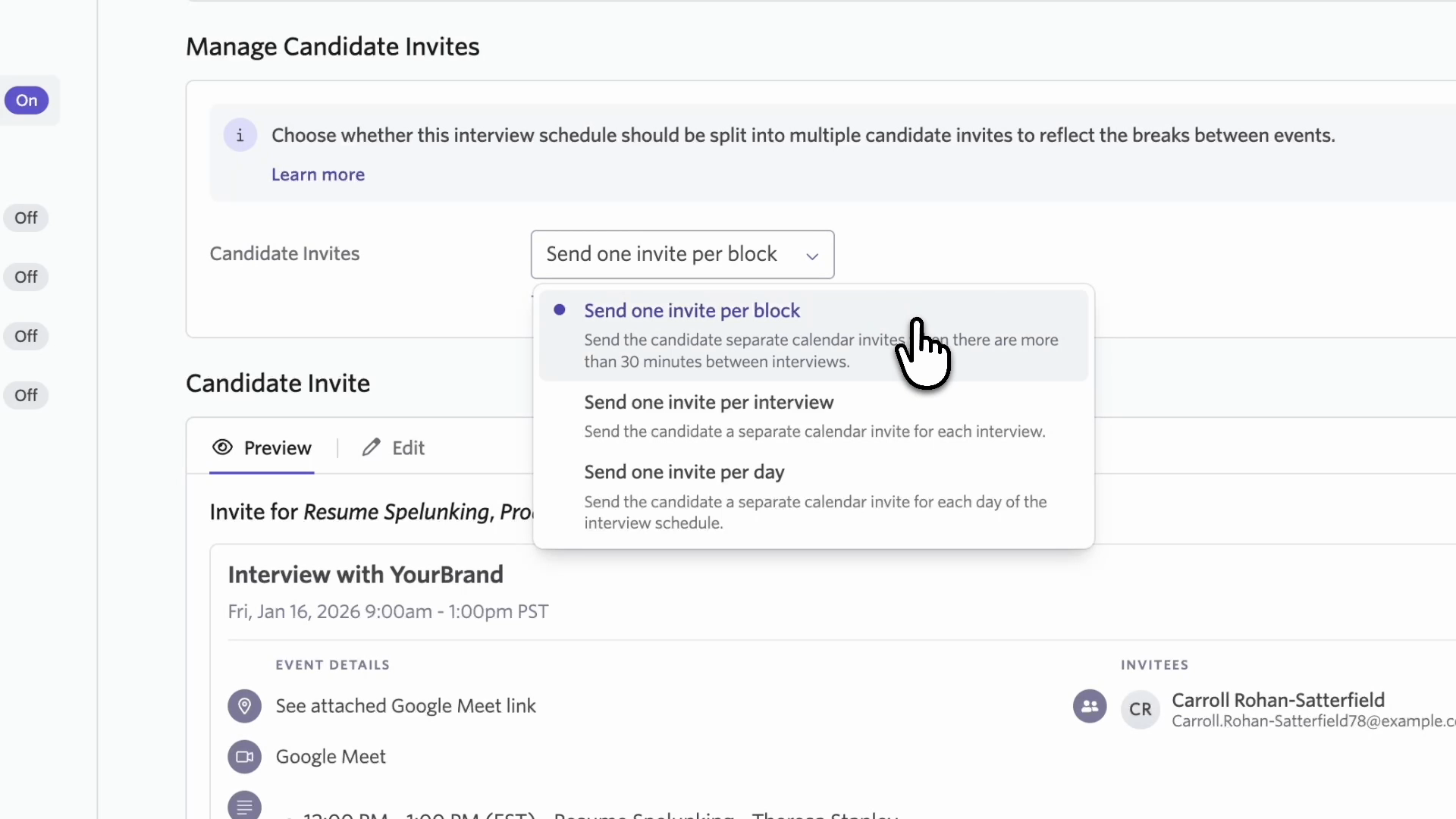
Choose how your panel invites are structured:
- One invite per interview (each interview gets its own calendar event, meeting link)
- One invite per day (grouped by day for multi-day panels)
- One invite per block (groups events with short breaks, separates those with longer breaks)
Individual invite editing
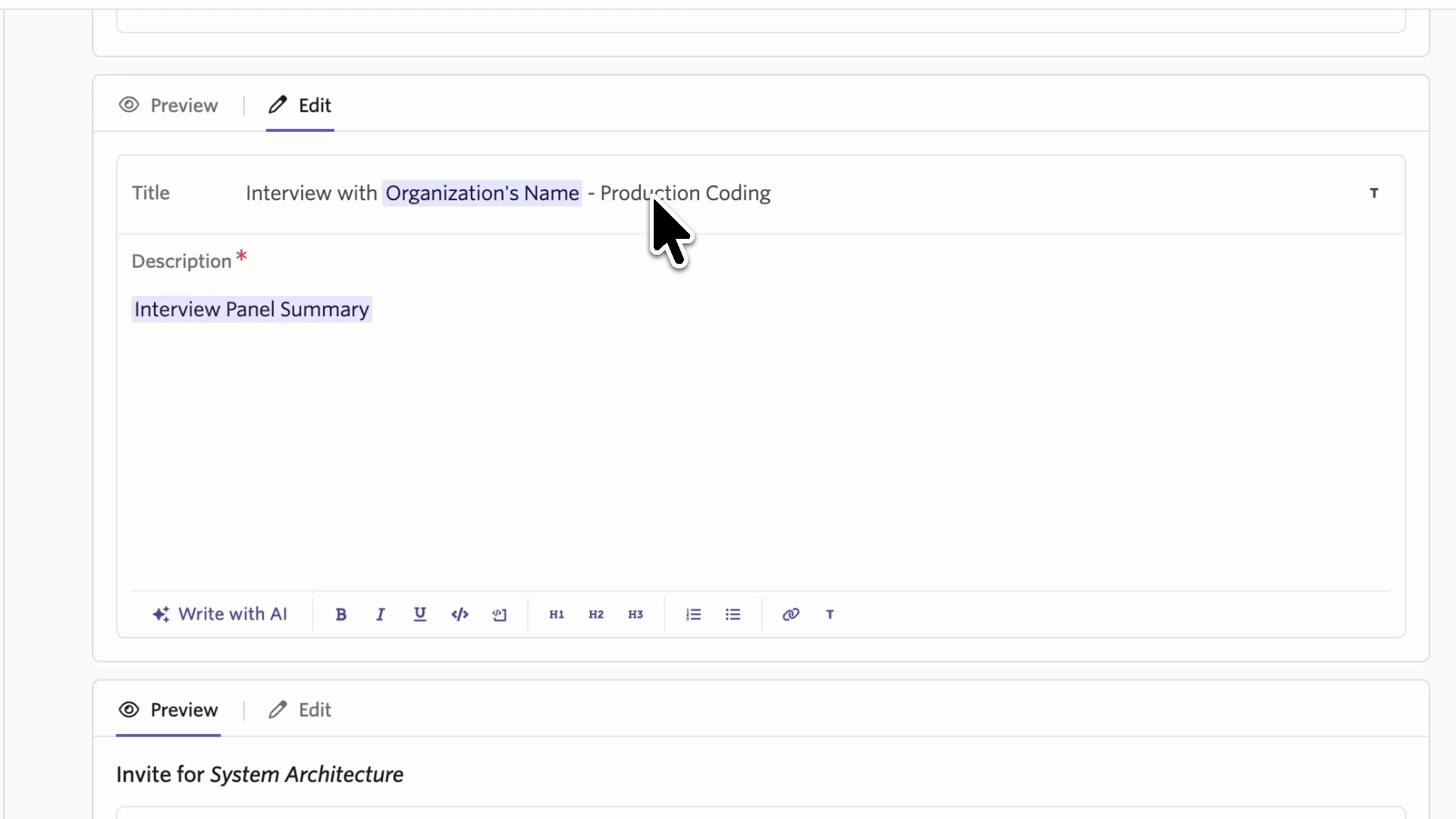
Edit the title and description for each event separately, so interviews covering different topics can have descriptions that reflect what they're specifically about.
Interview resources per event
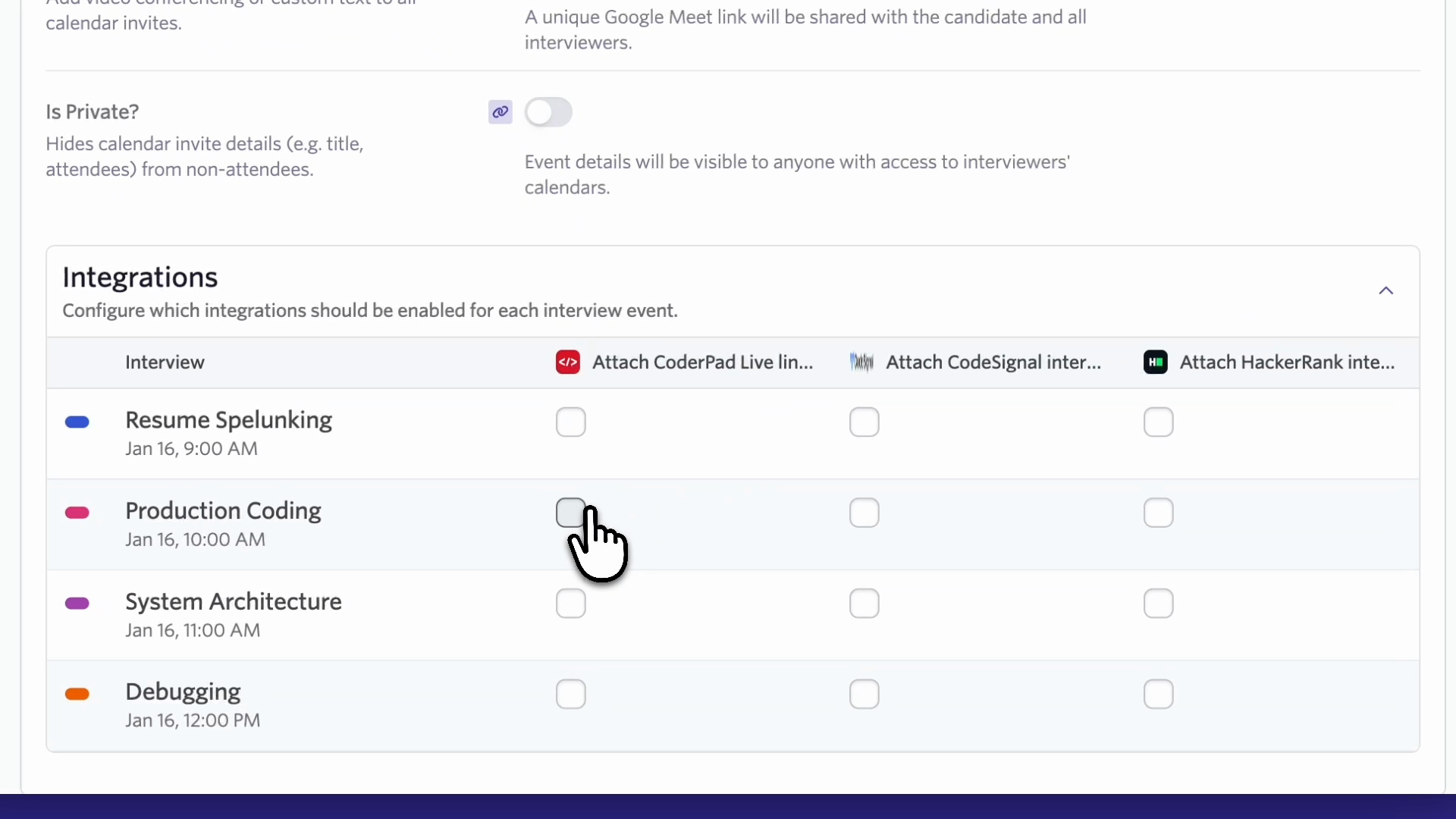
Enable assessment links (like CoderPad, HackerRank, or CodeSignal) on specific interviews within a panel. Technical assessment links only appear where they're needed, helping clarify when these links are relevant for both candidates and interviewers.
The same editing flexibility applies to internal interviewer invite so you can customize what each interviewer sees for their specific session.
Getting Started
Enhanced panel scheduling is available now. Look for the new options in your schedule templates and in the communications tab when scheduling panel interviews. You can also visit our Knowledge Base for more details on this feature.

