Create consistent offer packages with reusable Offer Packet Templates

We’re introducing Offer Packet Templates, giving teams a way to bundle an offer letter with the supporting documents that should accompany it and apply the complete package to an offer in a single click.
Offer letters rarely get sent alone. Depending on the role, location, or company policy, candidates may also need agreements such as a CIIAA or New Hire Attestation, along with informational documents like benefits or culture guides.
Previously, recruiters had to assemble this packet manually for every candidate: select the offer letter, add each e-signature document, and upload supporting files one at a time. This created repetitive work and increased the chance of missing a document or including the wrong version.
With Offer Packet Templates, admins can define these common combinations once, giving recruiters a consistent starting point whenever they prepare an offer.
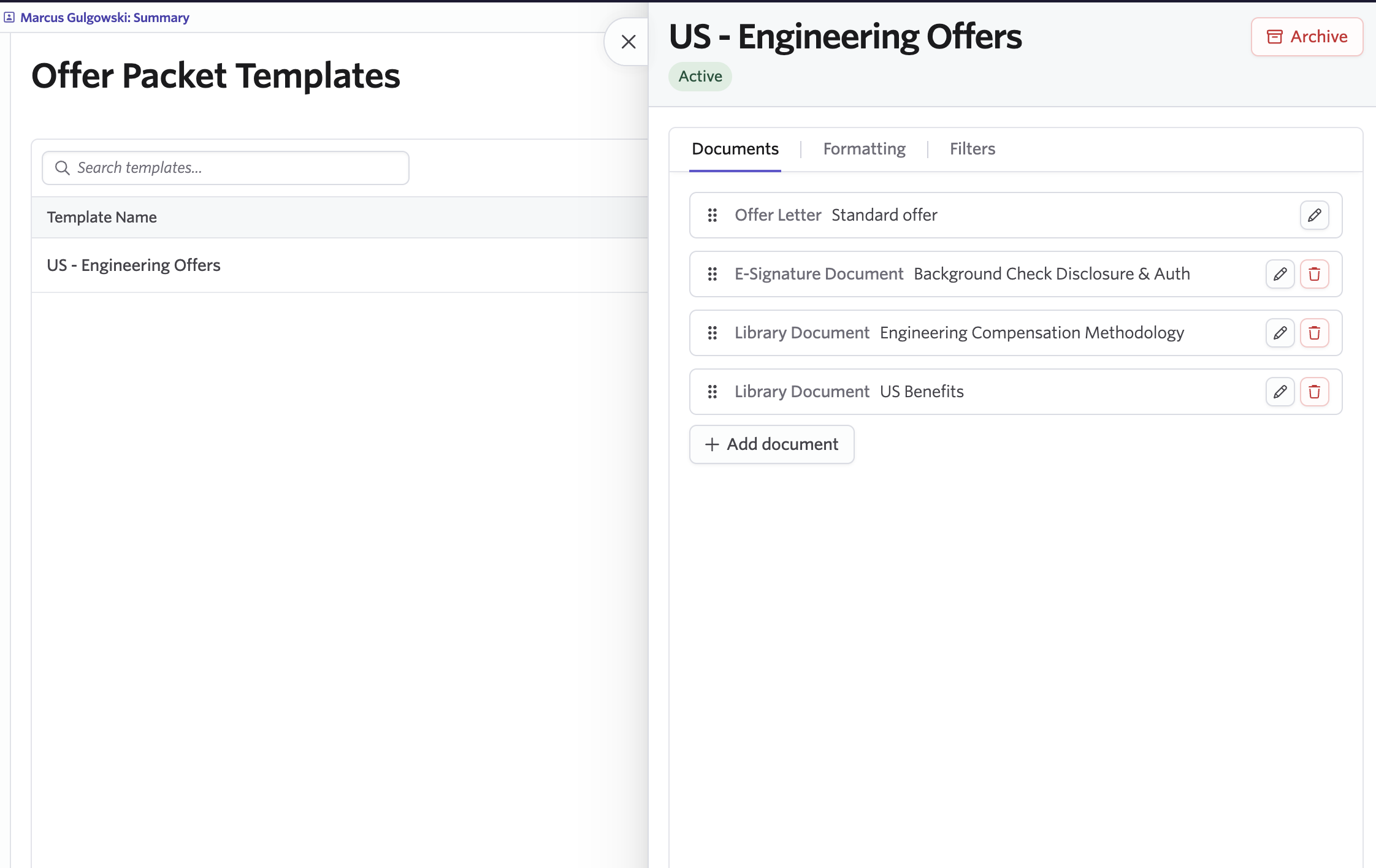
Define the complete offer package once
Admins can create templates for the offer packages their organization uses repeatedly.
Each Offer Packet Template can include:
- A required offer letter template
- Additional e-signature document templates
- Static documents
- Documents from the Company Document Library
- Currency and number-formatting overrides
- An optional scope filter controlling when the template is available
For example, you could create a standard US offer packet containing an offer letter, CIIAA, new-hire attestation, and benefits guide. Instead of rebuilding that combination for every candidate, recruiters can select the template and add the entire packet at once.
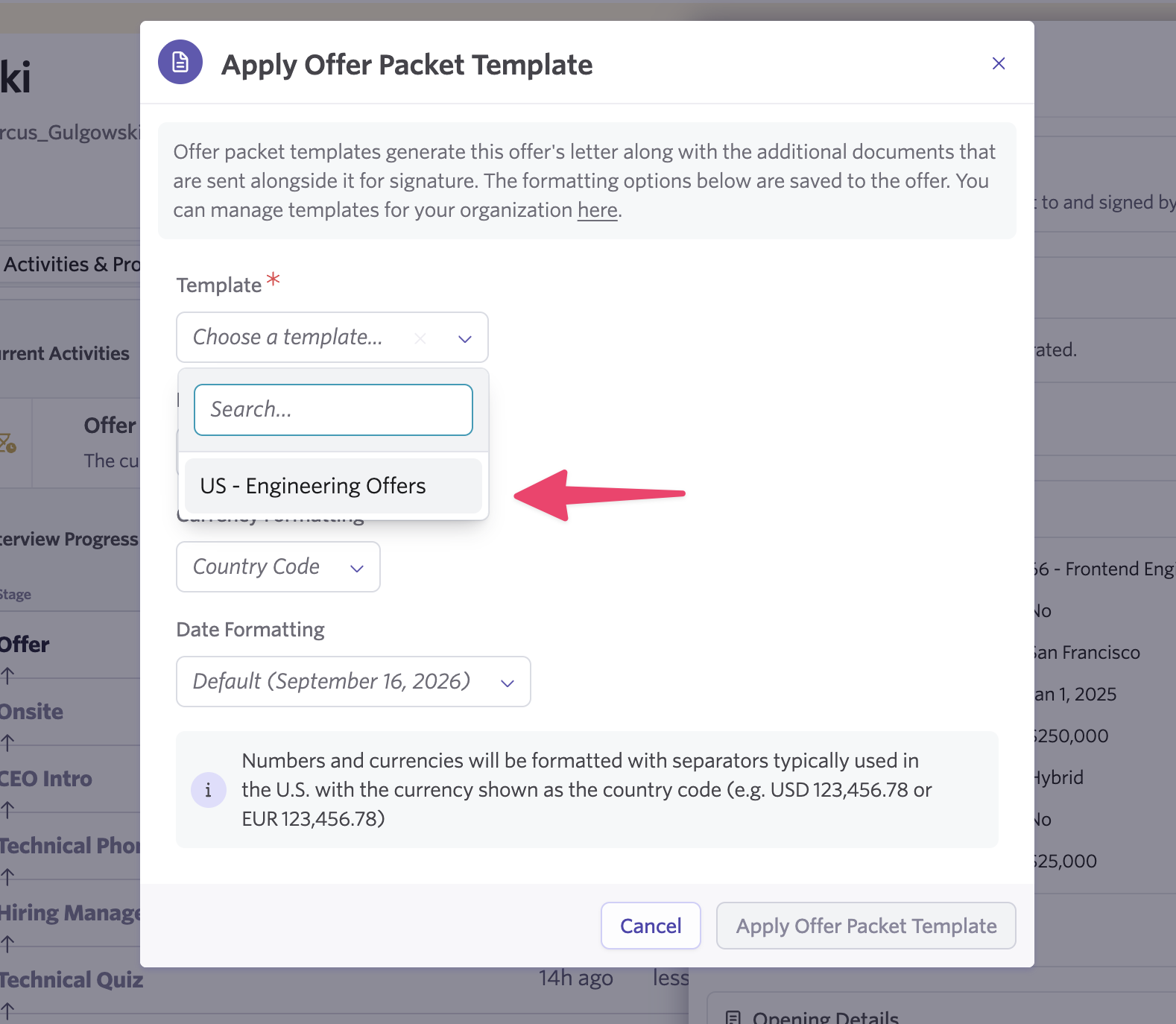
Apply the complete packet in one click
When preparing an offer, recruiters can select an eligible Offer Packet Template to apply its offer letter, supporting documents, and formatting settings together.
Recruiters can still review and adjust the resulting packet before sending it to the candidate.
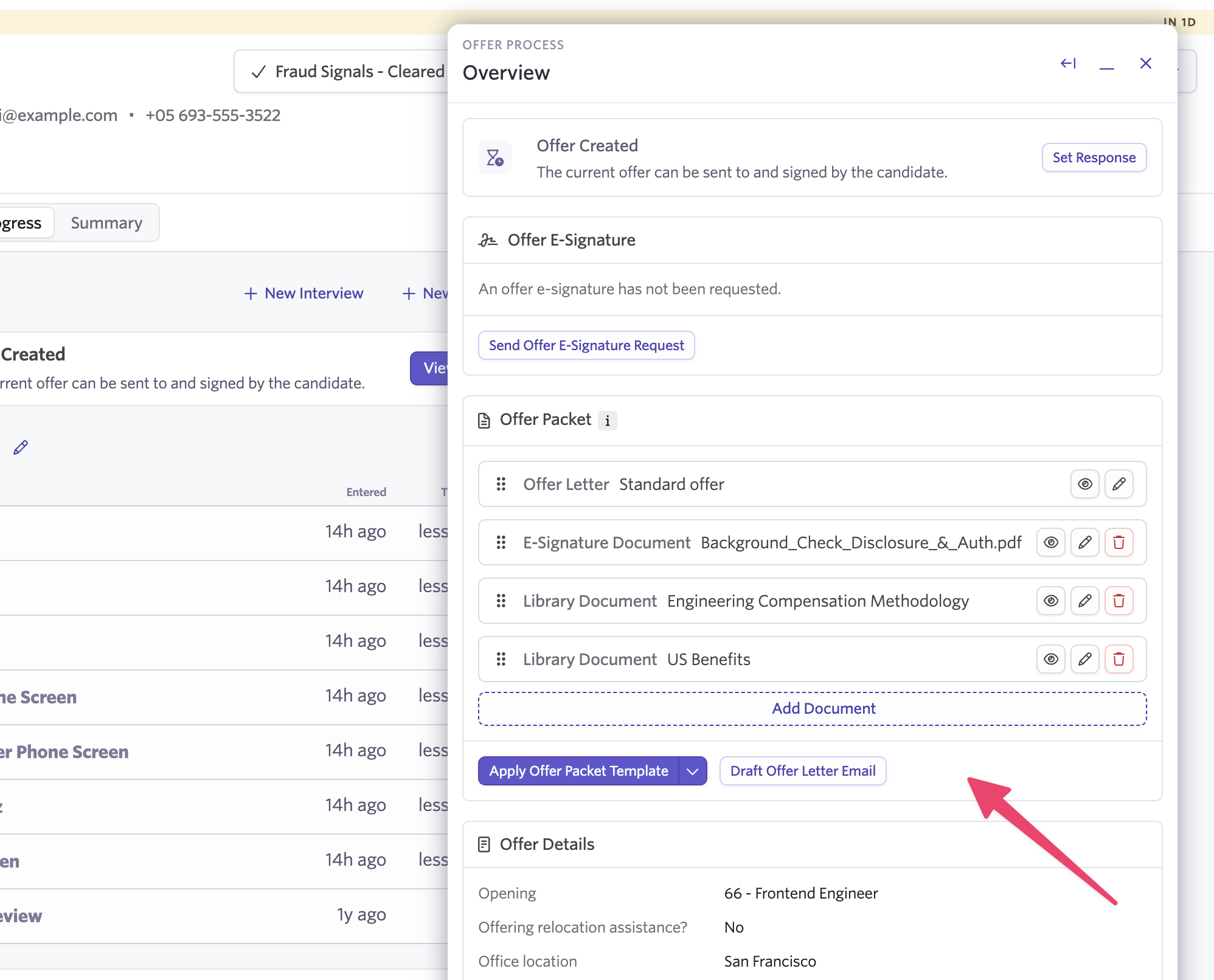
This gives recruiters a faster starting point for each offer while helping Recruiting Operations standardize how common offer packages are assembled.
Use scope filters to include the right documents
Offer packages often vary by location, department, employment type, or other offer criteria.
Admins can add a scope filter to an Offer Packet Template to control when it is available.
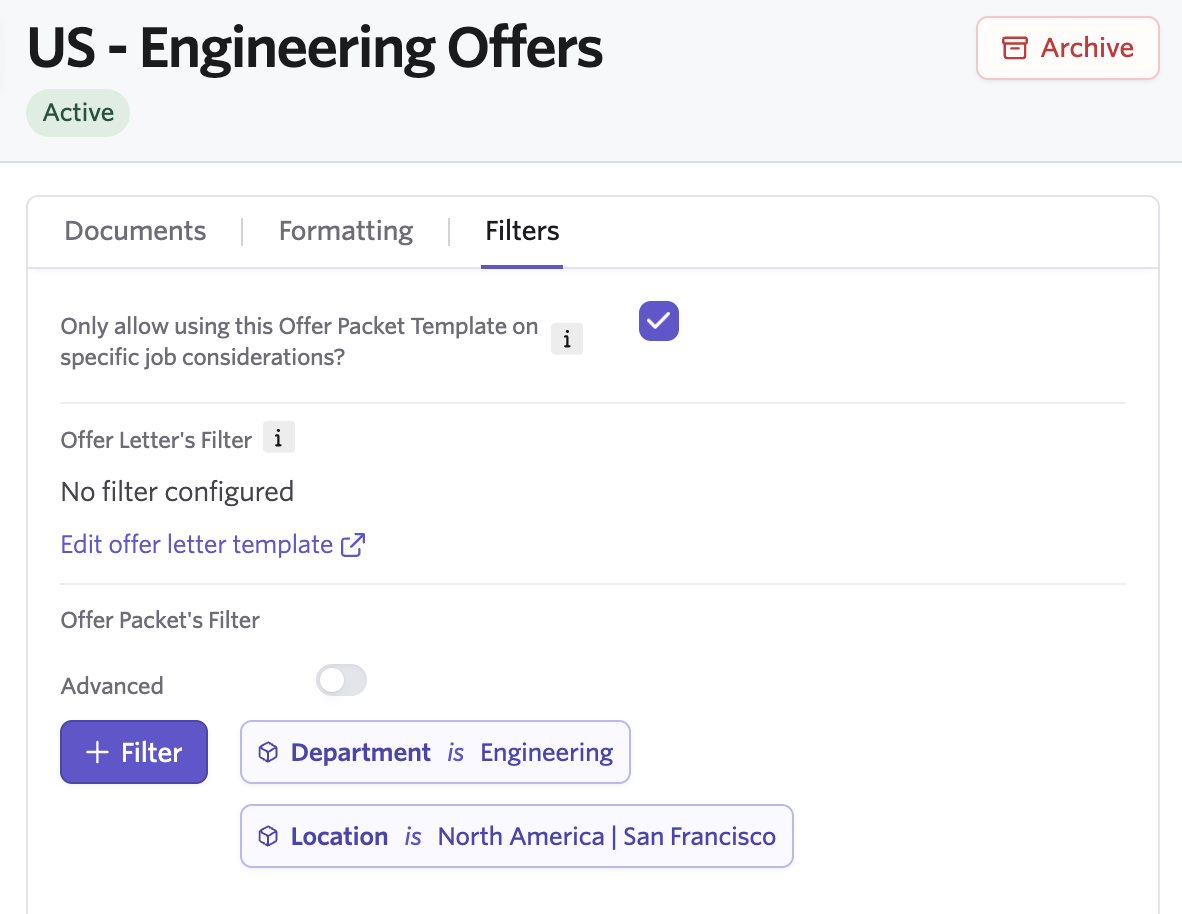
Ashby can combine that filter with the offer letter template’s own scope, so a packet does not appear for an offer its required offer letter does not support.
Documents within the packet can also retain their own scope filters. When a recruiter applies the template, Ashby evaluates each optional document and automatically leaves out anything that does not apply to that offer.
For example, an admin could create one packet containing benefits guides for several countries. Ashby will include only the documents relevant to the candidate’s offer.
If a document is omitted because its scope does not match, Ashby shows a warning explaining which document was left out.
Keep shared documents current
Offer Packet Templates work with the Company Document Library, making it easier to include centrally managed documents such as benefits guides, policy documents, and culture materials.
When one of those documents changes, admins can update it in the library instead of replacing separate copies across multiple packet configurations. Future offers continue to reference the maintained document.
Offer Packet Templates reduce the repetitive work of assembling the same documents for every offer while giving teams a more consistent way to make sure candidates receive the right materials.
Getting Started
Offer Packet Templates are available on Plus and Enterprise.
Admins can create and manage templates from the offer configuration area in Admin. Once configured, eligible templates appear when users assemble an offer packet.
Visit our Knowledge Base article for more information.

