Use Application Requests to enrich candidate profiles and application details

Today, we're releasing Application Requests to Plus and Enterprise customers, giving you a simple way to collect complete candidate details and application information from anyone already in your hiring process.
While sourced candidates and referrals will be some of your highest-value candidates, they can enter your pipeline with incomplete profiles because you haven't collected details they would have submitted on an inbound application form.
This means you may be missing documents and structured information like resumes, application question answers, self-ID diversity data, social links, legal/preferred names, and more.
Many downstream workflows and context depend on this information to help you run your hiring process. Let's take a look at a how Application Requests in Ashby help with this.
Application Requests from the candidate profile
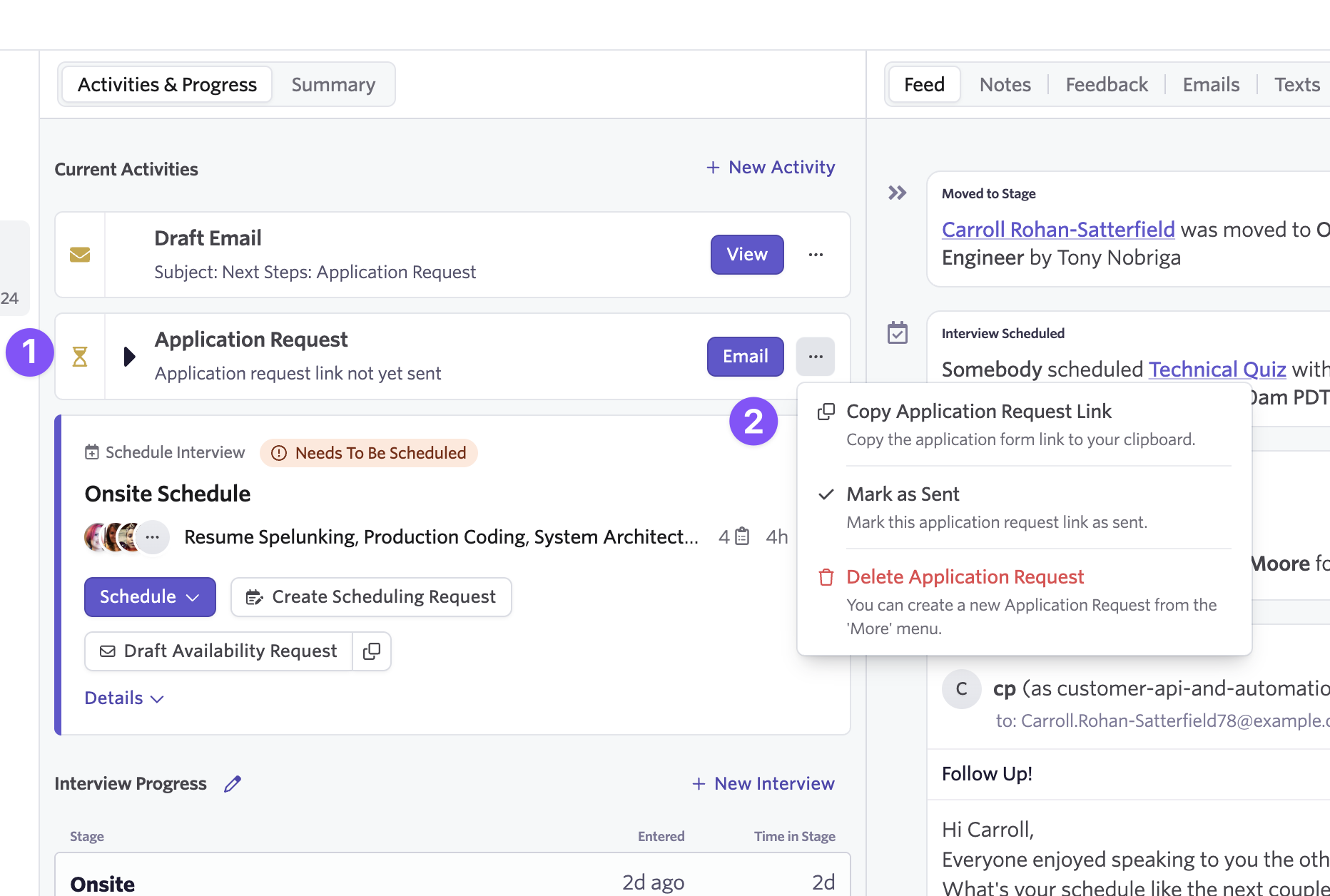
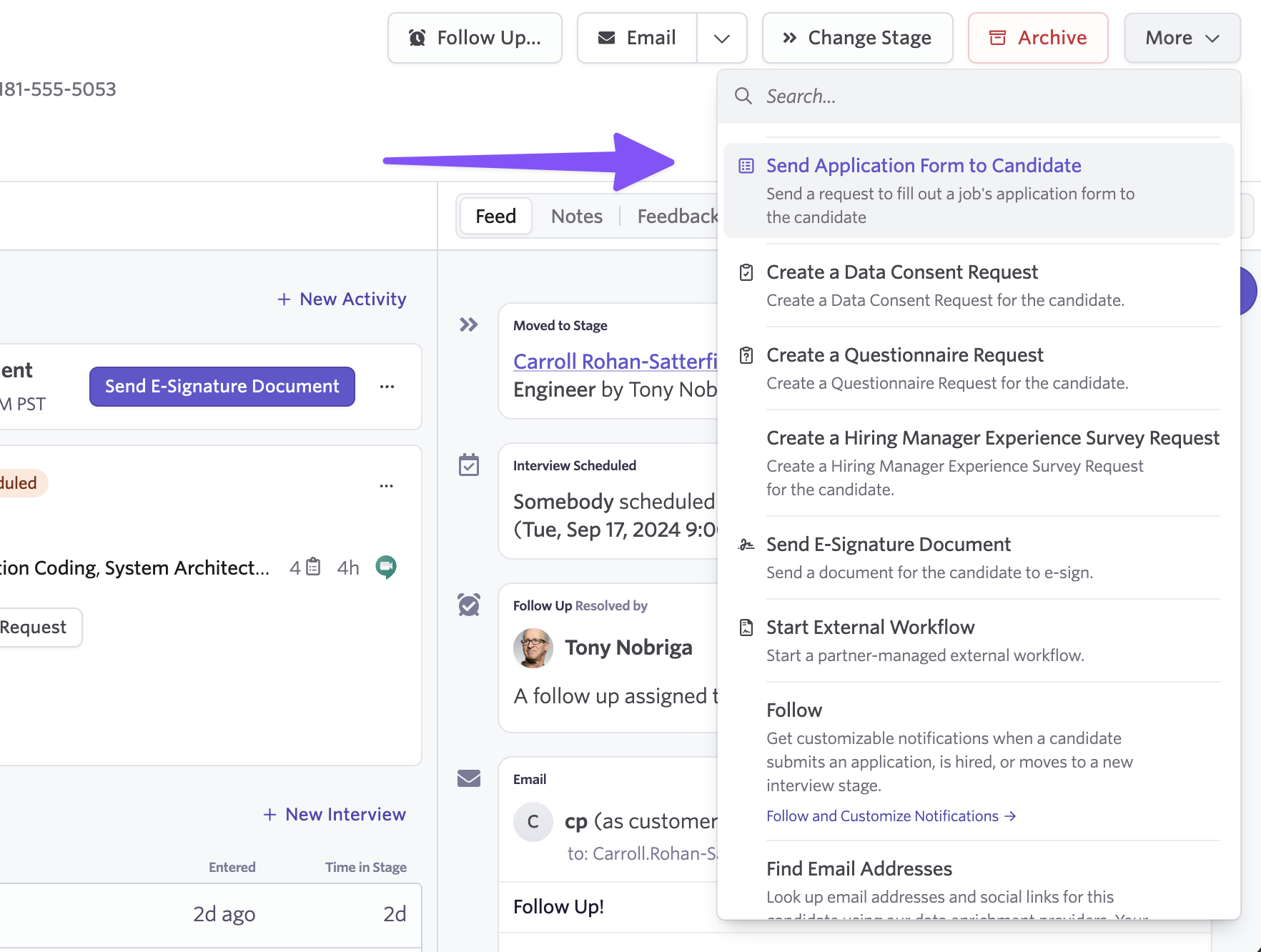
From any candidate's profile, you're able to now generate a request for a candidate to fill out an application form. This creates a unique link pointing to the application form for their job consideration. The link is automatically copied to your clipboard, ready to paste into an email.
You can set up Application Request email templates ahead of time or paste the application request link directly into a new email.
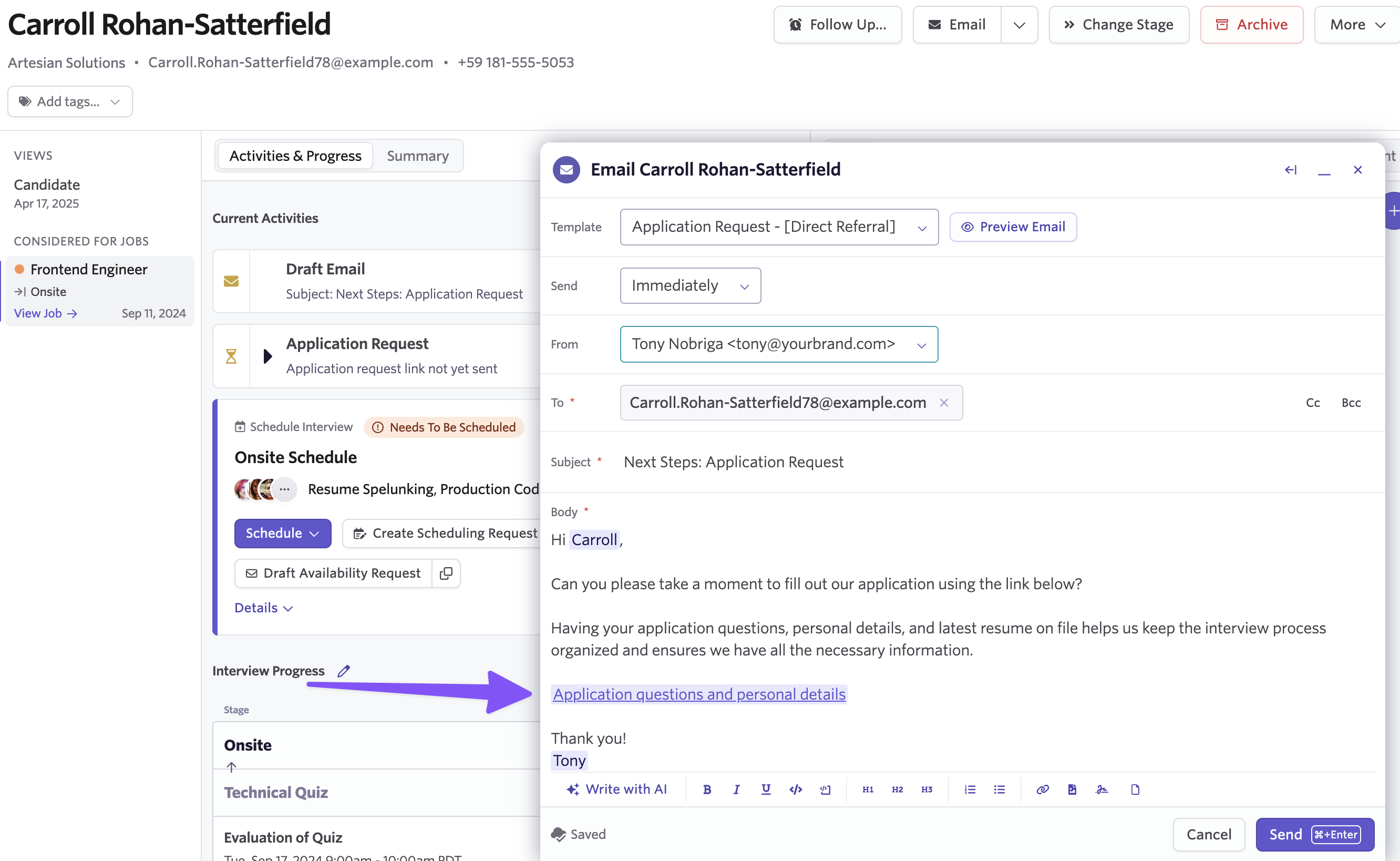
An Application Request activity appears on the candidate's profile, so your team can see when requests were sent and track their status.
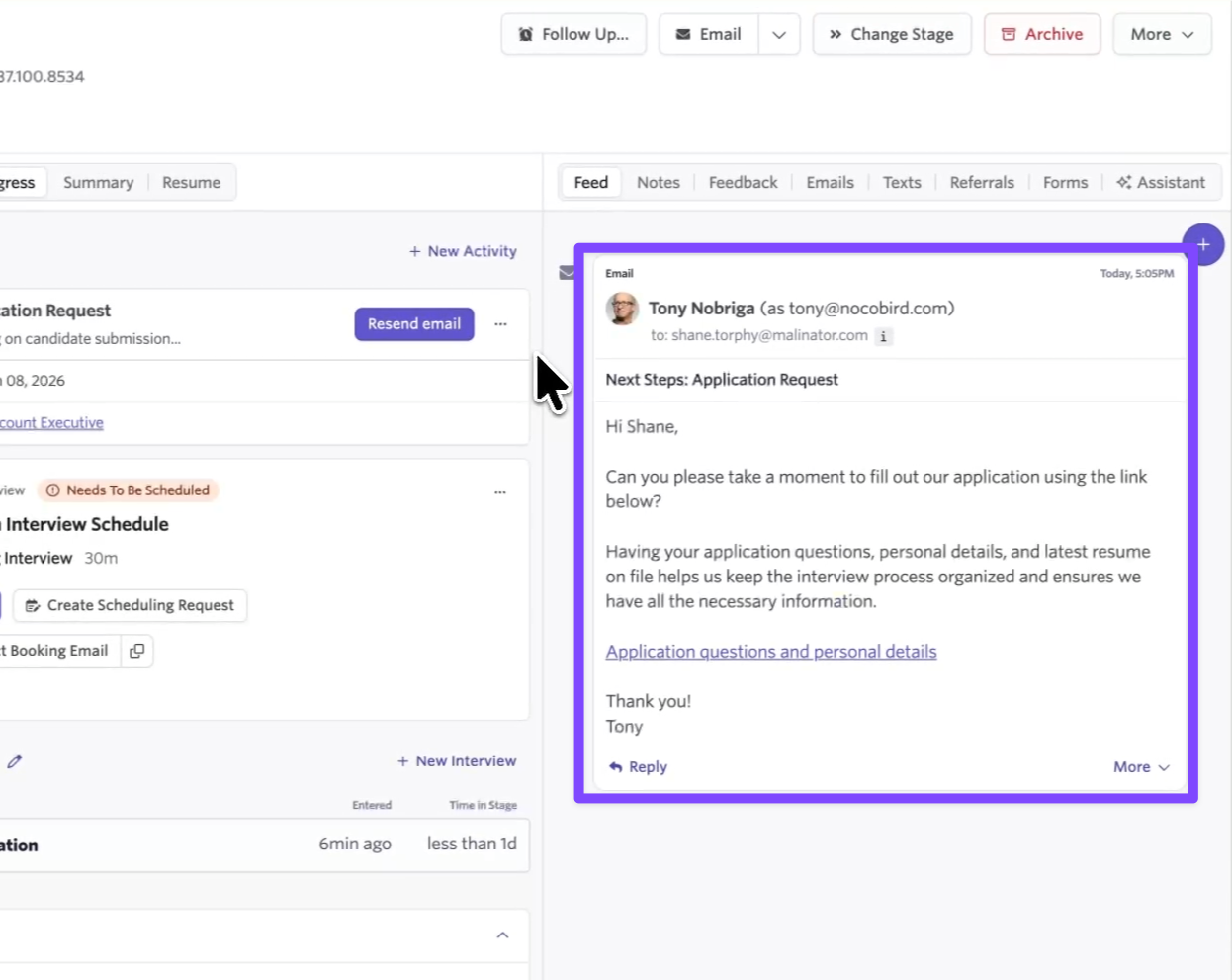
You'll also see confirmation that your request has been sent in the activity feed.
Automating Application Requests
Set up automations that send requests based on flexible filters. For example, trigger a request when a candidate without an application has reached an active stage or when they're sourced from a particular channel.
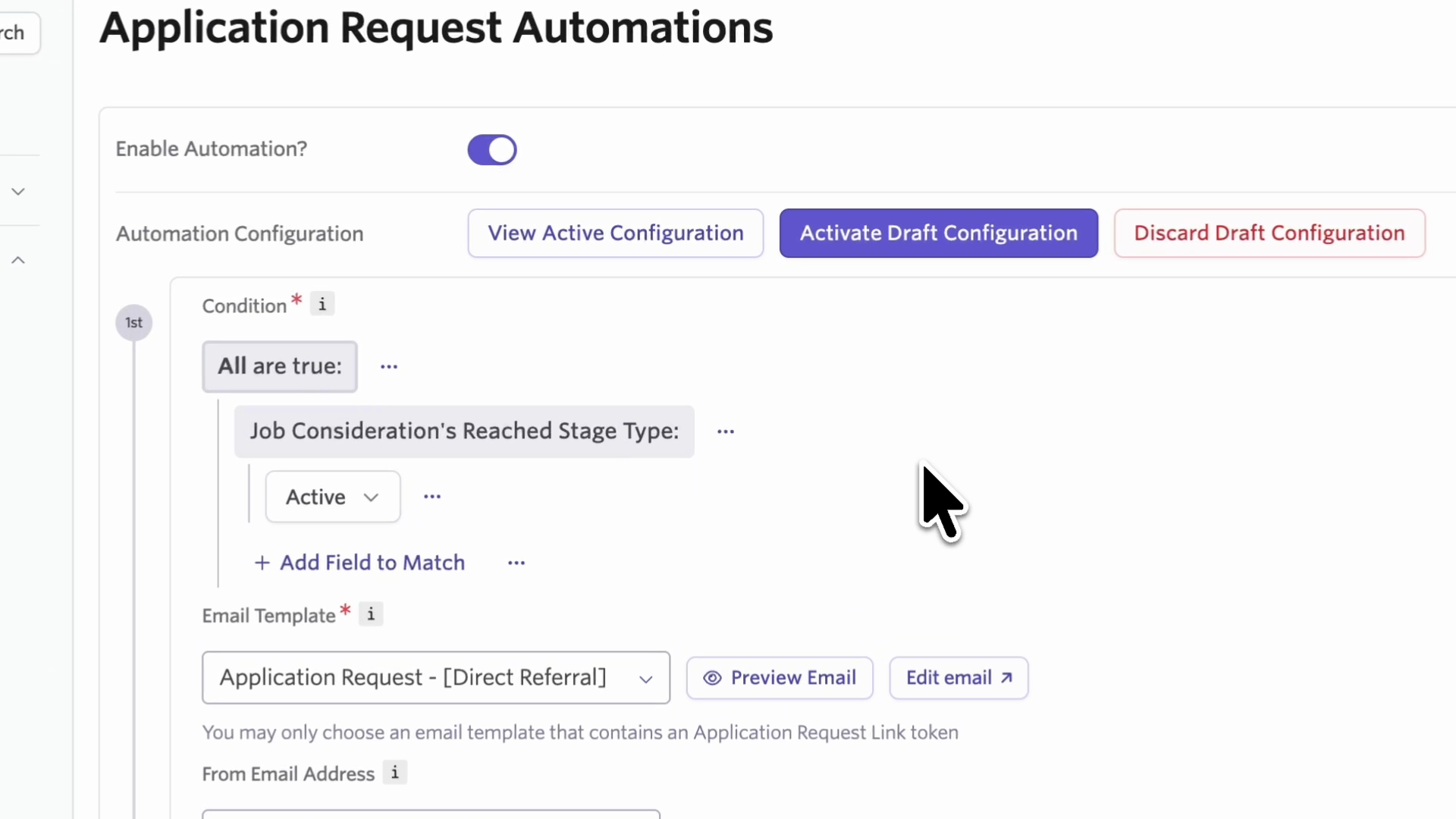
Configure automations from Admin > Application Request Automations. Select your email template (must include the Application Request Link token), choose the sending address, and define your trigger conditions.
The system includes built-in safeguards: candidates must not be archived, and they can't already have an application for this job consideration. These conditions combine with whatever criteria you configure.
Notifications
You can opt into email and Slack notifications when candidates complete their application requests.
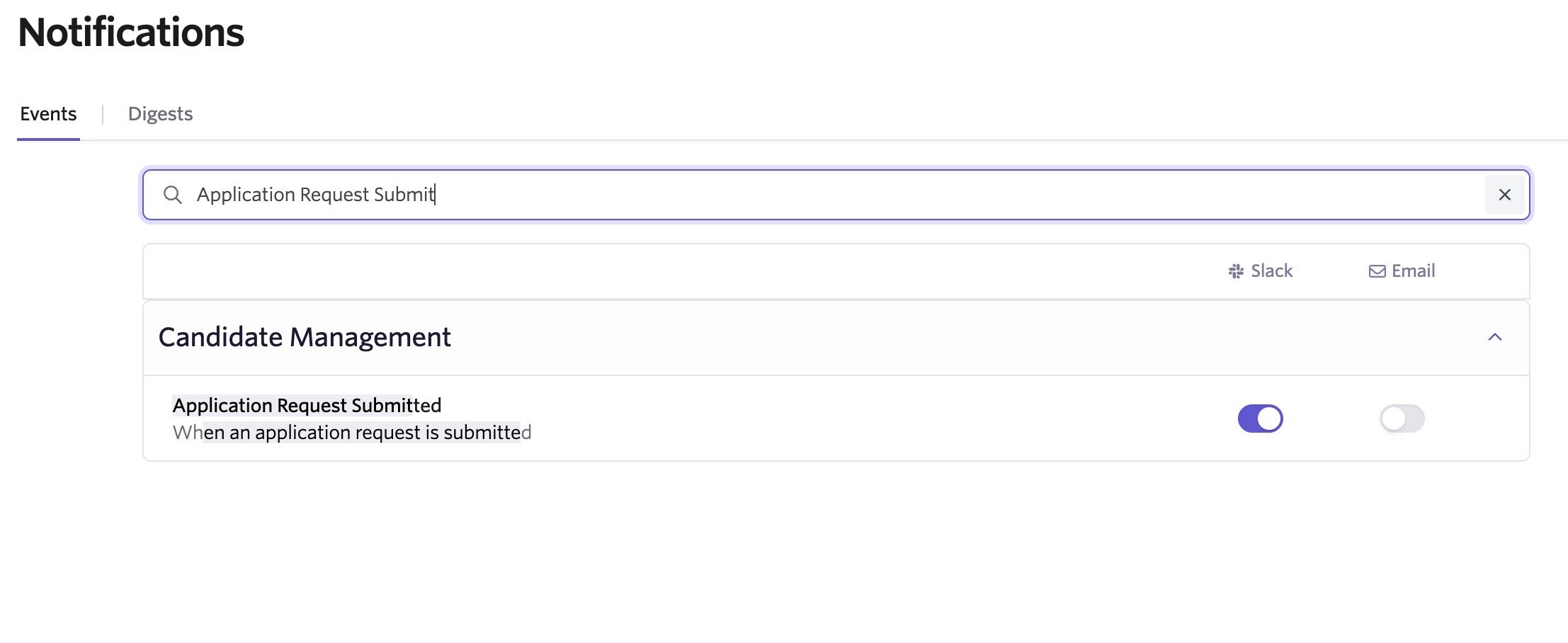
Configure this in your personal settings under Candidate Management > Application request submitted.
Having a complete profile for all candidates in your hiring pipeline helps keep your data integrity for downstream reporting and workflows. Interviewers get much better context when application question answers are available in their briefings, and you're able to support consistency across all candidates.
Getting Started
Application Requests are available for all customers on Plus and Enterprise plans. To get started, you can head to any candidate profile to kick off a request from the "more" menu.
You can also get started by setting up your automation rules in admin. To learn more, head over our Knowledge Base article on Application Requests.

