View AI Notetaker recordings directly from the candidate profile and debriefs

We’ve made some improvements to how you can view and consume AI Notetaker recordings in Ashby.
These changes make it much easier to access your recordings without needing to click into interview briefs while also giving you a nice overview of recordings across your events. Check out a quick overview below.
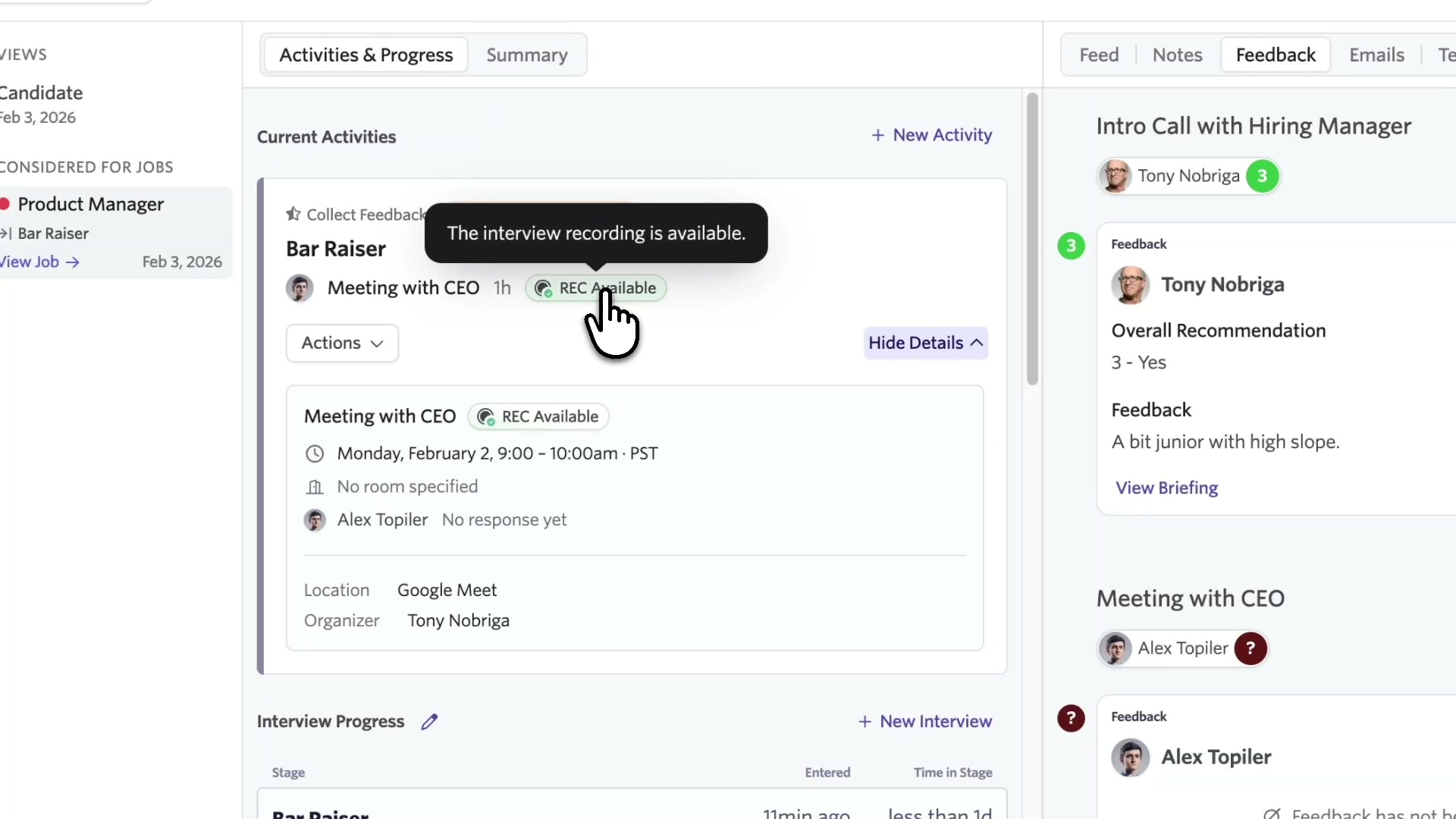
Access AI Notetaker recordings directly from the candidate profile.
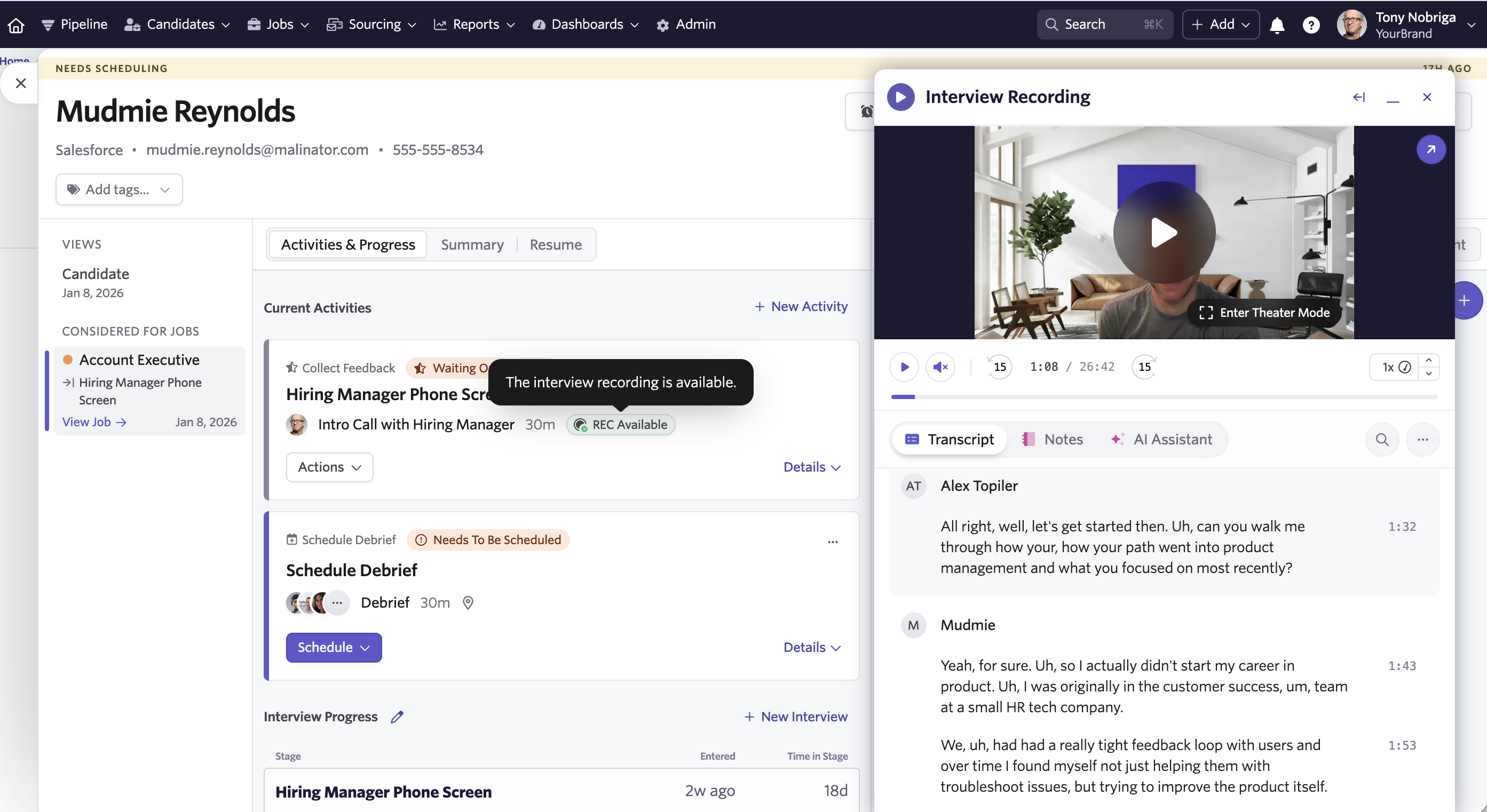
This gives you a pop-up video player with full access to the transcript, notes, and AI Assistant.
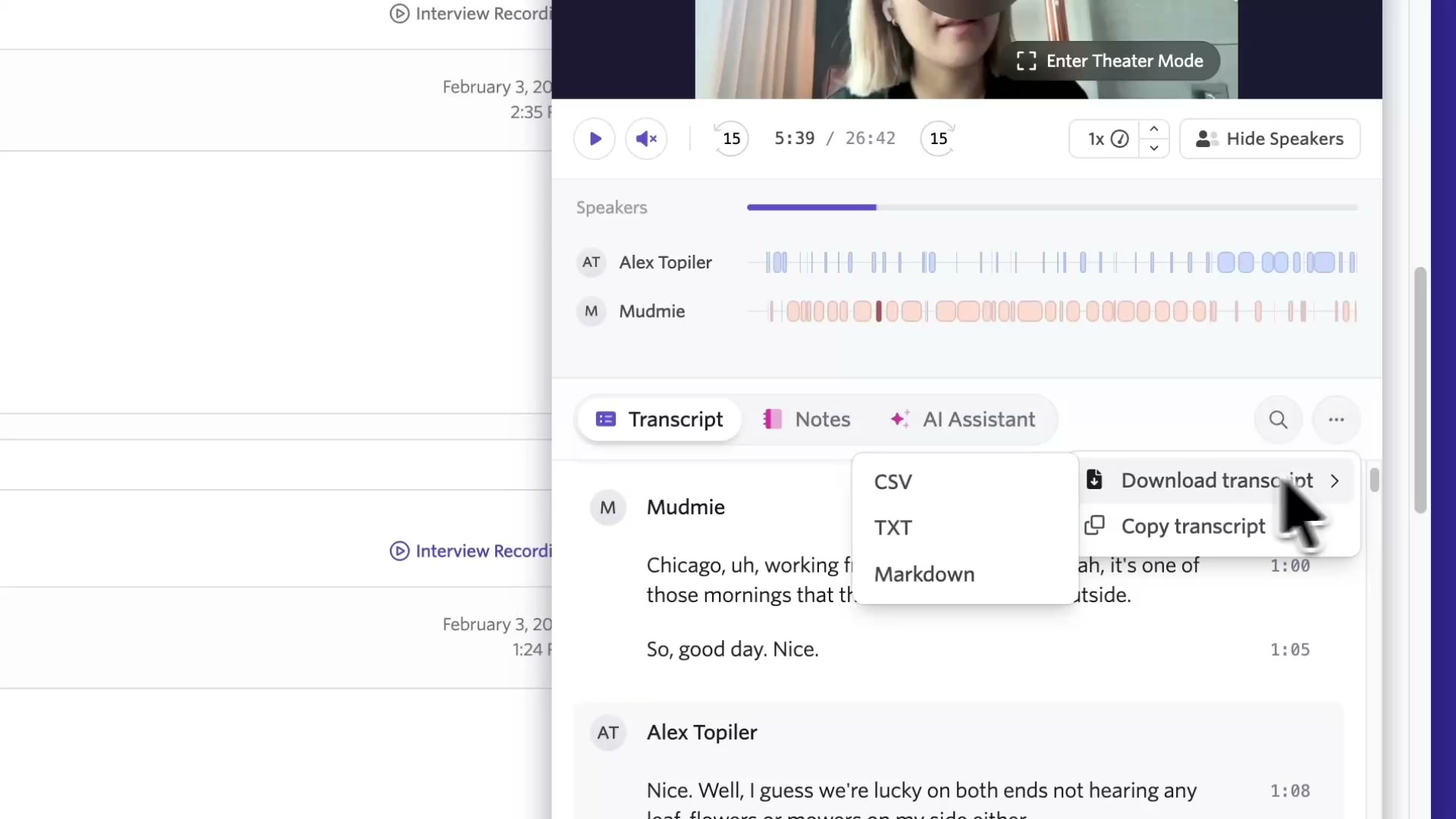
Download transcripts in various formats or copy the transcript in just a few clicks.
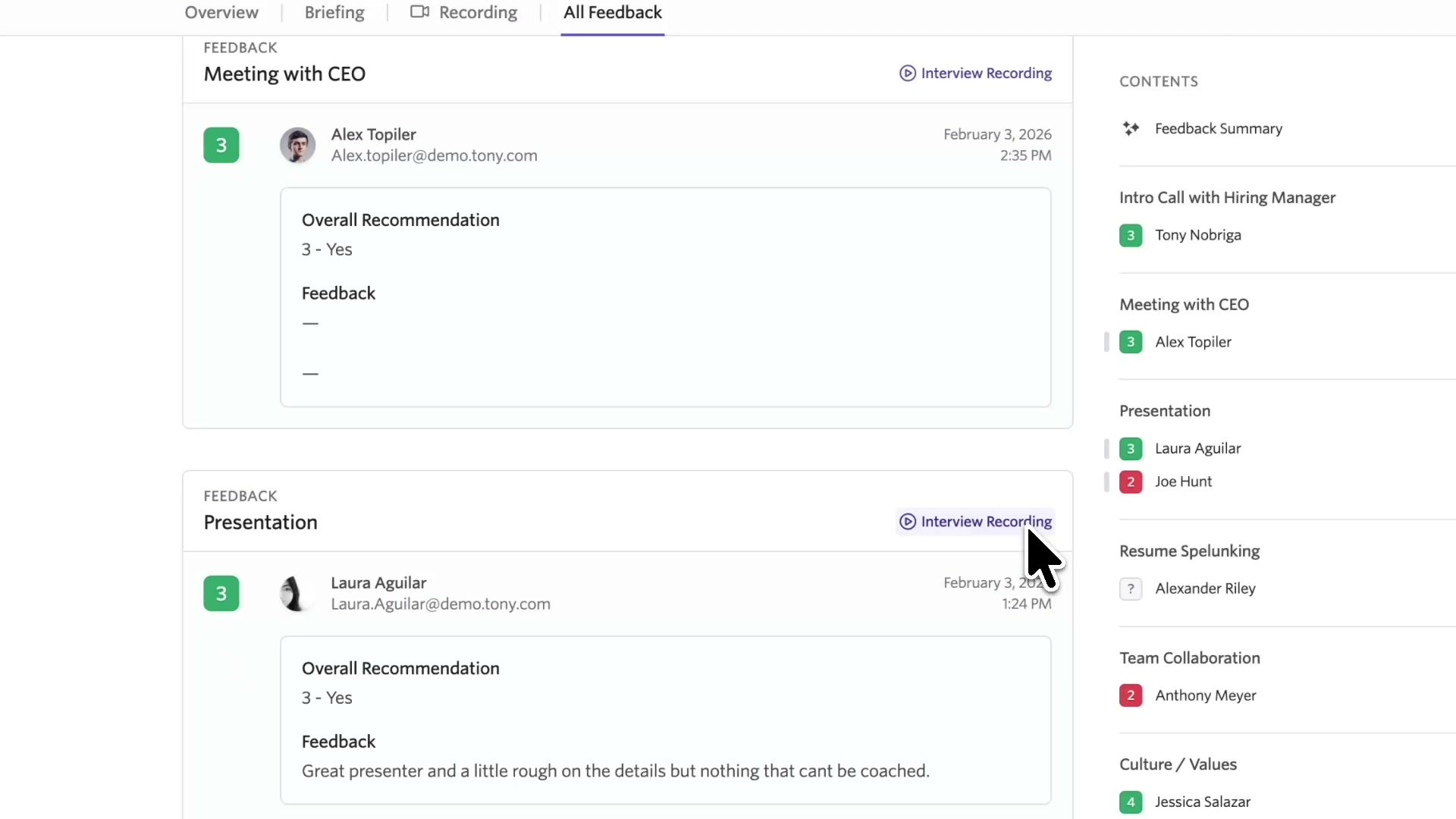
We've also added the ability to view all AI Notetaker recordings from a single view in the "All feedback" tab. This is great for debriefs and quickly accessing recordings from one place next to where your feedback lives across interviews.
With direct access to recordings, transcripts, and notes right from the candidate profile, your team can review conversations, align on feedback, and move forward on hiring decisions by leveraging AI Notetaker.

