Ashby MCP is live. Here is where it fits alongside Ashby Assistant

10 minute read
At Ashby One this year, we announced Ashby Assistant: a chat-based agent for asking questions, getting answers across Ashby data, and taking action from one interface.
Ashby Assistant can help you answer complex questions about your recruiting process: compare candidates ahead of a debrief, analyze interviewer performance, understand pipeline health, draft candidate communications, and more. It can now also answer product questions about how to use Ashby, so teams can get help without leaving their workflow.
Alongside Ashby Assistant we launched Custom Agents, which let teams encode repeatable recruiting workflows anyone in the organization can use.
Today, we're adding another option: Ashby MCP.
Our MCP lets you connect Ashby to tools like ChatGPT, Claude, Cursor, and other MCP-compatible clients. Once connected, those tools can securely access Ashby context and help answer recruiting questions wherever you already work.
With both options available, you may wonder:
When should I use Ashby's Assistant, and when should I reach for ChatGPT, Claude, Cursor, or another MCP client?
We believe they're complementary. Both connect to Ashby recruiting data, but they're useful for different use cases.
We've seen this before with reporting.
Ashby's built-in reporting is where most recruiting teams answer day-to-day questions. It's fast and purpose-built for recruiting — and works out of the box with Ashby's data model. You don't need to build a schema or translate generic BI concepts into recruiting workflows.
At the same time, many customers send Ashby data to Snowflake, BigQuery, or another warehouse and analyze it in Looker, Tableau, Sigma, or internal tools. Those platforms are powerful when recruiting data needs to sit alongside finance, sales, product, or other company data.
We’ve never thought of this as an either/or decision. Many of our most sophisticated customers use both. Even teams with advanced in-house analytics support still rely on Ashby's first-party reporting for questions that are easiest to answer directly in the product, while using BI tools for broader company-wide analysis.
We think AI will work the same way.
Ashby's Assistant is optimized for recruiting-specific workflows inside Ashby. MCP makes Ashby's recruiting context available to the AI tools you already use across the rest of your work. Let’s explore each in more detail.
Ashby Assistant: the fastest path for recruiting-specific workflows
The Assistant works best for tasks where the hard part is knowing which Ashby context matters.
For example, comparing candidates ahead of a debrief may require pulling together resumes, interview feedback, notes, transcripts, and stage history. Analyzing interviewer performance may require looking across scorecards, pass-through rates, feedback quality, and calibration patterns. Understanding compensation expectations may require comparing a candidate's ask to historical offers for similar roles, levels, and locations.
These tasks are easier to get right when the AI understands how Ashby's recruiting data fits together. That's where the Assistant has an advantage, as it’s already built directly into Ashby and optimized for the types of questions recruiting teams ask, it is generally faster and more reliable for Ashby-specific workflows.
It also requires no setup. If your organization has Ashby AI enabled, the Assistant is already in the product. You and your team don't need to configure an external client.
The Assistant also supports custom agents, which let recruiting teams encode repeatable workflows. Shared agents make this especially useful for standardizing parts of the recruiting process across hiring managers, recruiters, and interview teams.
And for teams that work heavily in Slack, Assistant and agent capabilities are already available through the Ashby Slack app.
For most day-to-day recruiting work the Assistant is usually the fastest and most reliable path.
MCP: Bring Ashby into your AI workspace
MCP is most useful when the work extends beyond Ashby. It allows you to securely access Ashby context in other systems while mirroring each user's existing Ashby permissions.
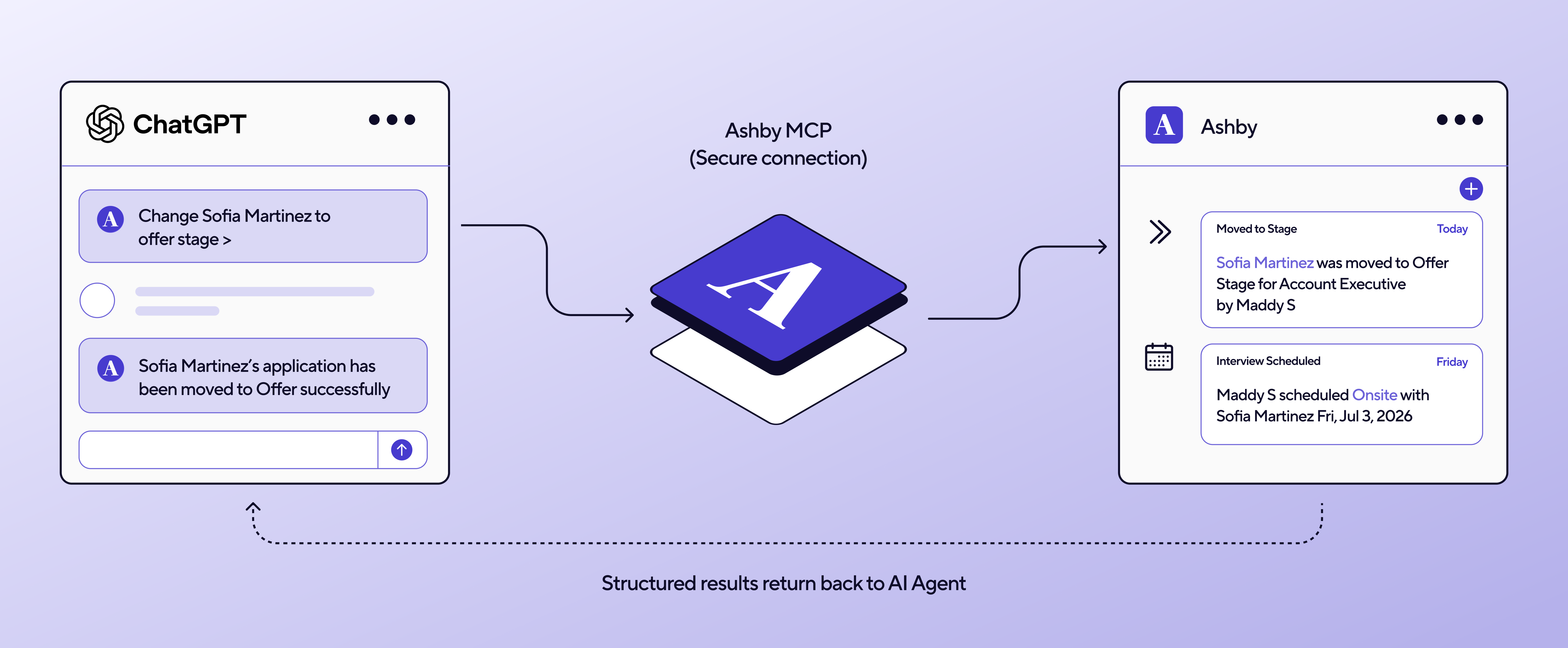
Maybe you're already spending much of your day in ChatGPT, Claude, Cursor, or another MCP-compatible client. MCP lets those tools understand your recruiting data alongside the other documents, systems, and context you're already working with. Let’s take a look at where MCP tends to be most useful, as well as some caveats to be aware of.
Where MCP is useful
There are three common situations where MCP is a good fit.
1. Reasoning across systems
Some recruiting questions require context that does not live entirely in Ashby. For example:
Compare the hiring plan in our strategy document with our actual open roles in Ashby.
Read our recruiting metrics from Ashby and help prepare next week's board update.
Compare interview feedback with the competency framework our team keeps outside Ashby.
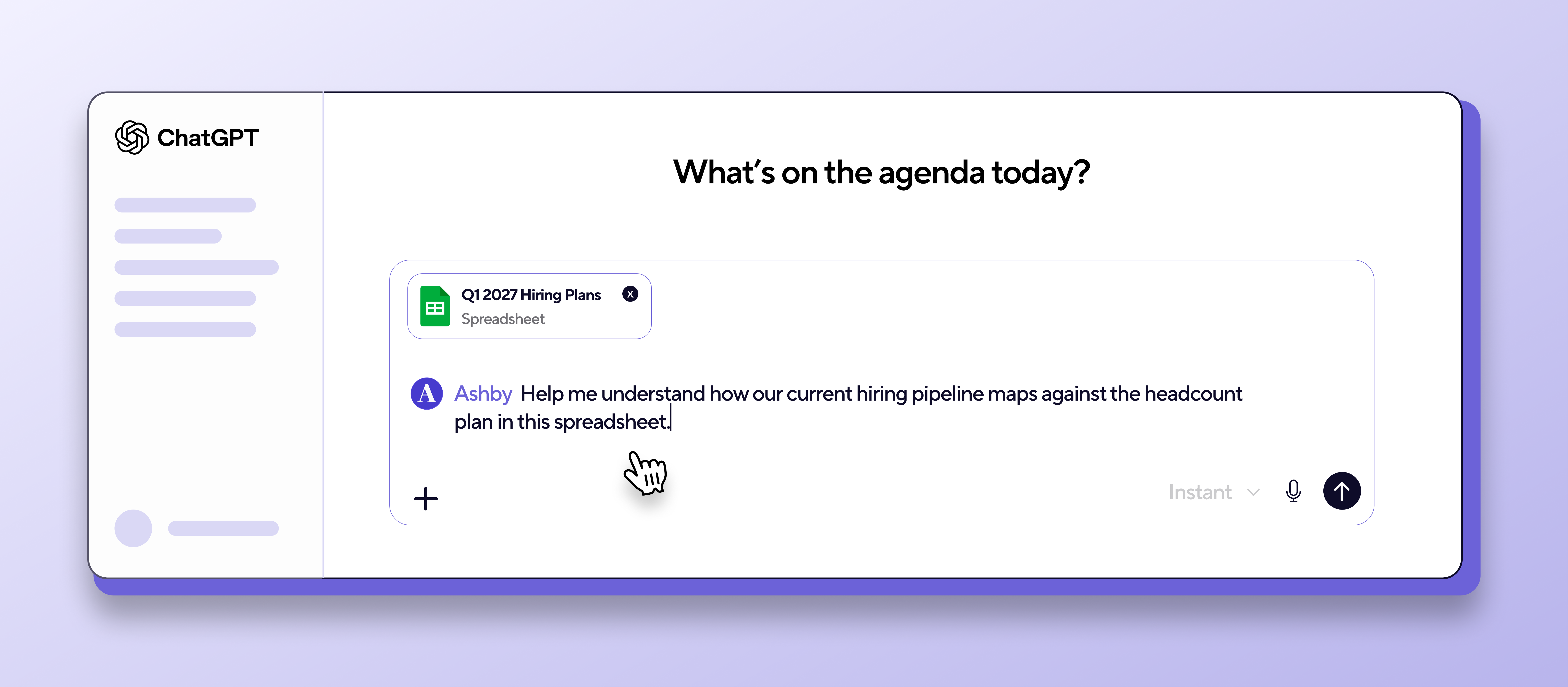
Help me understand how our current hiring pipeline maps against the headcount plan in this spreadsheet.
In these cases, the value comes from letting a general-purpose AI tool reason across Ashby and other sources at the same time.
2. Working from your AI client
With MCP, tools such as ChatGPT, Claude, and others can answer Ashby questions like:
What interviews do I have this week?
Summarize every candidate I'm interviewing today.
Which scorecards do I still owe?
Find the candidate who mentioned relocating to Berlin.
How is the pipeline looking for our engineering roles?
… without requiring you to switch contexts.
3. Company-specific workflows
MCP is also useful for workflows Ashby would never try to build natively. For example, an internal tools team might use Cursor to build a small utility that pulls Ashby data into a company-specific planning process.
A few practical caveats
MCP gives you flexibility, but the experience depends on the client and model you use.
With Ashby's first-party AI features, we choose the models and optimize the full experience for recruiting workflows. With MCP, your client chooses the model. A weaker model may miss available tools, stop early, or produce a less complete answer.
The upside is more control. Some MCP clients may be better suited for long-running research tasks, like analyzing a large set of hires and producing a narrative report. We plan to support more of this directly in Ashby over time, but MCP can be useful when you want that extra flexibility today.
I would also be careful with traditional reporting use cases. LLMs can produce confident but incorrect analysis, especially when they need to count, aggregate, or compare large datasets. For reporting where accuracy matters, use deterministic reports and dashboards. Ashby’s AI Report Builder (and soon also Ashby Assistant) can help build those, but the final source of truth should be a report you can inspect and trust.
So which should you use?
My rule of thumb is simple: If the task starts and ends inside Ashby, start with the Assistant. If the task requires combining Ashby with other documents, systems, or context, MCP may be the better fit. And if you want to standardize a repeatable recruiting workflow across your team, create a custom agent.
Use the Ashby Assistant when you're primarily trying to get recruiting work done.
Use MCP when recruiting is one part of a larger problem you're solving with another AI client.
Where we're headed
We're investing in both paths because we want to meet our users where they are.
For many recruiting workflows, the best experience will stay first-party: fast, purpose-built, and deeply integrated into Ashby. We'll keep making the Assistant and custom agents more capable, including by giving them access to more recruiting-related context that may live outside Ashby.
At the same time, MCP makes Ashby's recruiting context available in the AI tools many teams already use every day.
This is also part of a broader investment in making Ashby more flexible and extensible. We've been partnering with larger enterprise customers on more "headless Ashby" workflows, where Ashby remains the system of record and workflow engine while customers build custom experiences on top of our APIs.
This is the same product philosophy showing up in a few places: make Ashby useful whether the work happens in our product, in an AI assistant, or in a customer's own internal systems.
Subscribe to our Community and Event Updates
Join our community of recruiting teams at fast growing companies.