Set reschedule limits on direct booking links

To give teams more control over scheduling, Ashby now supports Booking Link Reschedule Limits for direct booking links.
Direct booking links make it easy to get interviews on the calendar quickly. But for some teams, unlimited rescheduling can create unnecessary disruption for recruiters and interviewers, especially when changes happen at the last minute.
Two new reschedule controls
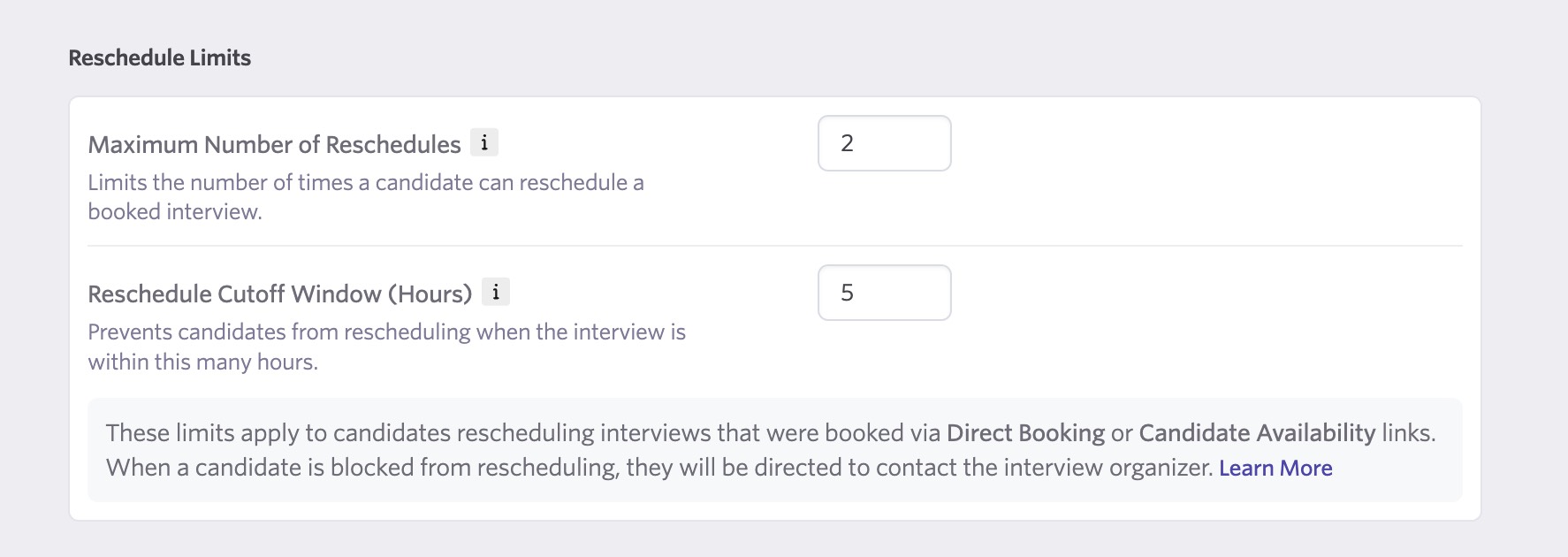
You can now configure the following settings in Scheduling Defaults or on any Schedule Template:
-
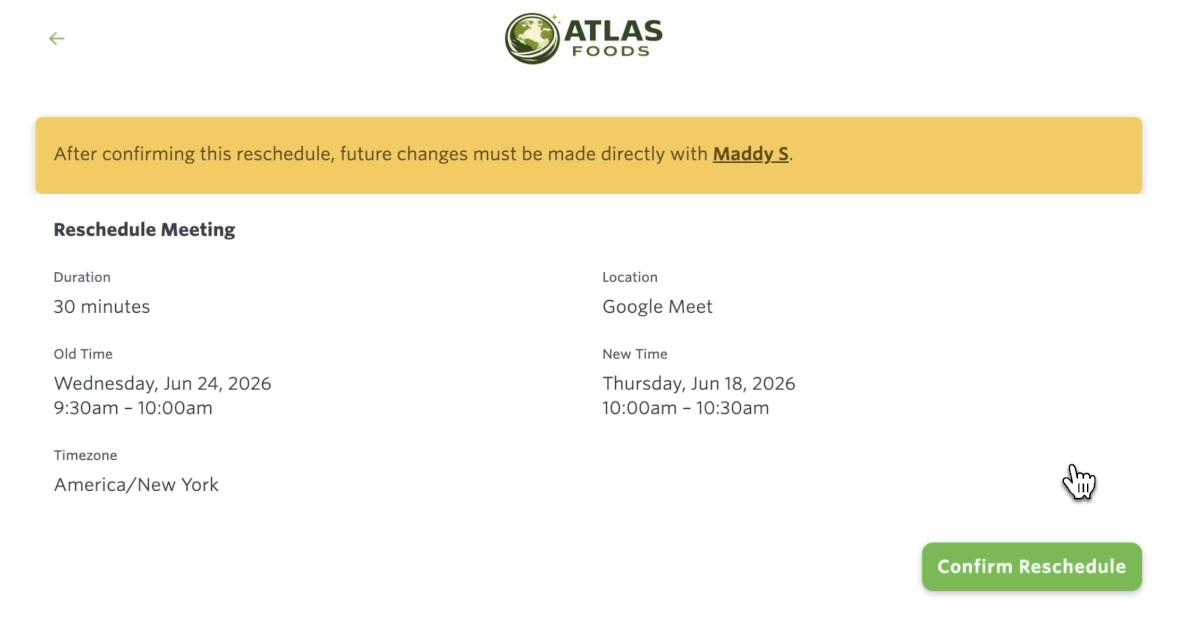
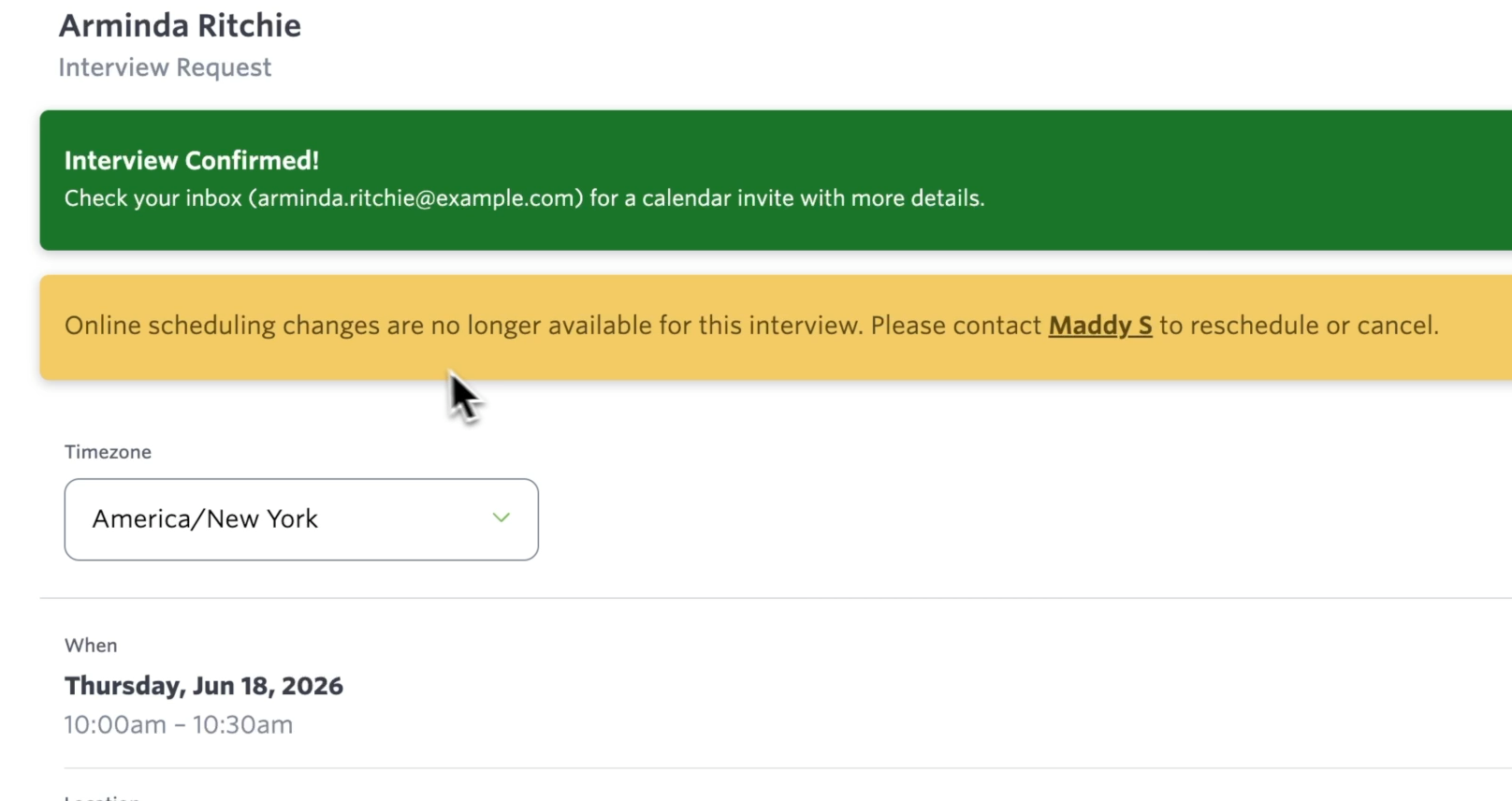
Maximum Number of Reschedules: Set a limit on how many times a candidate can reschedule an interview through their direct booking link. Once the limit is reached, the candidate will see a message directing them to contact the interview organizer.
-
Reschedule Cutoff Window: Set a minimum notice period, in hours, before an interview starts. After the cutoff window has passed, candidates can no longer reschedule through the booking link and will be directed to contact the organizer instead.
Both settings are optional and default to unlimited rescheduling. You can use either setting independently, combine both, or leave them disabled.
Getting started
To configure Booking Link Reschedule Limits, go to Admin > Scheduling Defaults or update the settings on any Schedule Template. Visit our help center for more information.

