Use conditional form fields to ask the right questions at the right time

We're releasing conditional form fields, giving you a way to show fields only when they're relevant to the person filling out a form.
Ashby forms have previously shown the same fields to every respondent, regardless of their prior answers. For customers with more complex needs, like work authorization follow-ups, referral attribution, or role-specific screening questions, that meant either asking irrelevant questions to everyone or maintaining a separate form per scenario.
How it works
Conditional fields let you consolidate multi-question workflows, into a single form instead of several. That reduces noise in your application and feedback data and can cut down on candidate drop-off from long or complex forms.
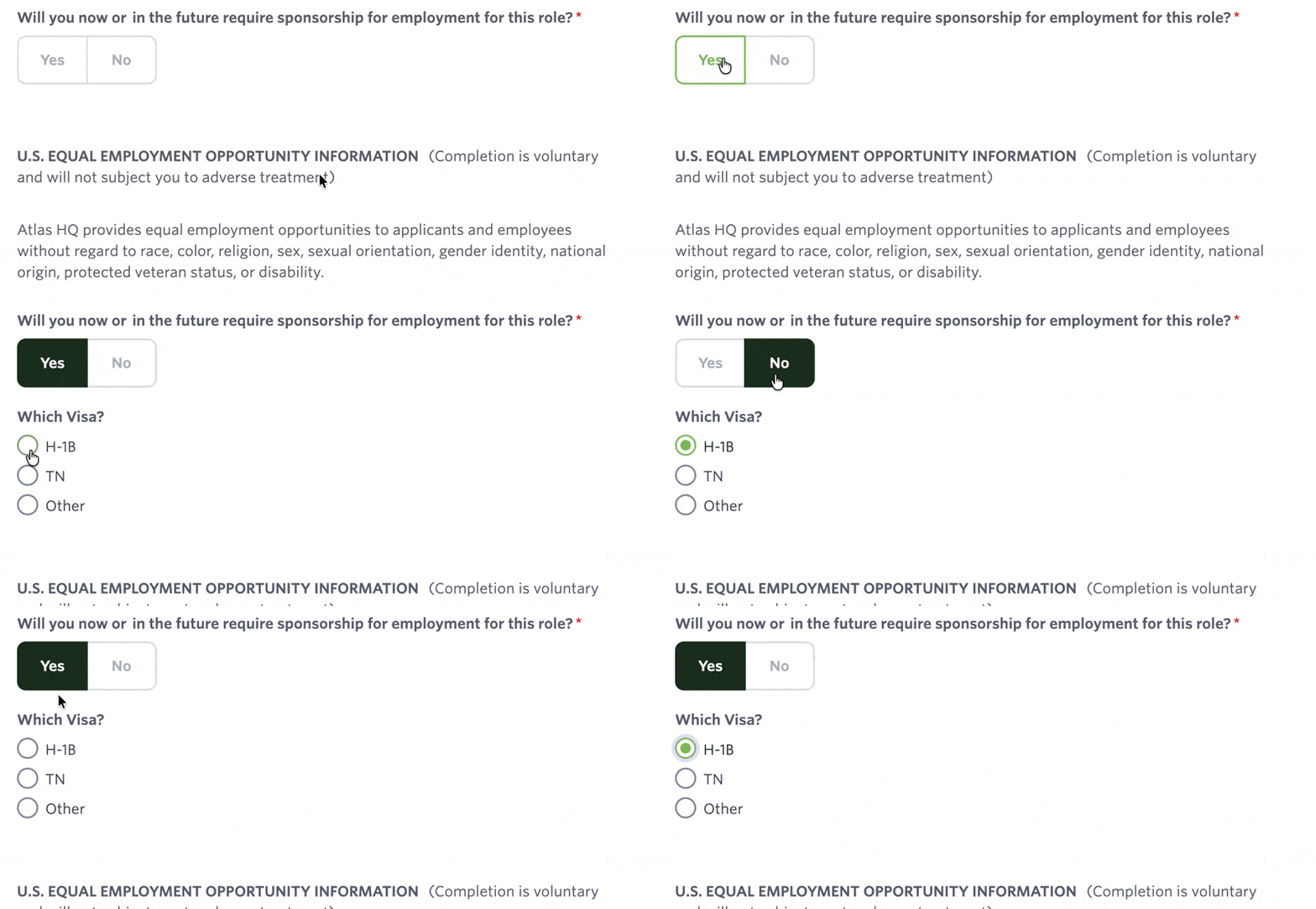
You can now configure display conditions on individual fields directly in the form builder. A field only appears to the respondent when its conditions are met. For example, you can show a "Visa type" field only if a candidate selects "Visa Holder" in a preceding work authorization dropdown.
Where you can find conditional form fields
Find conditional form fields across the standard Ashby form builders:
- Applications
- Feedback Forms
- Candidate Experience Surveys
- Referral and Sourcing forms
- Hiring Event forms
- Questionnaires
- Quality of Hire and Diversity Surveys
- Onboarding and Employee Workflow Surveys
- Scheduling Request Forms
- Universal Booking Links
)
)
Getting Started
Conditional form fields is available today for all customers. Go to any form in the form builder, open a field's settings, and set the conditions that determine when it appears. Visit our help center for more details.

