Back to all product releases
Add and require reasons for force approvals

Sheanee Michaud
Product Expert
All-in-one
ATS
Plus, Enterprise
Core Update
You can now add a reason when force-approving a job, offer, or opening. Previously, force approvals could be completed without explanation. With this update, approvers can now provide context when force-approving.
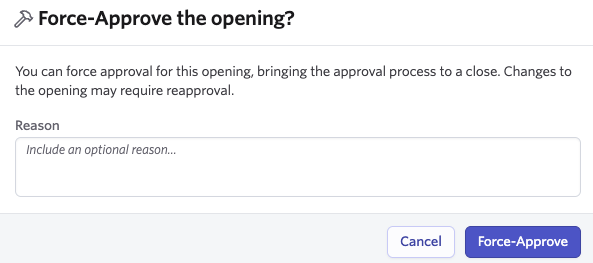
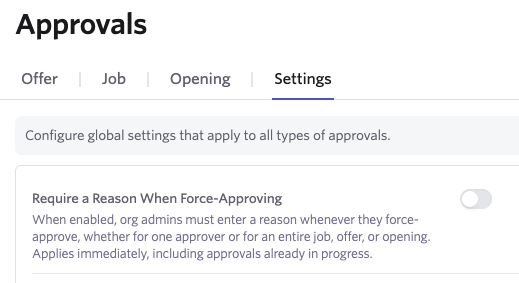
You can now also require this reason for all force approvals. When toggling the Require a Reason when Force-Approving switch on through the Approvals Settings tab, this will apply to all approvals, including those in progress.
When a reason is included, it'll appear everywhere the approval is reviewed, including the approval panel, version history, completion emails, Slack, and the developer API.