Connect Global Application Questions to candidate fields for reporting and automation

Global Application Questions let Enterprise teams define company-wide or department-specific questions once and use them across the right job postings.
Previously, responses to these questions stayed within each submitted application. If teams wanted to use an answer in reporting, automations, or other workflows, they had to recreate the question on individual job postings and connect each copy to a candidate field.
Now, Org Admins can connect a Global Application Question directly to a built-in, existing, or custom candidate field. New responses automatically populate that field, with the option to backfill responses from applications submitted before the connection was created.
Turn global application responses into structured candidate data
Connect questions such as work authorization, sponsorship needs, or willingness to relocate to the candidate fields your team already uses.
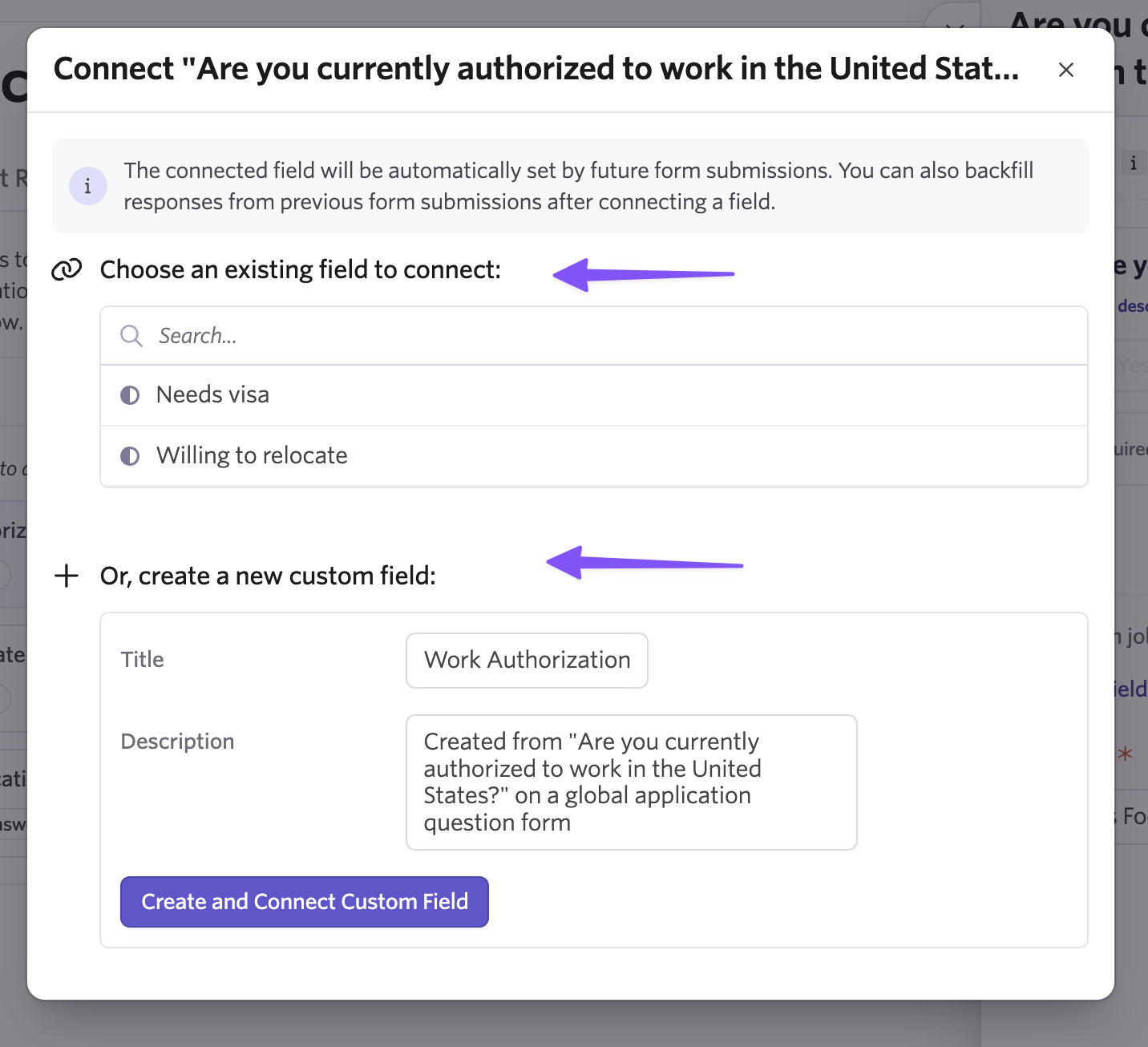
Once connected, responses automatically populate the candidate field, making that data available for reporting, automations, and other workflows that use the field.
Instead of building form-specific reports or maintaining duplicate questions across jobs, Recruiting Operations teams can use the same structured data consistently across hiring workflows.
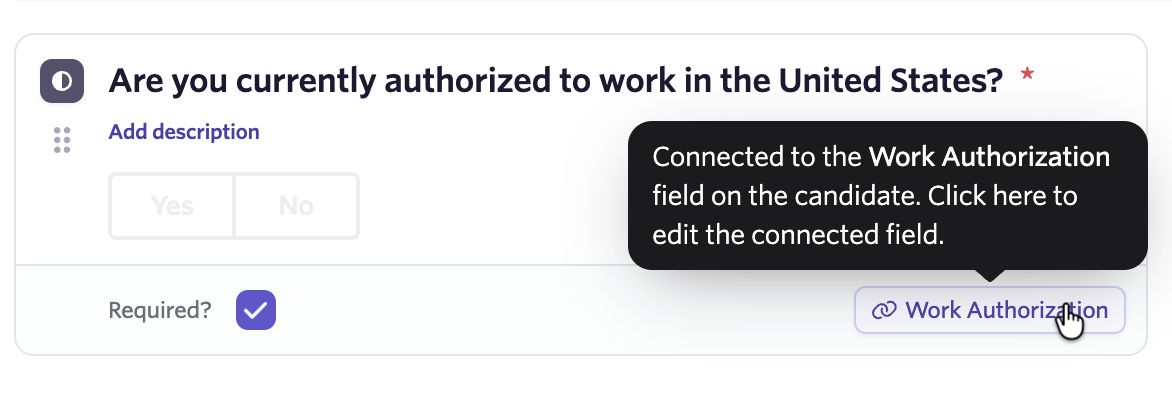
Bring historical applications into the same structure
New application responses automatically populate the connected candidate field. You can also backfill responses from applications submitted before the connection was created.
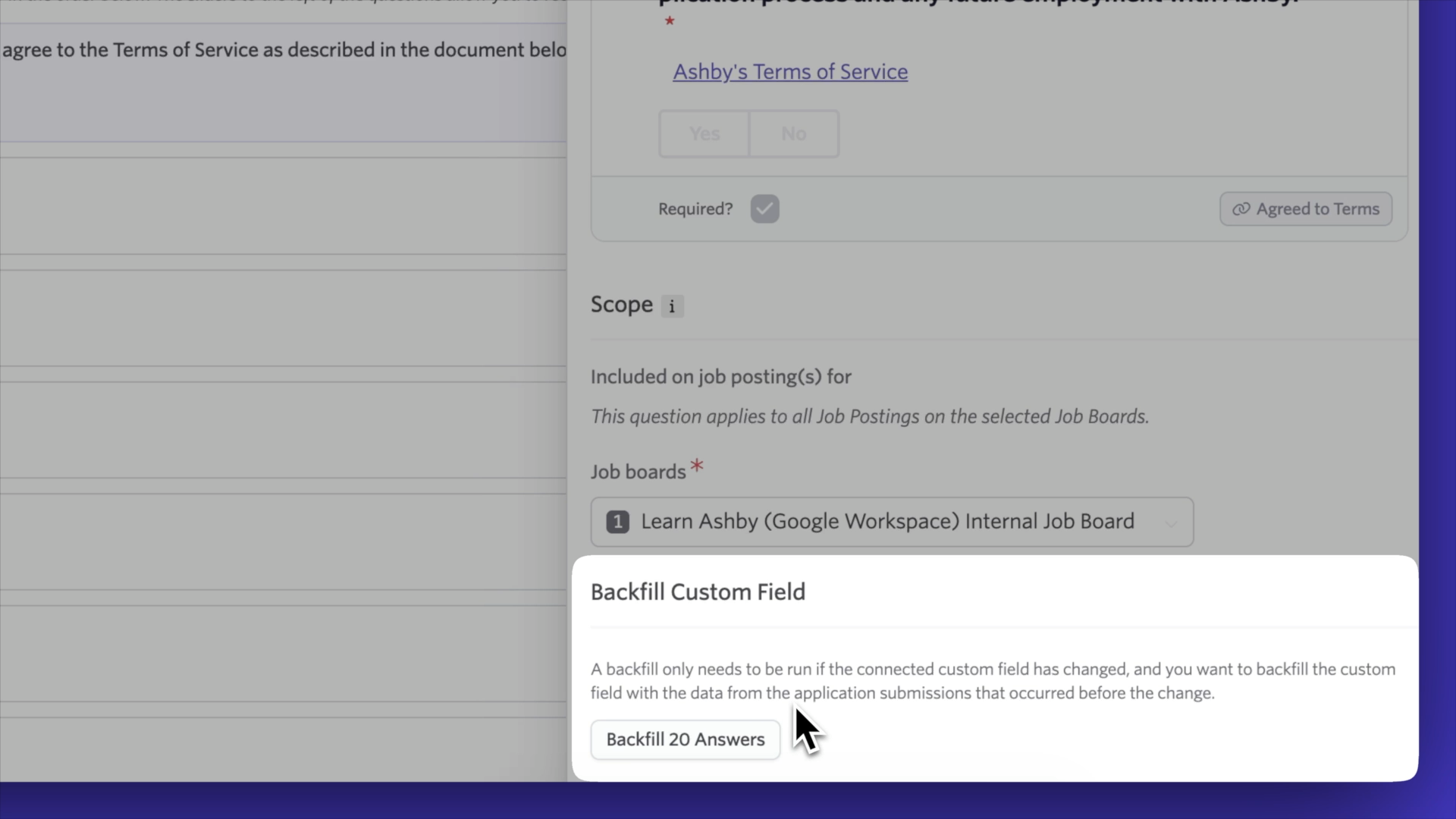
The backfill runs in the background, and you can return to the question to check its progress. This lets you bring historical and new application data into the same field for consistent reporting and workflows.
Manage one question and one field connection
Previously, teams that wanted to use a global response as candidate data had to recreate the same connected question on individual job postings and maintain each copy separately.
Now, you can manage the Global Application Question once, apply it across the appropriate job postings, and connect it directly to the candidate field your team uses.
Availability
Form Field Connectors for Global Application Questions are available to Enterprise customers. Org Admin access is required to create or change a connection.
To get started, go to Admin > Jobs & Applications > Global Application Questions, open a question, and select the link icon to connect it to an existing candidate field or create a new custom field. You can then choose whether to backfill earlier submissions.
Visit our Help Center for more details.

