Create shared interviews, email templates, and more without leaving your workflow

Today, we're releasing Inline Setup for Shared Objects, including shared interviews, email templates, locations, teams, departments, and attribution sources. You can now create the objects you need directly from the dropdown selectors you already use, without losing your place.
At Ashby, we're continuously investing in improvements that make your workflows faster, more efficient, and easier to repeat at scale, so you can keep hiring moving without breaking focus.
Setting up a job, interview plan, or automation in Ashby often depends on a few shared objects. Until now, a missing template, location, team, or attribution source could interrupt your flow and require navigating to the Admin settings. With inline setup, you can create what you need in context and get right back to the task at hand.
What’s Included
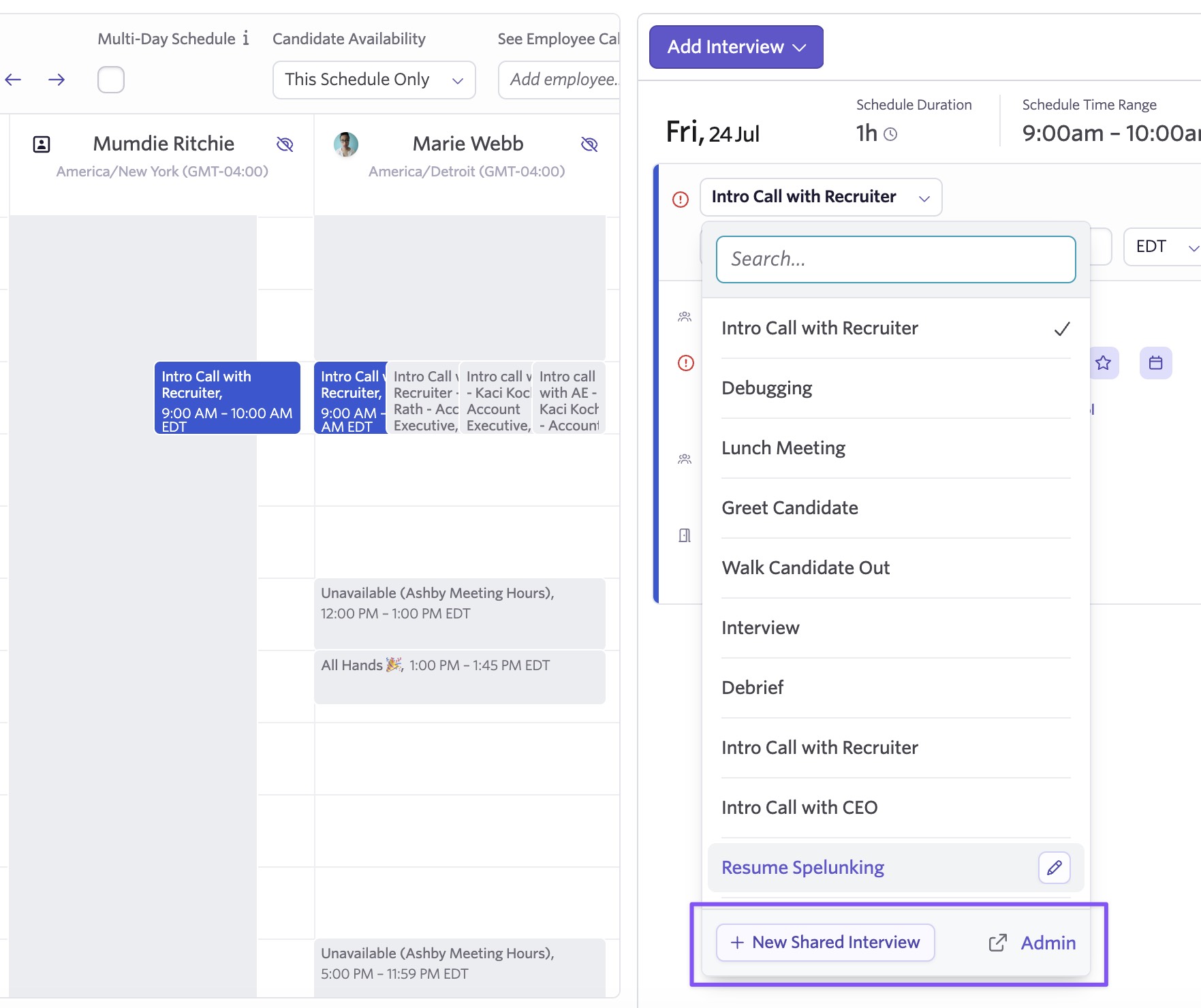
Inline Creation of Shared Interviews
Create a new shared interview from any interview selector in the product, whether you're building an interview plan or scheduling an ad hoc interview from a candidate profile. Creating and editing shared interviews are both supported inline.
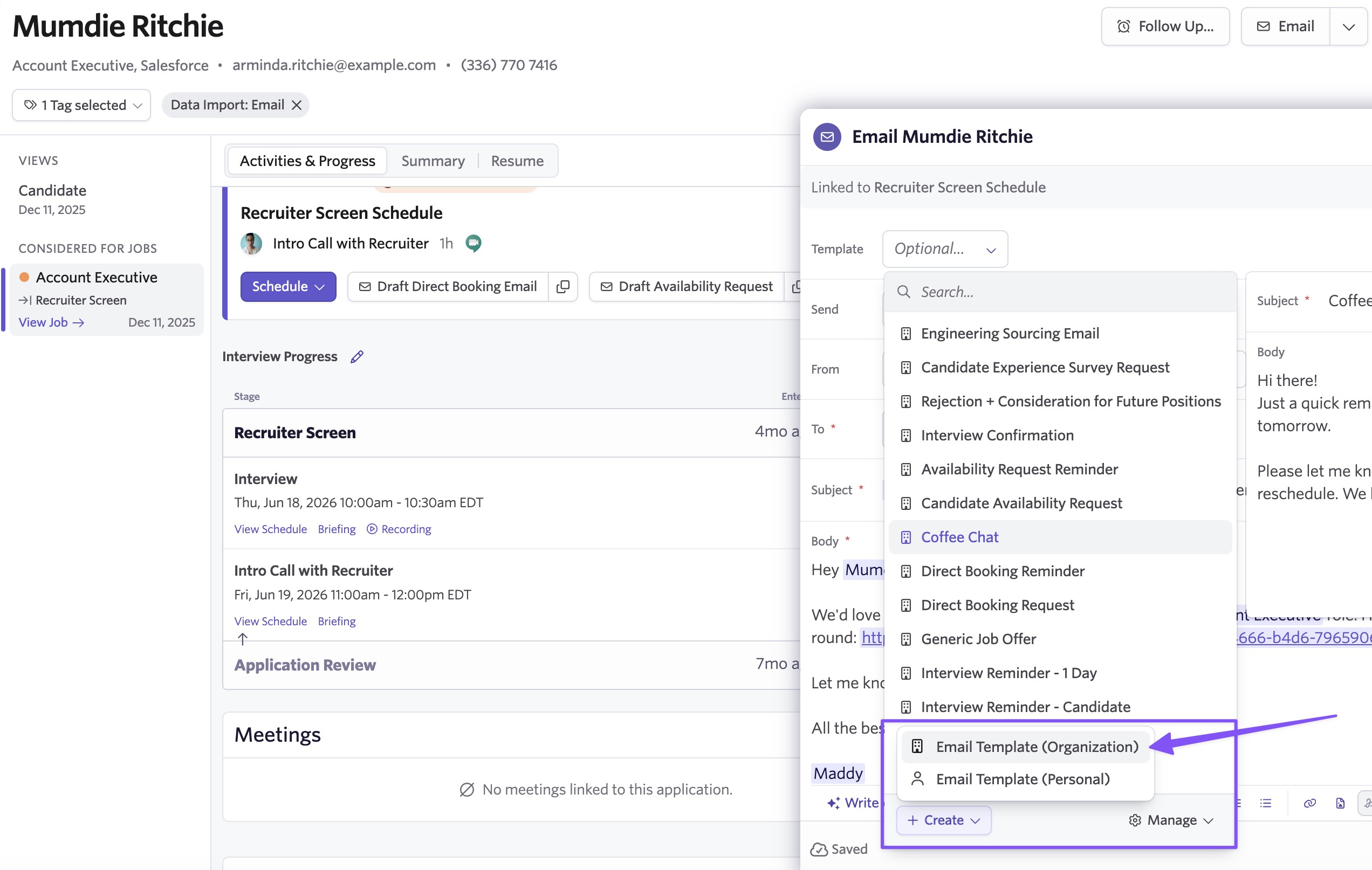
Inline Creation of Shared Email Templates
Create a new email template from any email template selector, including job automation settings, offer sending, and manual email composers. You can also save an email draft as a new template, so a one-off email you've already written can become reusable without being retyped.
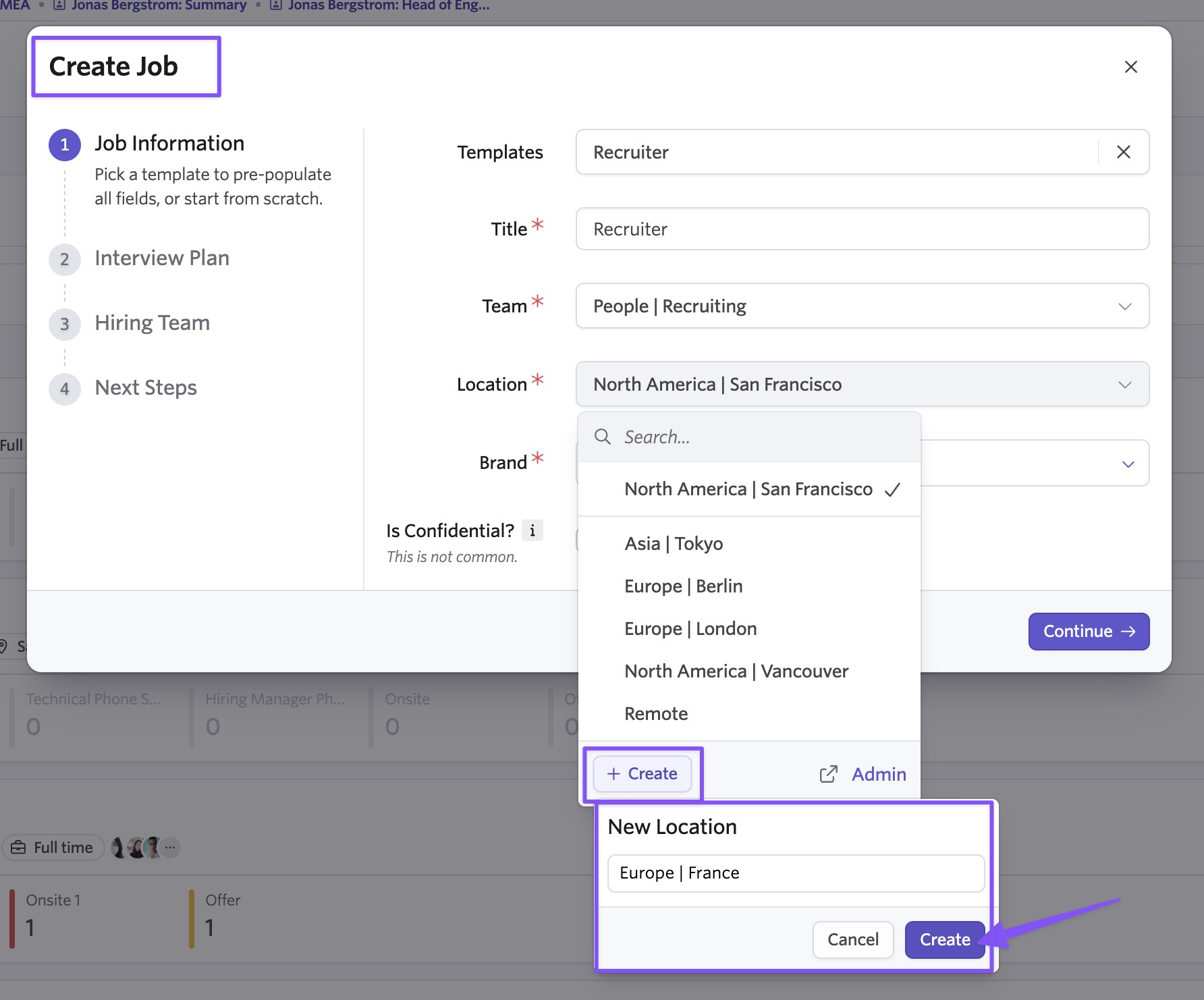
Inline Creation of Locations
Create a new location from any location selector without leaving your task. Editing an existing location still opens the admin page.
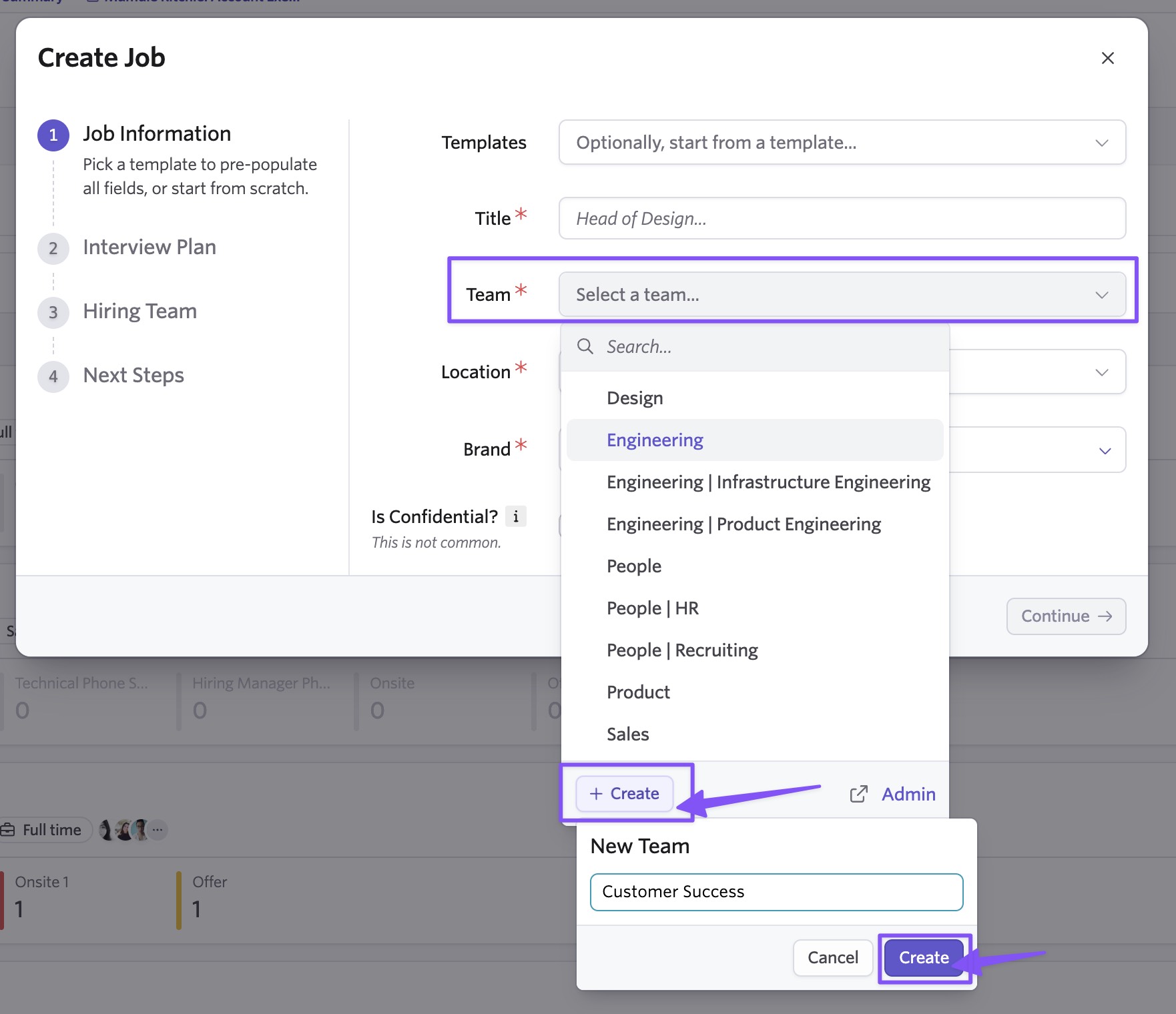
Inline Creation of Teams & Departments
Create a new team from any team selector, with both creating and editing supported inline. Creating a department is also supported inline, while editing a department still opens the admin page.
Inline Creation of Attribution Sources
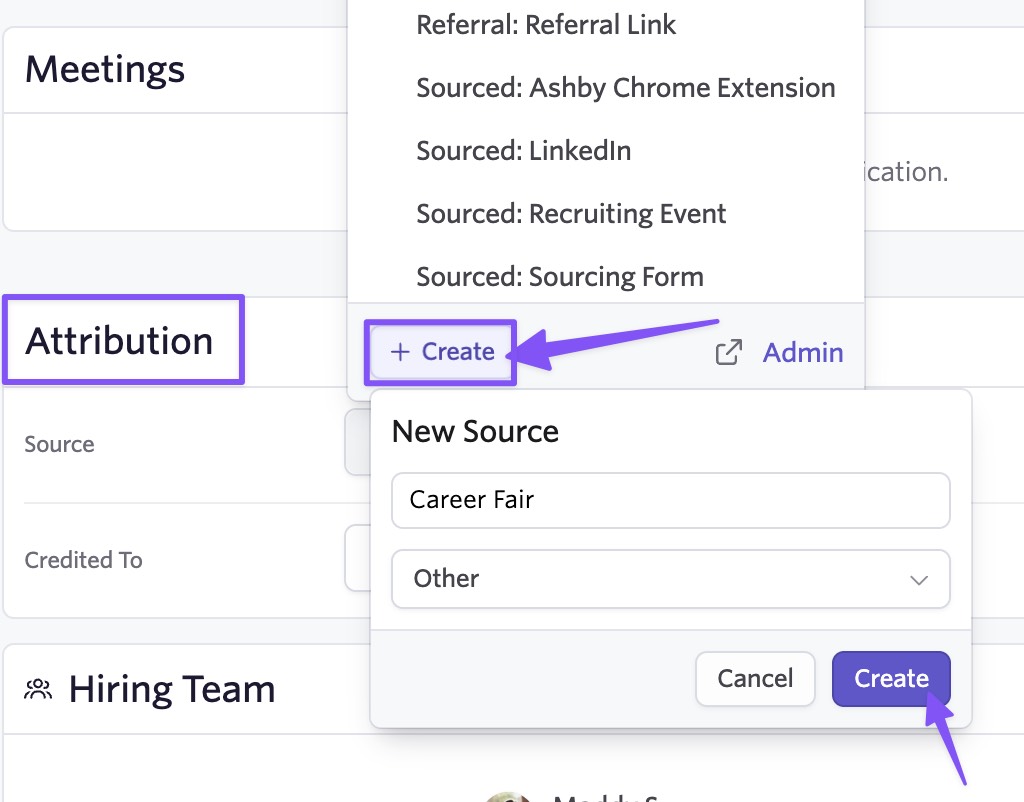
Create a new attribution source from any attribution source selector. Editing an attribution source still opens the admin page.
Getting Started
This removes a common setup interruption, which is that the shared object you need doesn't exist yet. Recruiters and coordinators running high-volume processes can move through job setup, scheduling, and email automation faster, and hiring managers who are less familiar with Ashby can finish their work without detouring to another page.
Inline setup for shared objects is available to all customers on all plans, with no configuration required. Open any interview, email template, location, team, department, or attribution source selector to get started.

