Manage multiple employer brands from a single Ashby account

Today, we’re introducing Multiple Brands, a new way to run distinct, end-to-end employer brand experiences within a single Ashby account.
If you’re hiring across multiple consumer-facing brands or regions, you no longer need separate ATS instances or manual workarounds. Multiple Brands lets you configure and manage each brand in one place, while ensuring candidates experience the right brand at every step.
One Ashby account, distinct brand experiences
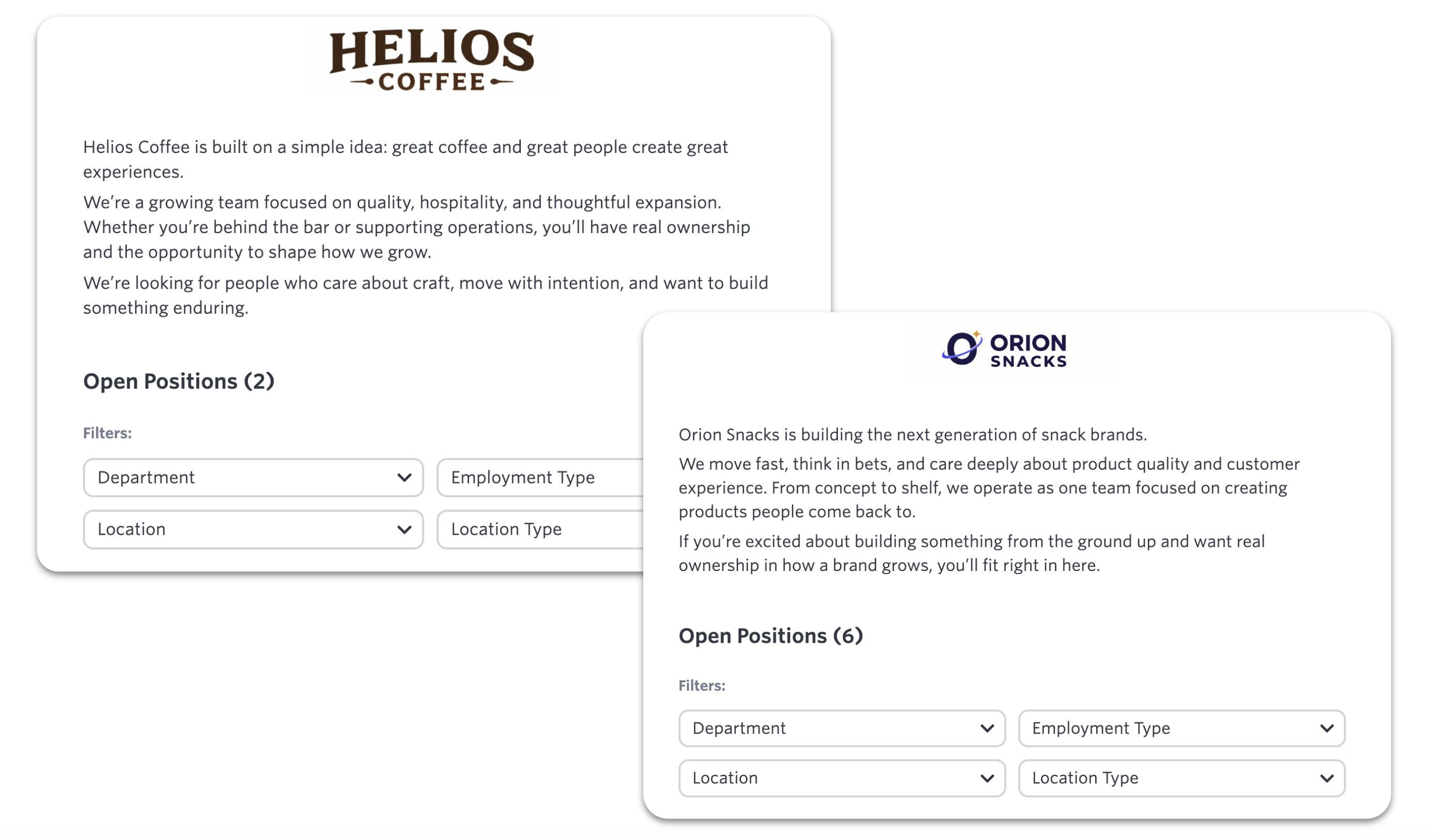
Each brand can be fully configured with its own visual identity and communication settings. Once applied to a job, that brand carries through every candidate interaction, including job boards, application flows, scheduling, and outbound communication.
Hiring teams can always see which brand they’re representing, and candidate-facing touch points automatically reflect the correct brand without additional setup.
Create and apply brands
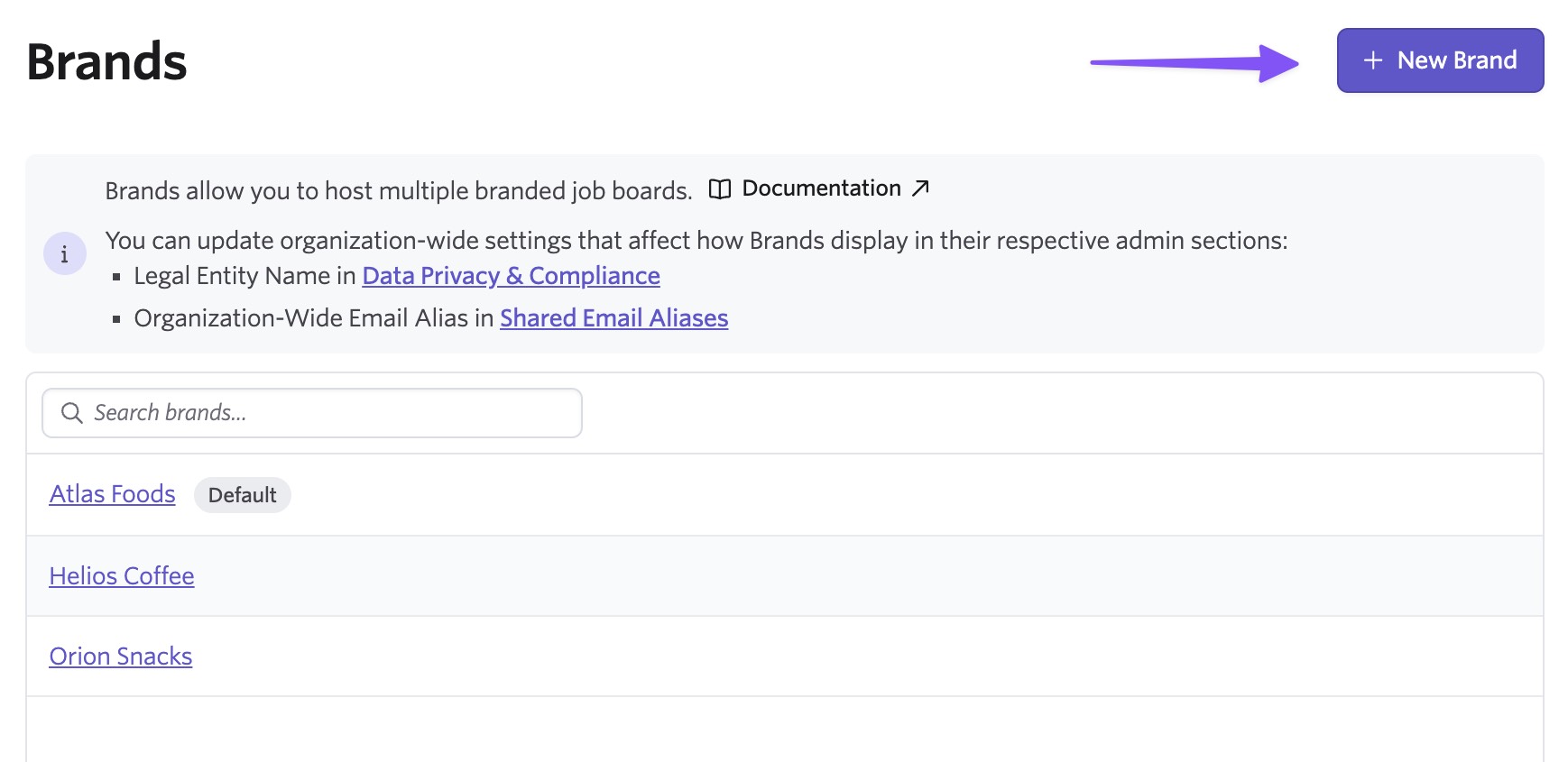
Set up brands in the Admin settings, under Job Board, then Theme, then "+ New Brand." where you can create and manage each brand’s configuration, including:
- Company name and logos
- Brand copy and standard top, bottom, and job post descriptions
- Visual styling (colors and theme)
- Email sender name and address
- Email footer and signature
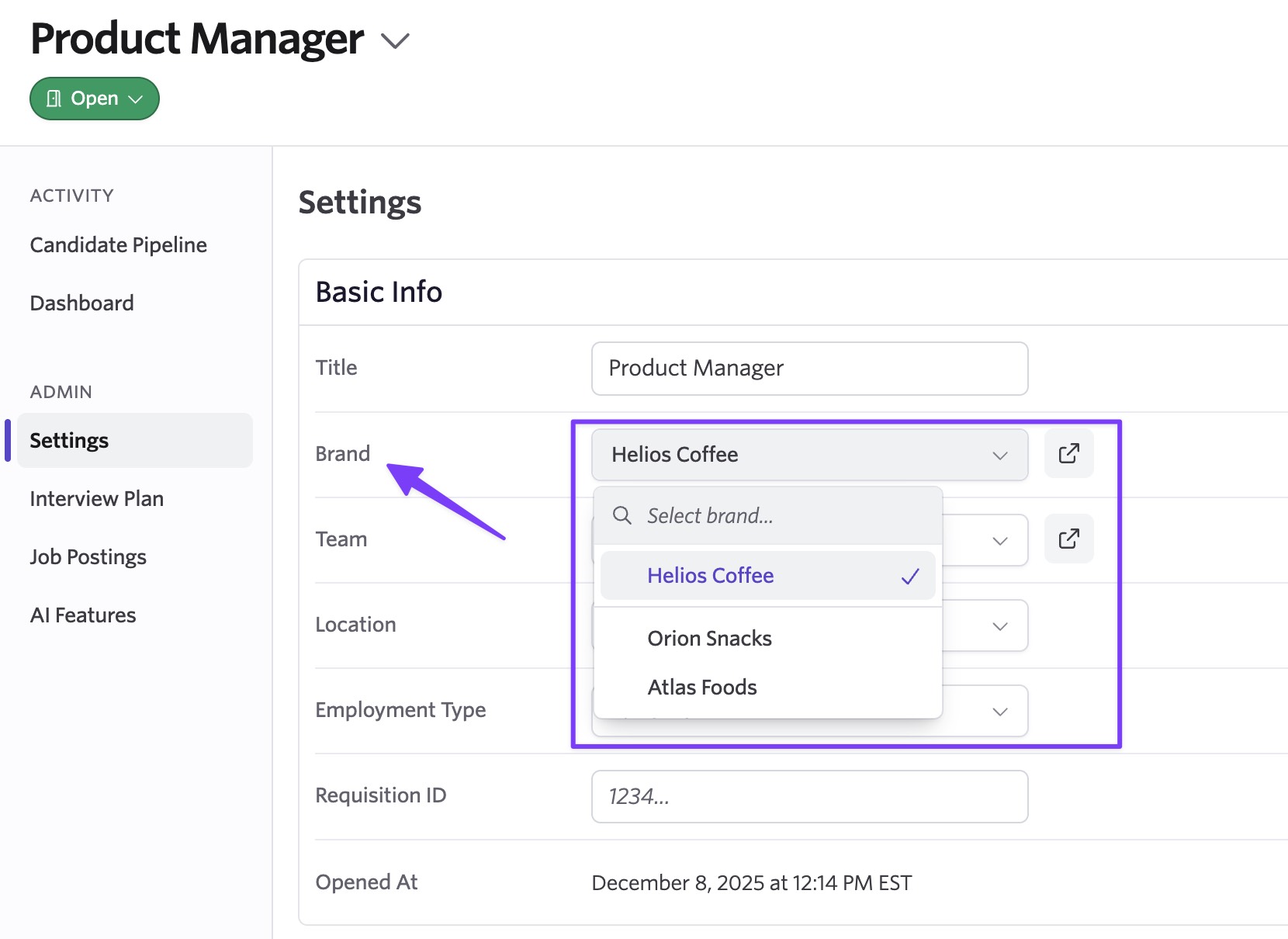
Once configured, you can assign a brand directly from a job’s settings page. From that point on, all candidate-facing experiences for that job use the selected brand by default.
Ensure candidate-facing touch points automatically reflect the correct brand
Branded candidate-facing touch points include:
- Emails
- Job boards, internal job boards, job board embedding, and career pages
- Direct Booking Links
- Global application questions
- Candidate questionnaires and surveys
- Compensation Levels/Philosophy
- Brand as a job reporting field
- Candidate Texting
Automatic job distribution
Job board integrations like LinkedIn, Indeed, BuiltIn, ZipRecruiter, and Welcome to the Jungle support multiple brand instances. Ashby automatically routes postings to the correct channels based on the brand assigned to the job, so you don’t need to manage distribution manually.
Reporting by brand
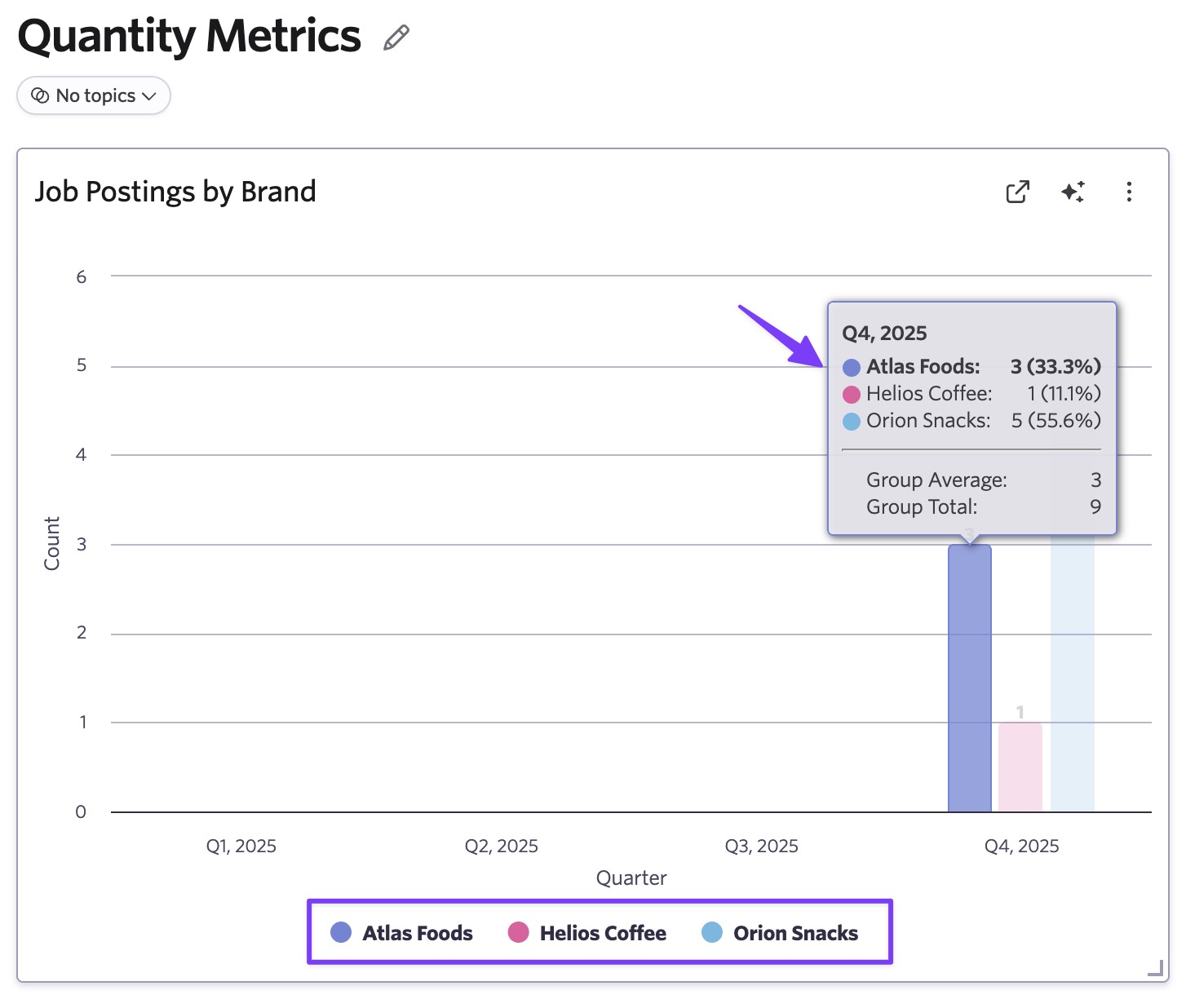
Brand is available as a reporting dimension across jobs and pipelines. You can filter and analyze hiring performance by brand directly in Ashby, without exporting or consolidating data across systems. Here's an example of reporting on jobs by brand for the quarter.
Getting started
Multiple Brands is available with up to five brands for Plus, and unlimited brands for Enterprise customers. To get started, go to Admin > Theme and select "+ New Brand." Visit the help article for more information on set up and company structure requirements.

