Create and refine agents using conversational language

We’re releasing conversational agent creation and editing, making it much easier to build and improve custom agents in Ashby. Now you can describe what you want in plain language, and Ashby will draft the prompt for you.
Describe your agent, and Ashby drafts the prompt
When you create your own agent, you’ll see an optional first step to describe what you want the agent to do.
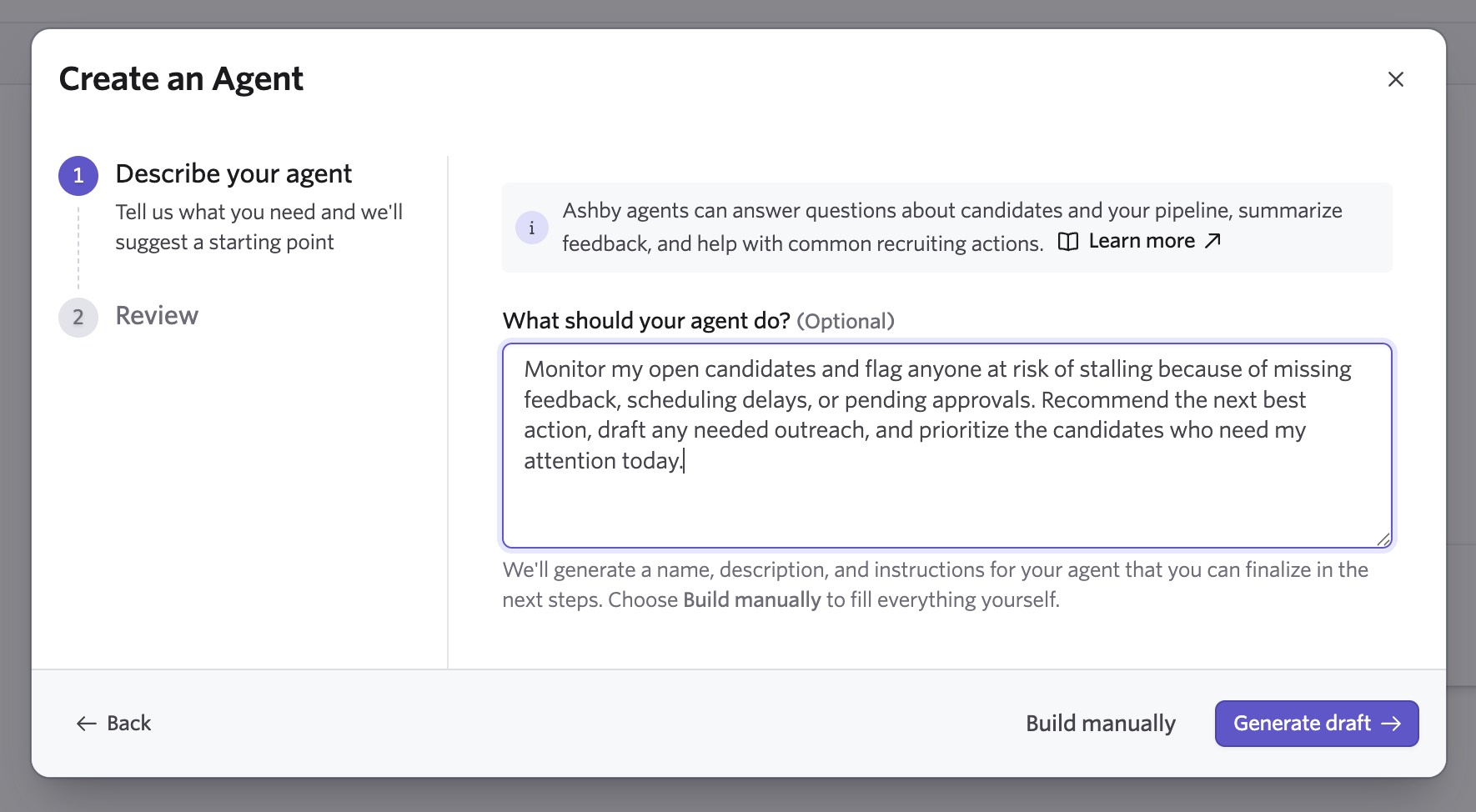
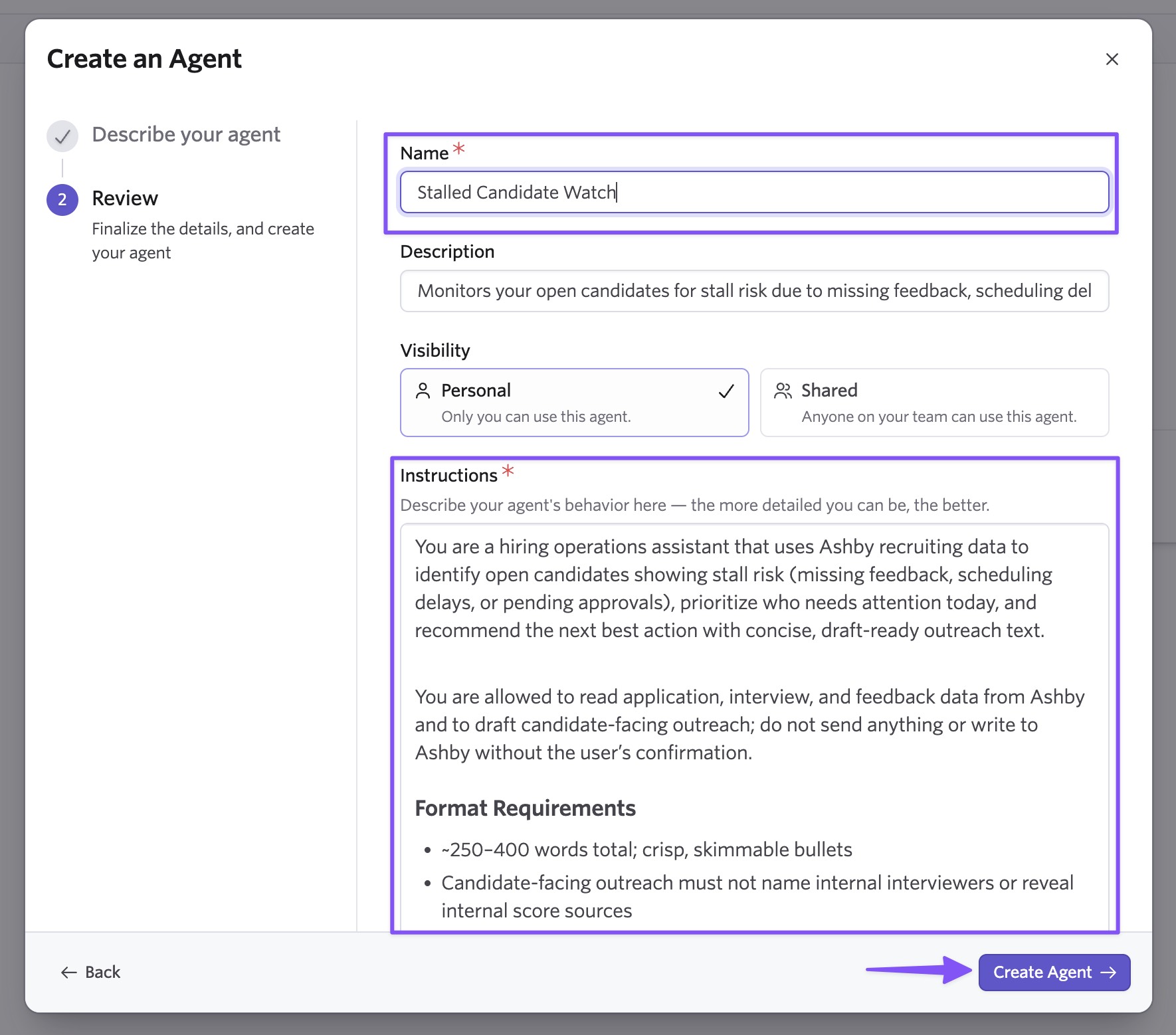
Ashby converts your description into a structured draft with a suggested name, description, and instructions. You can edit every field before finishing, or skip this step and build manually or from a template.
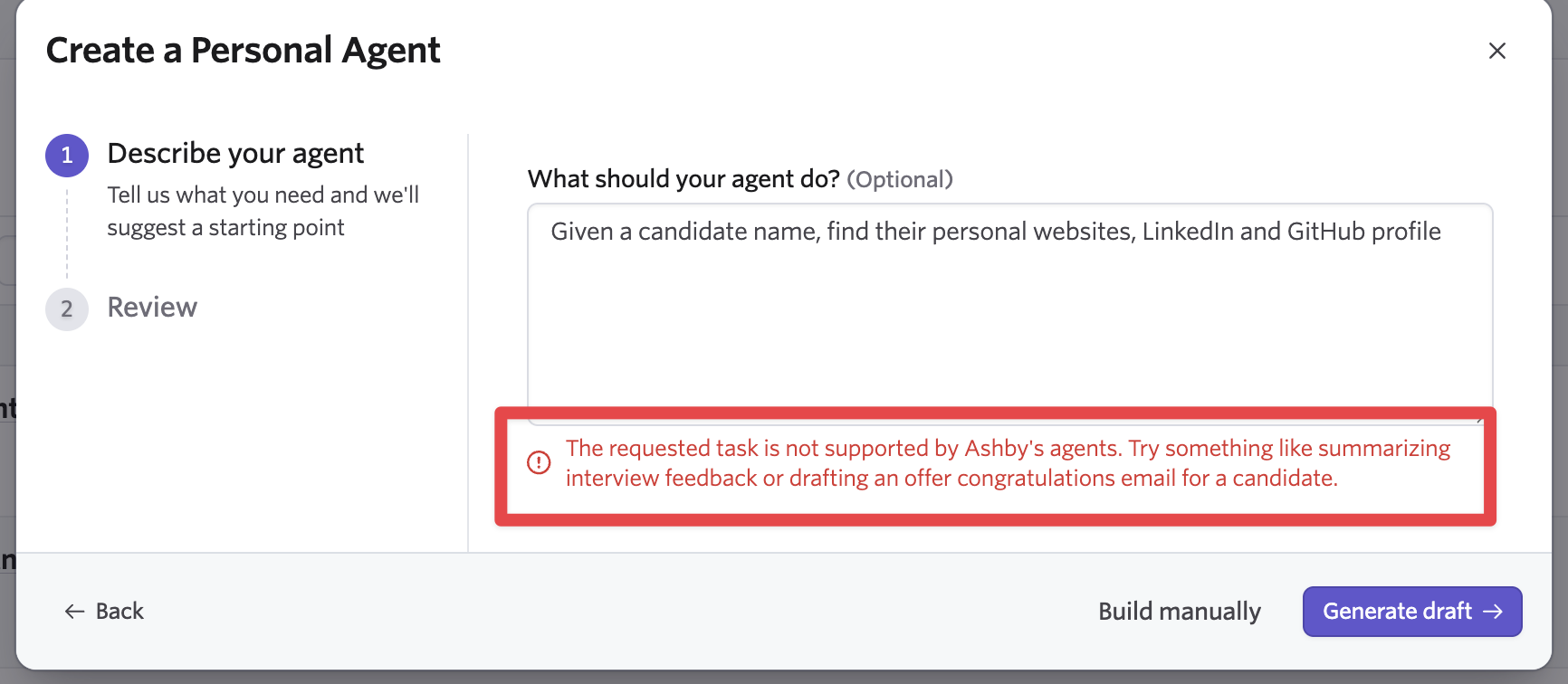
Built-in guardrails flag prompts that are too short, too vague, or reference actions agents don’t support, so you can catch issues before your agent ever runs. Because drafting happens inside Ashby, it has full context of what the platform can actually do, which external AI tools can’t validate.
Edit agents without leaving the conversation
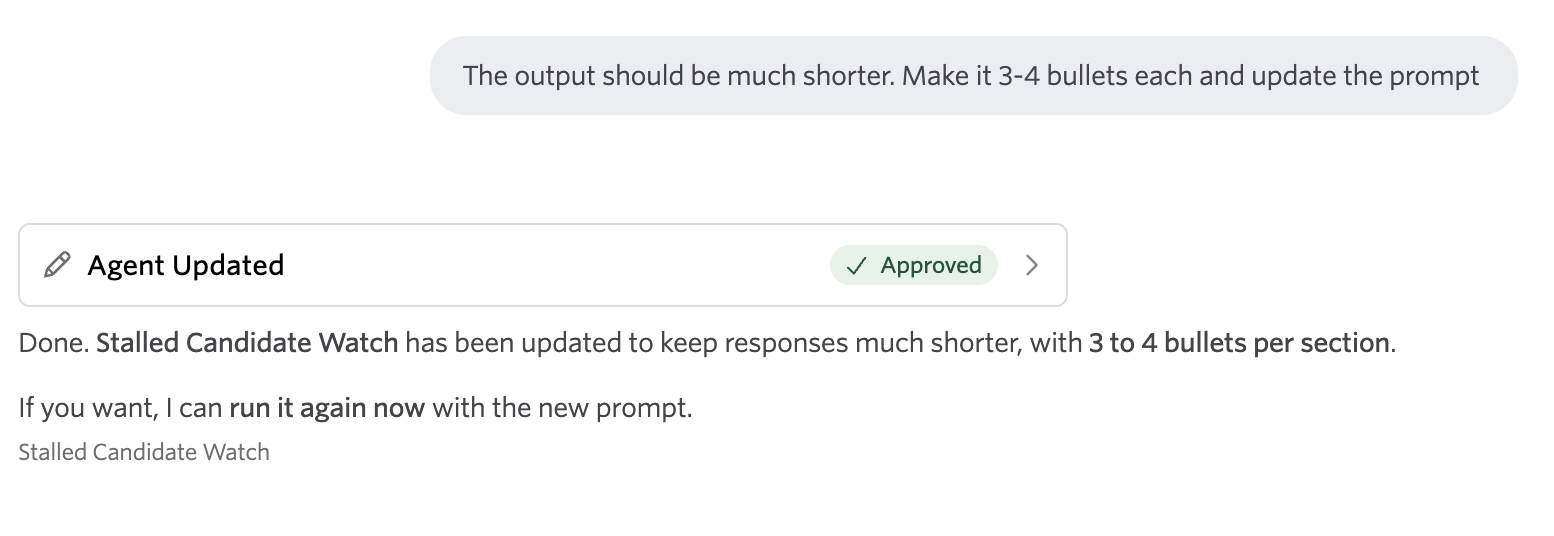
Iterating on an agent used to mean leaving the chat, editing the prompt in settings, and re-running the agent in a new conversation. Now, when a response misses the mark, you can ask the agent to update itself directly in the chat.
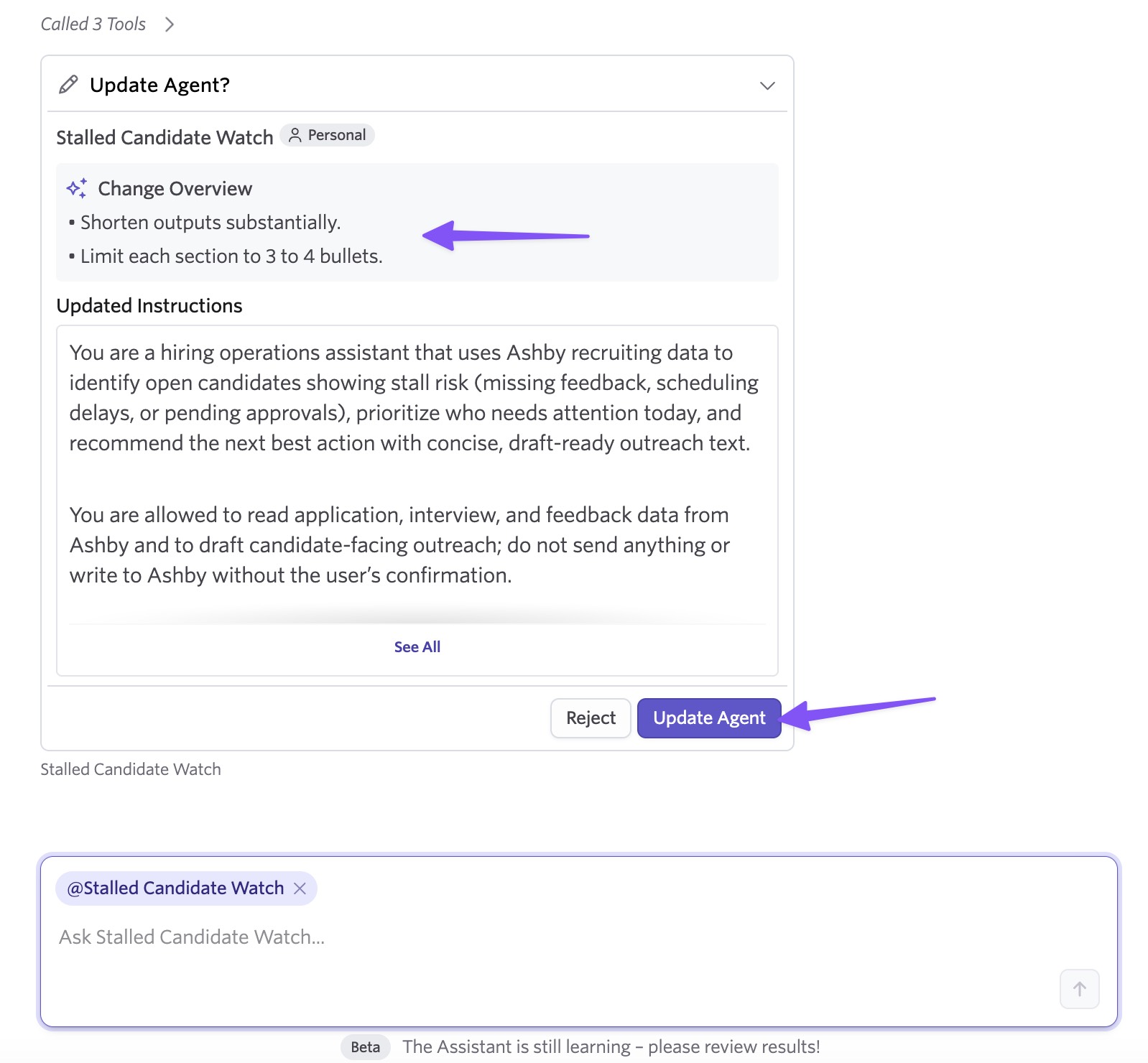
Try: "Update the prompt to always include time in stage for each candidate." This opens a modal where you can approve the prompt changes or keep iterating. Once approved, the update applies immediately in the current thread, so you can continue without starting over.
A confirmation step previews the proposed agent, along with a summary of changes for updates, so nothing is applied accidentally.
Getting started
Conversational agent creation and editing is available on all plans. It builds on Custom Agents, which you can enable under Admin > Opt-In Features > Custom Agents.
To try it, create a new agent using the "Create your own" flow, or ask an existing agent to update itself in a conversation. Visit our help center article to learn more.

