Track Reschedule and Cancellation Reasons to Improve Your Interview Process

You now have the ability to capture interview reschedule and cancellation reasons in Ashby. Candidate-facing reasons via Direct Booking Links are available on all plans, while internal user reasons and reporting functionality is available with the Advanced Scheduling Automation add-on or Enterprise plan.
By capturing structured data on scheduling changes, coordinators spend less time chasing down context, recruiters gain visibility into what's delaying their candidates, and operations teams can identify patterns that justify process improvements to stakeholders.
How it works
Reschedule and cancellation reasons can be captured from two audiences:
For candidates using Direct Booking Links (all plans): When candidates reschedule or cancel via their direct booking link, you'll have the option to prompt them to select a reason and optionally leave a note explaining the change.
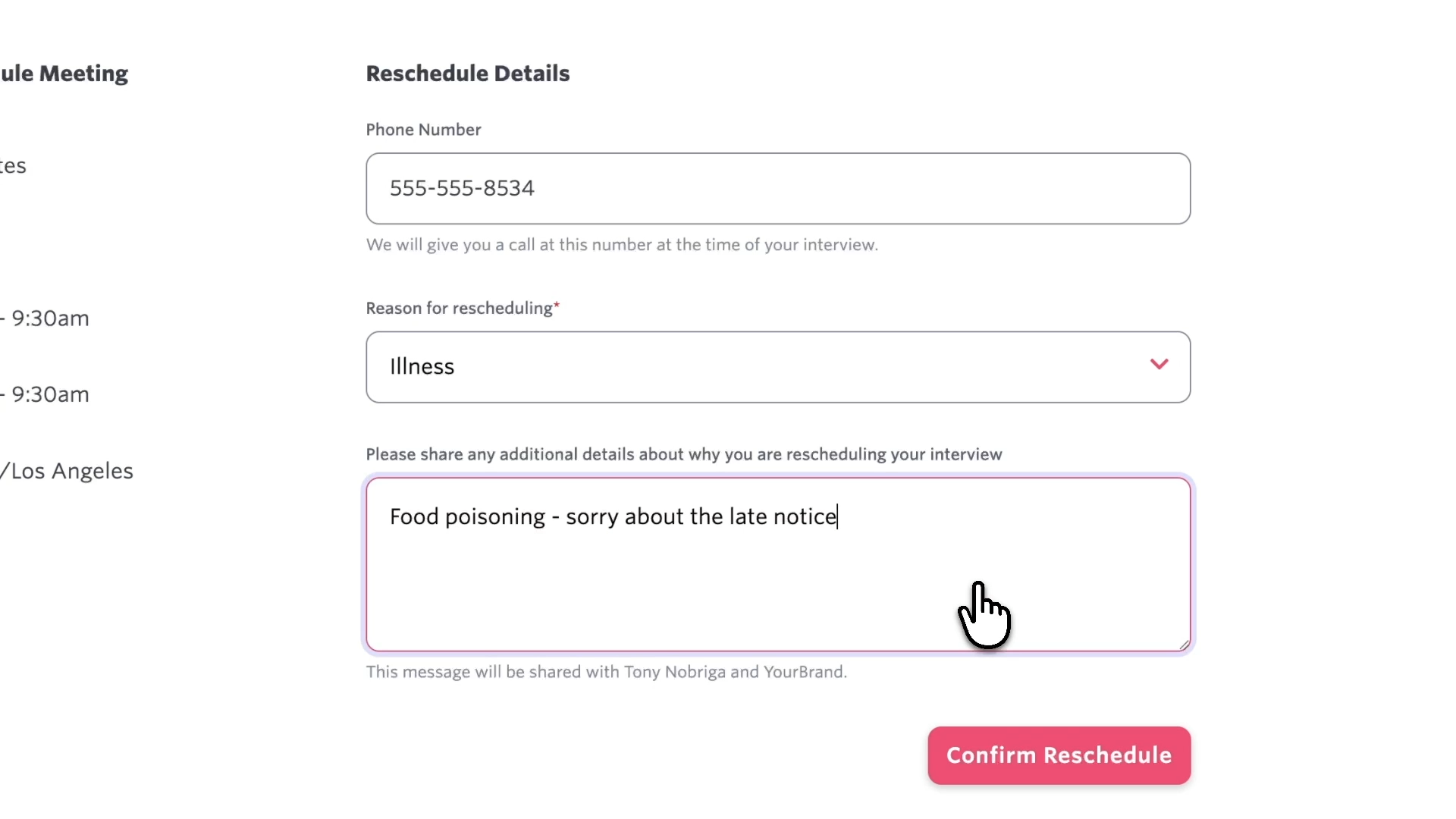
This eliminates the back-and-forth emails coordinators typically manage when candidates change their availability, and gives recruiters immediate visibility into candidate-driven scheduling changes.
For team members working in Ashby (Advanced Scheduling Automation add-on, Enterprise plan):
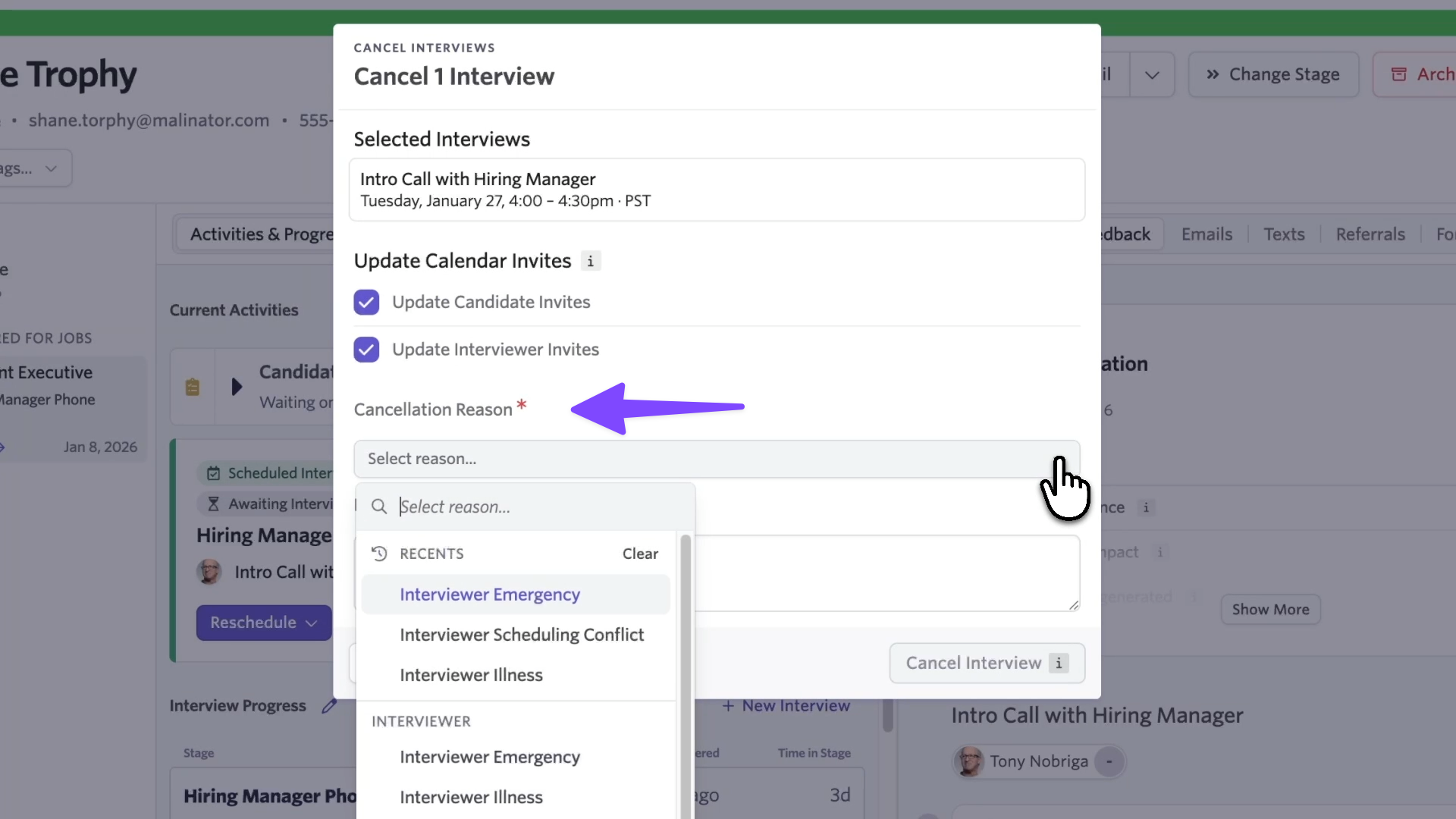
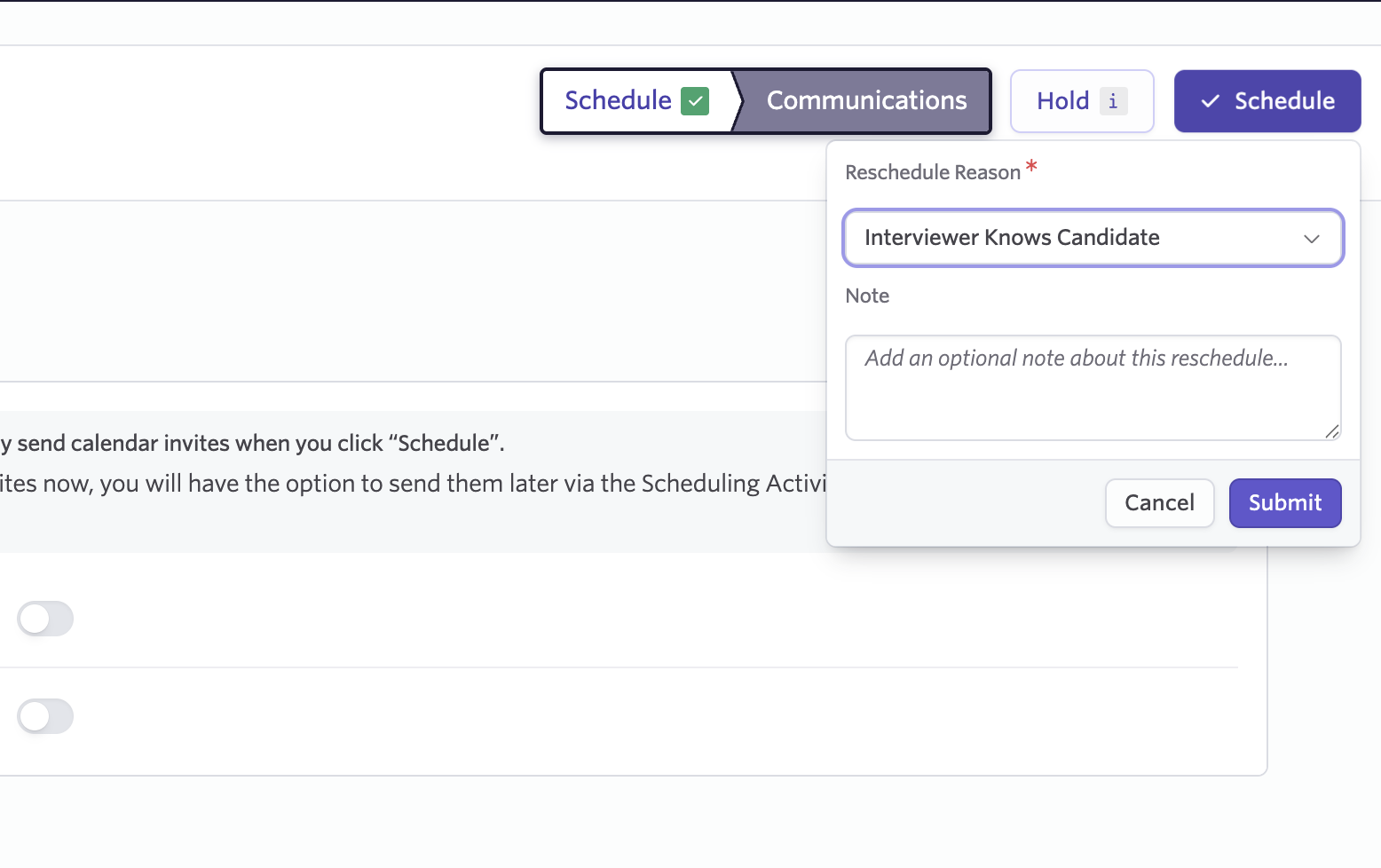
When rescheduling, cancelling an interview, or deleting a scheduled interview, users within Ashby will be prompted to select a reason and add context. This captures structured data at the source, so you can report on trends and identify patterns over time.
Cancelling an interview
Rescheduling an interview
Configuring rescheduling and cancellation reasons
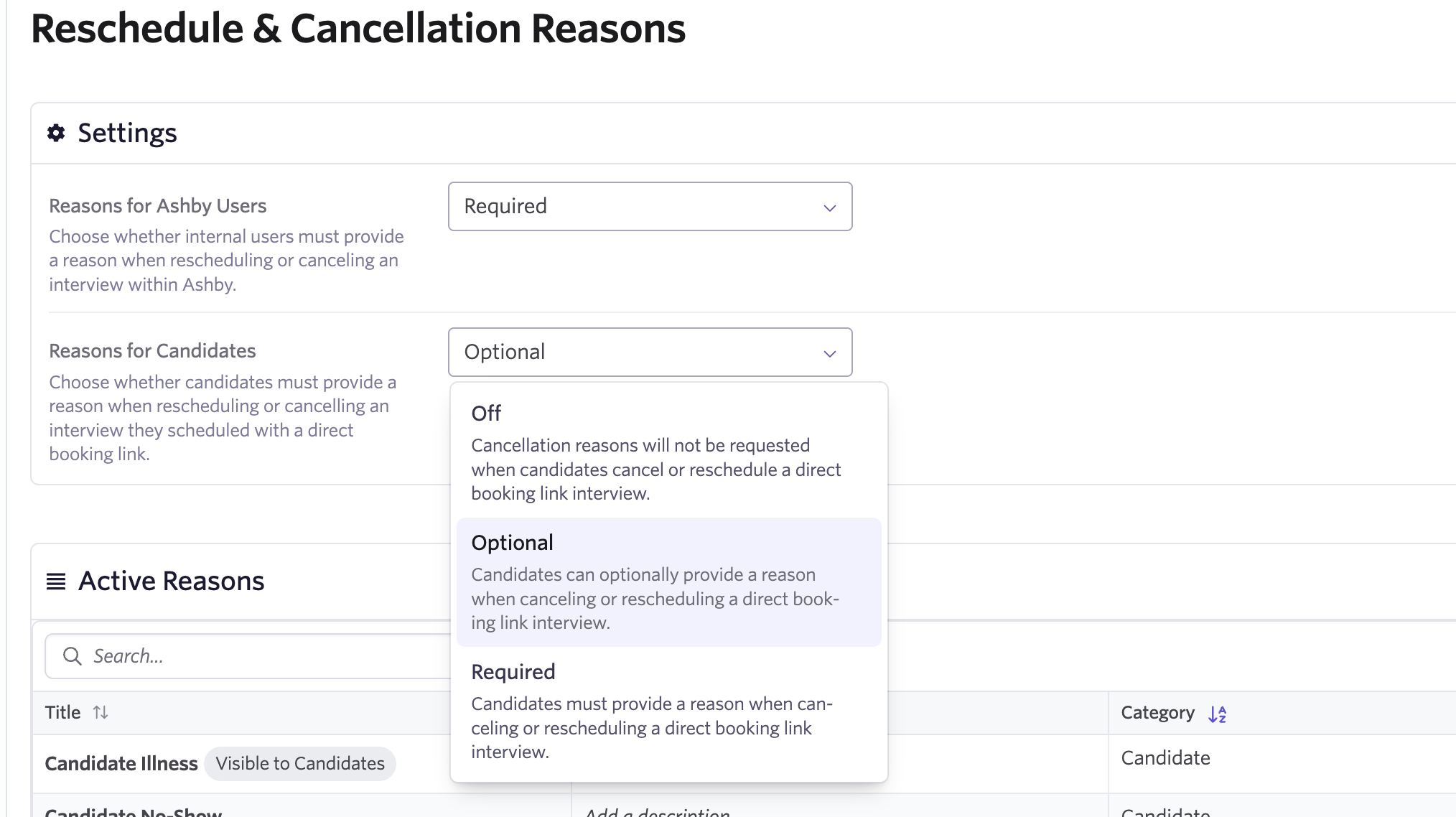
Admins have a number of configuration options under Admin > Reschedule & Cancellation Reasons:
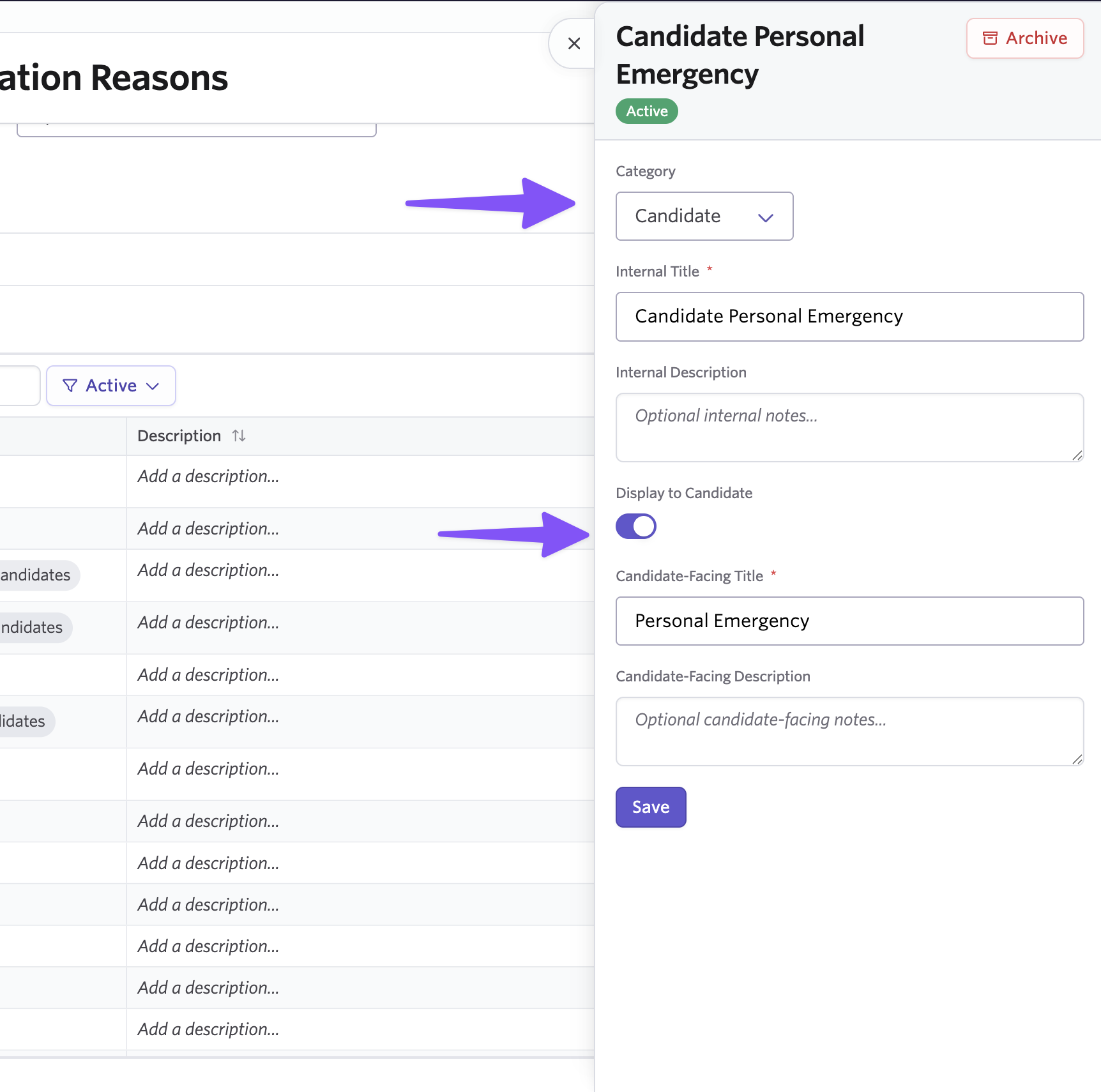
Toggle requirements: Set reasons to be off, optional, or required separately for candidates and internal users.
Customize the reason list: Edit the default reasons, archive ones you don't need, or add new ones specific to your process.
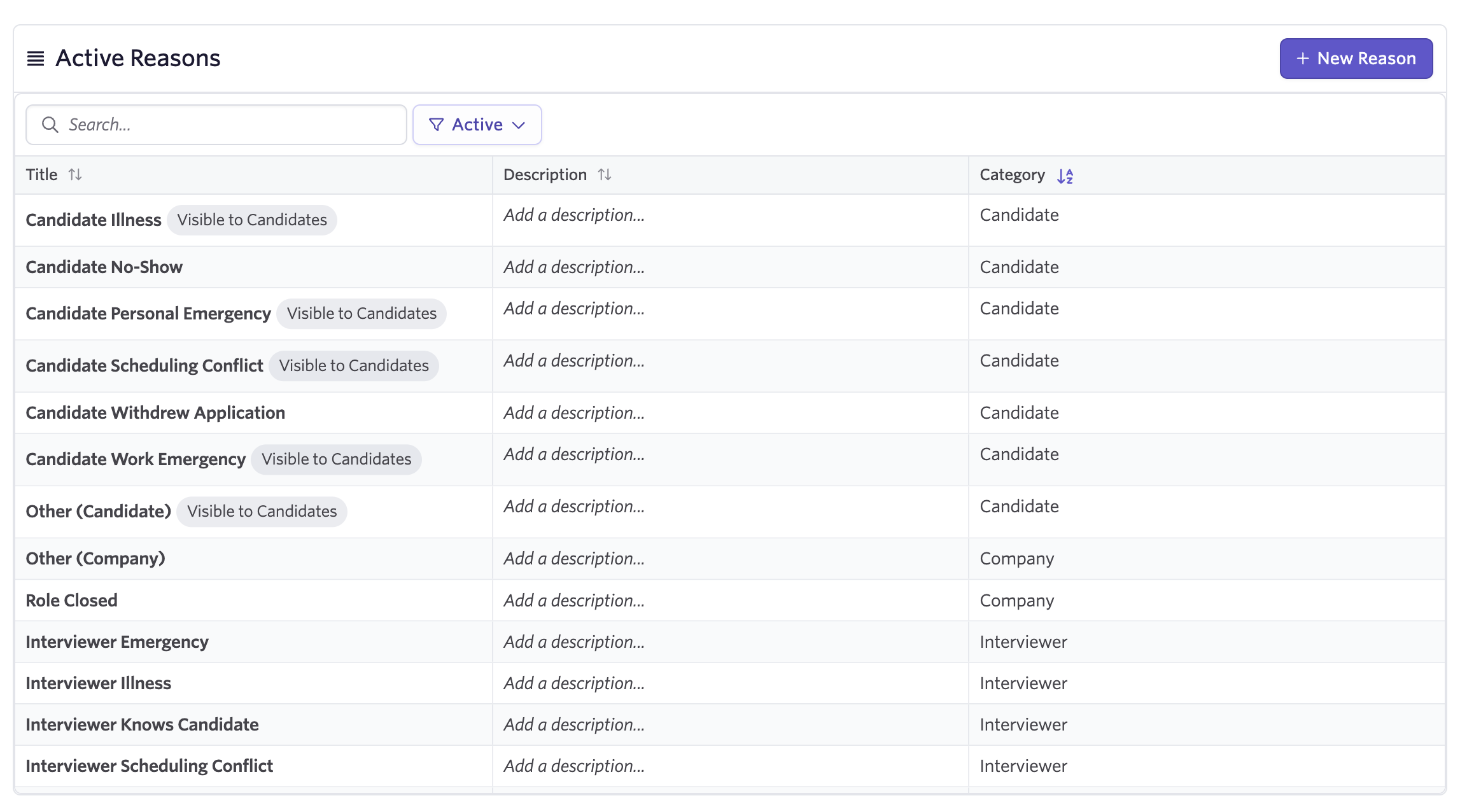
Categorize reasons: Organize by type (Candidate, Interviewer, or Company) to make selection intuitive and reporting cleaner
Control candidate visibility: Choose which reasons candidates can select from. Not all reasons make sense for candidates to choose themselves (like "candidate no-show")
The system also automatically tracks reasons for scheduling changes that happen outside of Ashby, like when an interviewer is auto-replaced due to a decline (Advanced Scheduling Automation add-on, Enterprise) or when someone changes an interview time directly in Google Calendar (all plans).
What counts as a reschedule
Ashby will only prompt for a reason when changes are deemed a reschedule versus a modification This means updating a meeting link or editing the invite description won't trigger the reason prompt. This keeps your data and tracking clean when handling minor updates.
Reporting on scheduling changes
With the Interview Schedule Versions reporting subject (Advanced Scheduling Automation add-on, Enterprise), operations teams can now answer questions like:
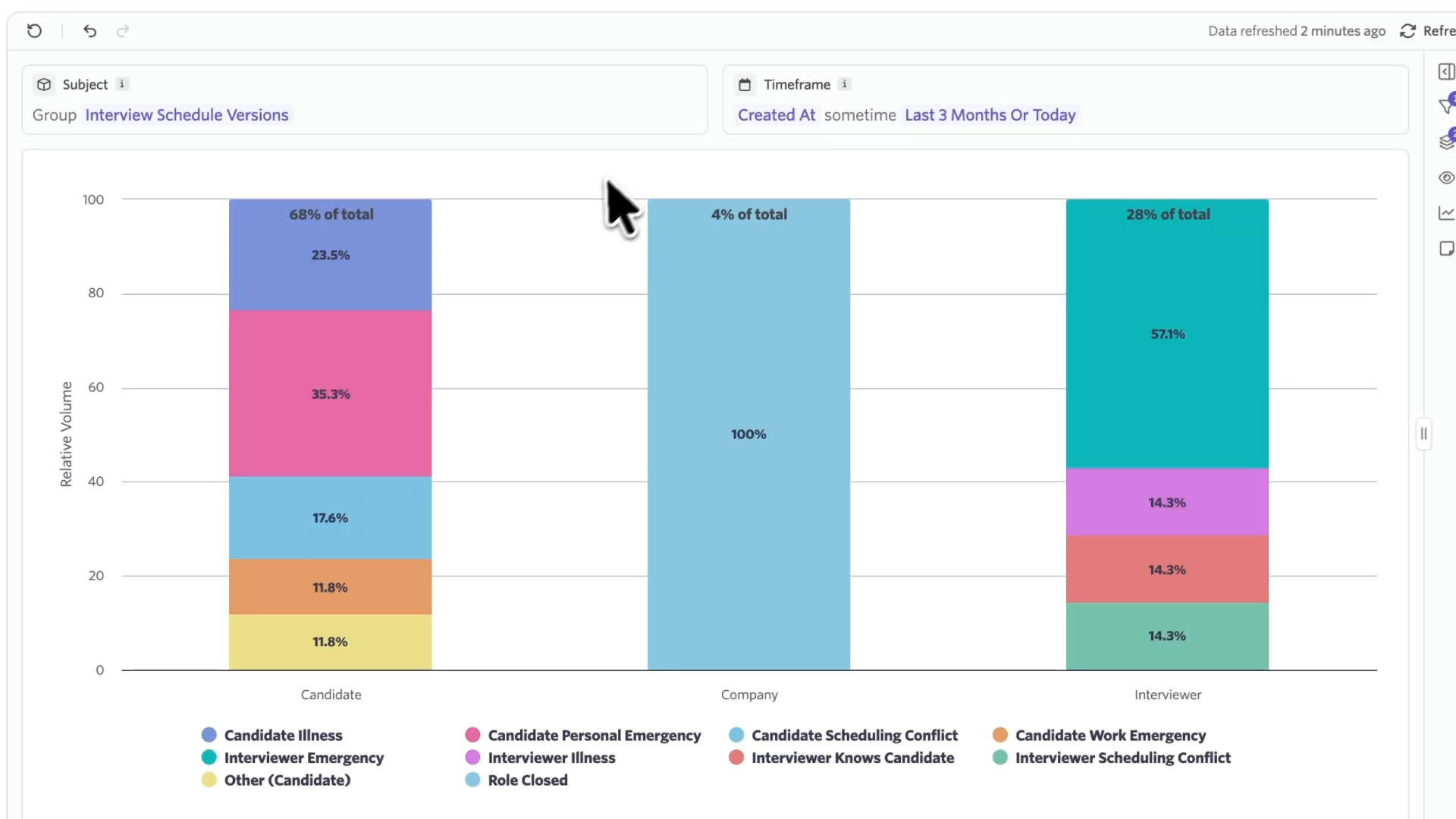
- What percentage of reschedules are candidate-driven vs. interviewer-driven?
- Which interview stages have the highest cancellation rates and why?
- Are certain teams or departments causing more scheduling churn?
- What's the breakdown of reasons by job, department, or time period?
New fields available include
Schedule Change Reason- The reason submitted for rescheduling or cancelling this interview schedule version.Schedule Change Reason Type- Whether a schedule change reason was submitted for a reschedule or a cancellation.Schedule Change Reason Submitted By- The user who submitted a reason when rescheduling or cancelling.Schedule Change Reason Submitted By Type- Whether a reschedule or cancellation reason was set by an Ashby User, a Candidate, or an Ashby AutomationSchedule Change Reason Category- Candidate, Interviewer, Company, or Ashby AutomationSchedule Change Reason Note Text- included as an optional note when submitting a reschedule or cancellation reason.
Use this data to identify reschedule and cancellation patterns across interview stages, teams, and roles, then take action to improve time-to-hire, scheduling efficiency, and candidate experience.
Getting started
Reschedule and cancellation reasons for candidates via Direct Booking Links are available on all plans. Reasons for internal users and the reporting capabilities require the Advanced Scheduling Automation add-on or Enterprise plan.
To enable, go to Admin > Reschedule & Cancellation Reasons and configure your settings. You can also learn more about this feature by heading to our Knowledge Base or by booking a demo to see it in action.

