Transcript Only mode for AI Notetaker: Capture interview context without storing audio or video

Transcript Only mode for AI Notetaker is now available. Capture interview transcripts and AI-generated notes without storing audio or video recordings in Ashby.
For organizations with stricter policies around retaining interview recordings, Transcript Only provides another way to use AI Notetaker.
Unlike a shorter recording retention window, which still keeps media for a period of time, Transcript Only retains the transcript and notes without storing the recording in Ashby.
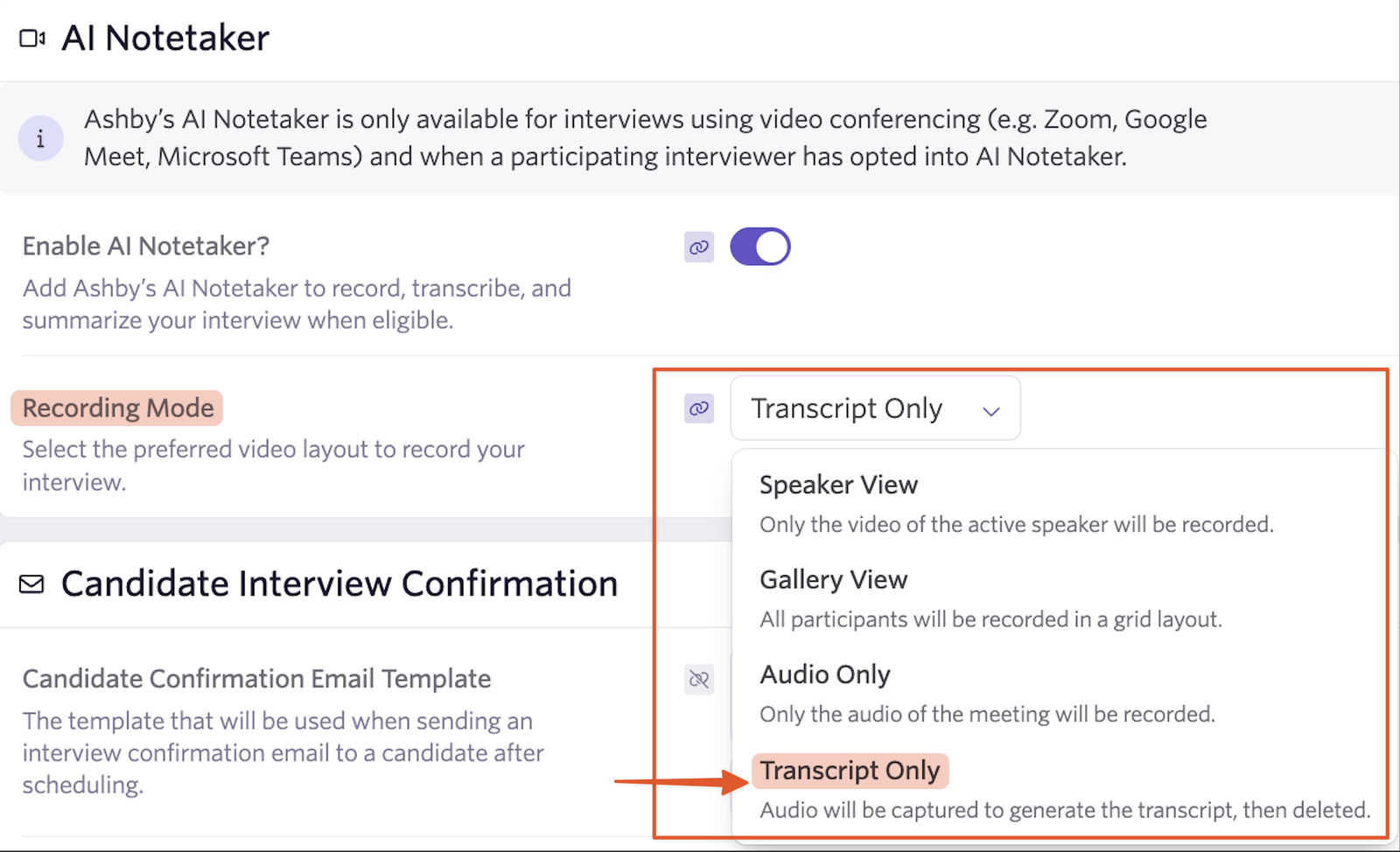
Choose Transcript Only in your scheduling settings
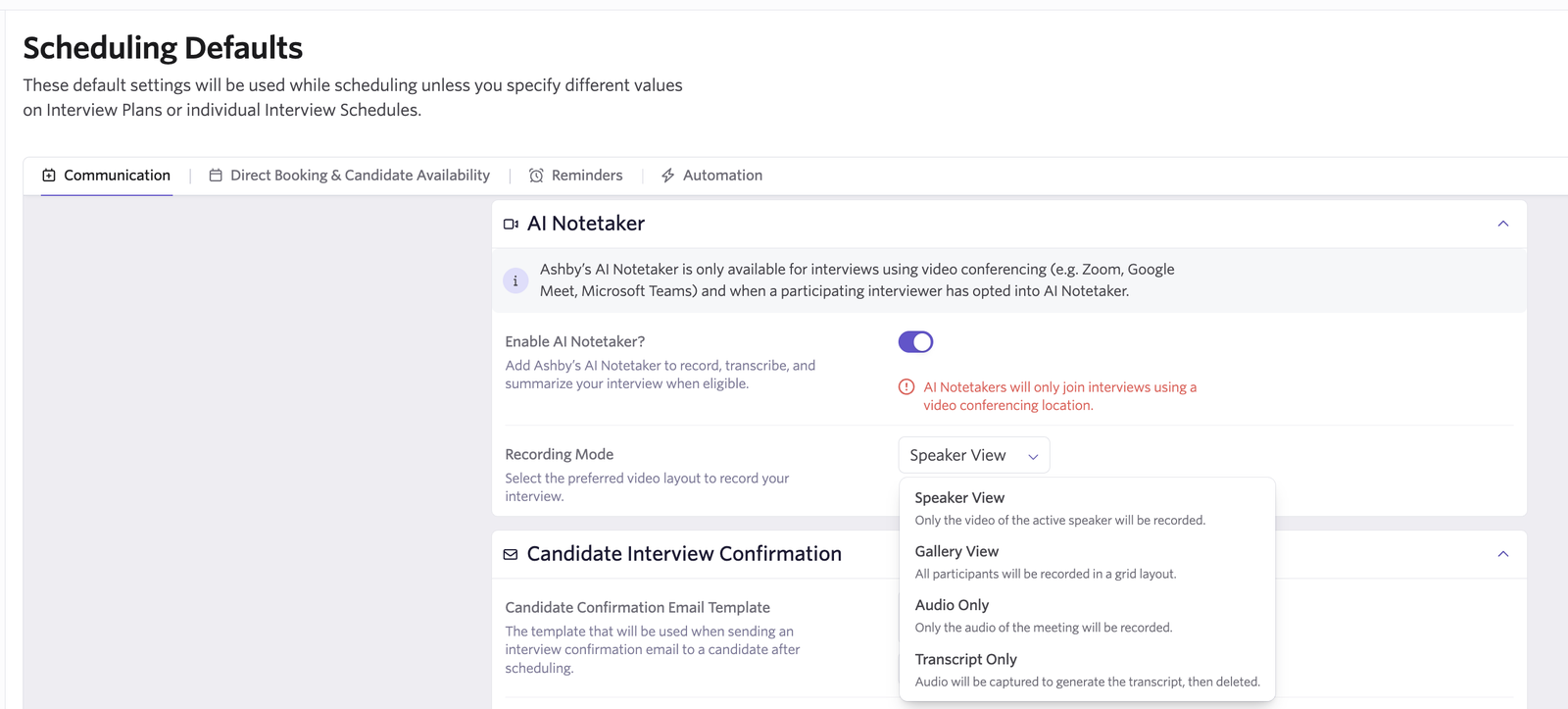
Configure Transcript Only wherever you select AI Notetaker’s recording mode:
- Scheduling Defaults: Set Transcript Only as your organization’s default.
- Schedule Templates: Apply it to individual templates for repeatable interview workflows.
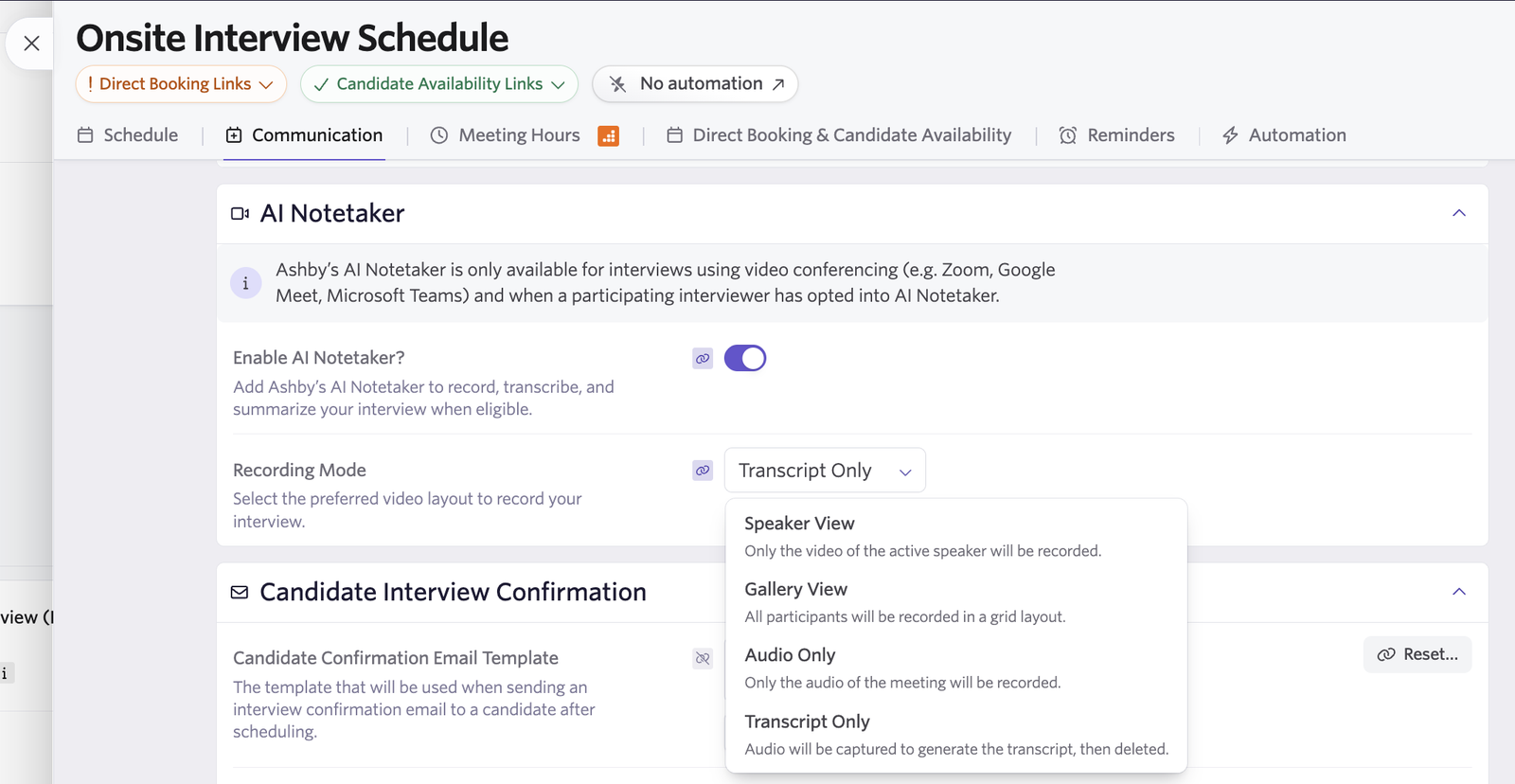
- Individual interviews: Select it when scheduling a specific interview.
You can establish an organization-wide default or use Transcript Only for particular interviews and workflows.
Review the conversation directly in Ashby
After a transcript-only interview, the interview briefing displays a transcript-focused experience with no recording player.
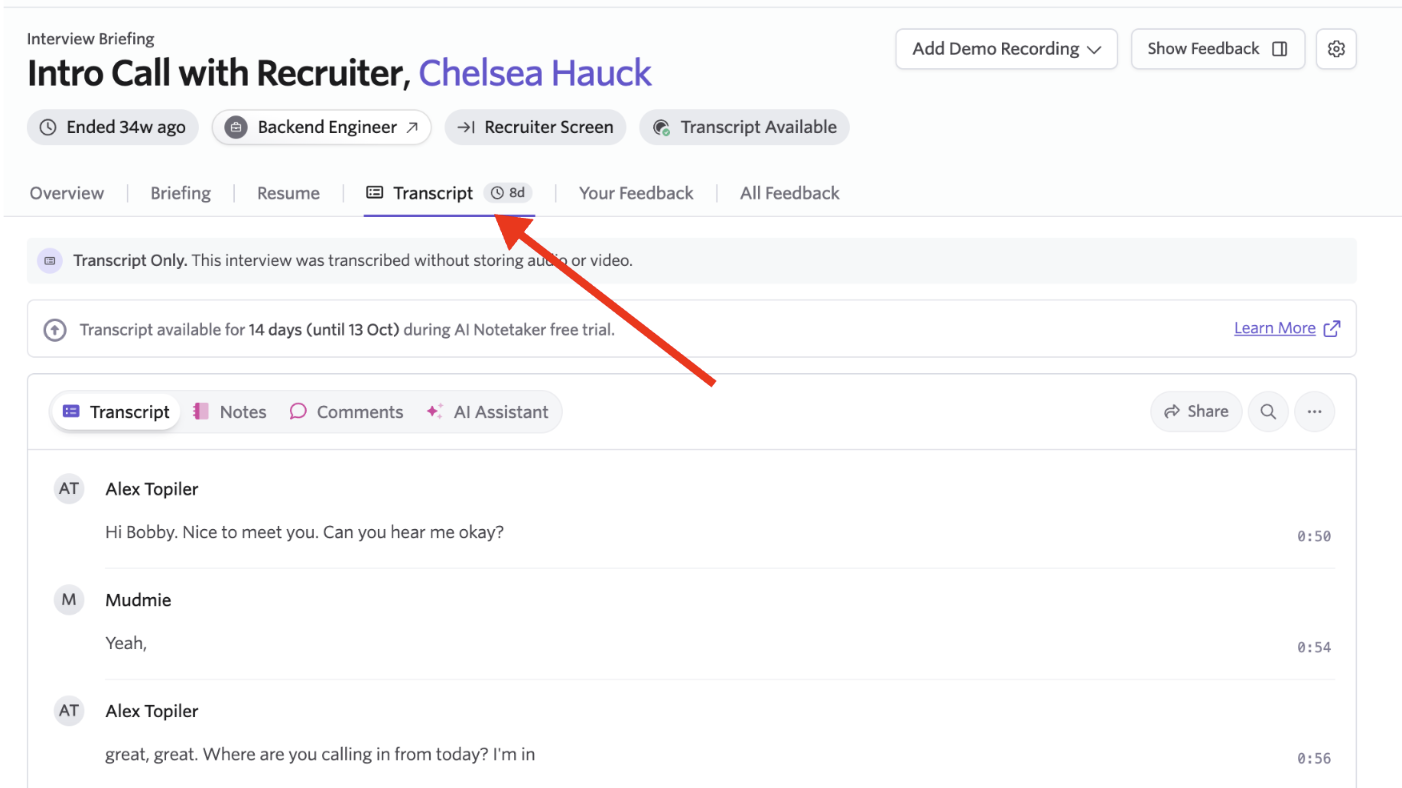
Your team can read the full conversation in the Transcript tab, review AI-generated summary notes, and ask the AI Assistant questions about the interview. Interviewers can find the details they need to complete feedback, and hiring teams can prepare for debriefs with the transcript and notes connected to the candidate’s record.
How audio is handled
Audio is still needed to generate the transcript. The AI Notetaker bot joins the meeting, and our third-party meeting and transcription providers temporarily capture and process audio for transcription.
As soon as the transcript is generated, the source audio is immediately deleted from both providers. Ashby never stores or directly accesses that source audio. It retains the resulting transcript and AI-generated notes for your team to review.
Availability
Transcript Only mode is available to all organizations using AI Notetaker.
Learn more about configuring AI Notetaker in our Help Article.