What's New in Ashby: AI Talent Rediscovery & Custom Agents
Ashby product managers Emre Murray Mangir and Eric Sun introduce two new AI capabilities: AI Talent Rediscovery, which scores your existing ATS against a role's criteria before you go sourcing, and Custom Agents, which read recruiting data and take action inside Ashby, from advancing a candidate's stage to drafting outreach.
Speakers


Key Takeaways
-
Most recruiting teams start sourcing cold when a role opens, even though good-fit candidates are often already sitting in the ATS from a past application or interview. Ashby's AI Talent Rediscovery scores your existing candidate database against a role's criteria, so a recruiter can have a set of warm leads ready before the requisition even goes live.
-
Stale candidate data is one of the biggest blockers to reusing an ATS for sourcing. A two-year-old resume rarely reflects where someone works now. Ashby's AI Talent Rediscovery refreshes a candidate's profile in place, so a rediscovered match reflects their current role rather than the one they had when they last applied.
-
A calibration session with a hiring manager works better when it's grounded in real candidates instead of an abstract list of criteria. Ashby's high-fit bucket surfaces candidates who meet 75% or more of a role's defined criteria, giving a hiring manager a short, ready-made list to react to during the kickoff call rather than a spec to interpret cold.
-
AI agents built for recruiting earn their place when they can act on what they read: updating a record, advancing a stage, or drafting outreach. Ashby's custom agents do this directly inside the workflow, with a confirmation step built in before anything saves.
-
The clearest sign a workflow is ready for a custom agent is that someone is already copying information between tools or into a chatbot by hand. Ashby product manager Eric Sun frames building an agent like onboarding an intern: write the instructions precisely enough that anyone could follow them, then share the finished agent with the team.
Session Overview
Ashby's product team used this session to introduce two new AI capabilities: AI Talent Rediscovery, which surfaces already-in-ATS candidates for a role before you go sourcing, and Custom Agents, which let recruiting teams build AI helpers that can act inside Ashby's workflows, beyond simply answering questions.
Ashby product manager Emre Murray Mangir opened with the problem the feature solves: most recruiting teams jump straight to a new sourcing tool when a role opens, even though their own ATS already holds people who applied, interviewed, or came recommended for something close. AI Talent Rediscovery runs on the same criteria system as Ashby's AI-Assisted Application Review, sorting existing candidates into buckets like high fit, silver medalists, and warm leads, and refreshing stale profile data so a match reflects where a candidate works now rather than when they last applied. Mangir demoed the feature on an open account executive role, showing how narrowing the criteria to require quota-carrying AE experience changed the results, and how the Review Later button builds a shortlist for a hiring-manager review.
Eric Sun, also a product manager at Ashby, followed with Custom Agents: AI helpers built from a title, a set of natural-language instructions, and a trigger, currently an @-mention inside Ashby, with event-based and scheduled triggers coming later. He demoed two: a referral job-matching agent that compared a candidate's resume against open roles and recommended the stronger fit with supporting evidence, then took the write action of considering her for that role once confirmed; and an interviewer performance evaluator that reads interview transcripts captured by Ashby's AI note taker and grounds its feedback in verbatim quotes rather than general impressions. Sun also mentioned an internal agent that drafts personalized offer emails from a candidate's own interview history.
Both features are opt-in from the admin profile today, and Sun closed with a simple filter for deciding what to build next: find a workflow you're already doing by hand, and hand Ashby the parts repetitive enough to describe precisely.
Chapters
- (00:03) Welcome and today's two features: AI Talent Rediscovery & Custom Agents
- (00:47) The problem: good-fit candidates already in your ATS
- (04:05) How AI Talent Rediscovery works: criteria, buckets, and refreshed profiles
- (05:55) Live demo: the high-fit and silver-medalist buckets
- (09:36) Iterating on criteria and calibrating with hiring managers
- (12:19) Handoff: introducing Custom Agents
- (15:30) Live demo: how to use an AI agent for referral job matching and write actions
- (17:39) Live demo: the interviewer performance evaluator AI agent, and building your own agent
Q&A
Q: What is Ashby's AI Talent Rediscovery feature?
A: AI Talent Rediscovery surfaces candidates already sitting in your ATS who fit an open role, instead of making you start sourcing cold. Ashby product manager Emre Murray Mangir built it because ATS databases often hold thousands of good-fit candidates who applied or interviewed before, but reviewing them by hand was too slow to do at scale.
Emre Murray Mangir, Product Manager at Ashby: "My hope for you is that talent rediscovery changes how your team kicks off a role. And instead of opening sourcing cold, you start with a warm set of candidates that you've already reviewed and validated... And the work that you've done in Ashby compounds." (11:34)
Q: Does Ashby's AI Talent Rediscovery replace sourcing tools?
A: No. Ashby product manager Emre Murray Mangir says AI Talent Rediscovery is meant to run alongside your existing sourcing tools, not replace them. It gives you a warm set of ATS candidates to review before you even open a role, so you start conversations from minute zero instead of cold-sourcing with Boolean queries.
Emre Murray Mangir, Product Manager at Ashby: "AI talent rediscovery is not going to replace your sourcing tools. You'll still use those, you'll still need those. But right now, when you open a new role, you're starting cold and you're having to go out to those tools and sort of experiment with Boolean queries. This gives you a way to kick off with warm leads and a warm start so that you've got candidates to look at before you even open the role, and you can start to have productive conversations from minute zero." (01:58)
Q: What are Ashby's custom AI agents, and can they take action beyond answering questions?
A: Ashby's custom agents combine deep recruiting context with the ability to take action directly inside your workflows. Ashby product manager Eric Sun says an agent can read a candidate's full history in Ashby, then update records, advance a candidate's stage, or draft outreach emails, all from natural-language instructions you write once, with confirmation required before any change saves.
Eric Sun, Product Manager at Ashby: "Ashby agents are uniquely powerful because they combine deep recruiting context with native action inside Ashby. They can read across core recruiting data, and beyond answering questions, we can actually take action directly in your workflows. From updating records to advancing stages and drafting email outreach, this helps teams save meaningful time." (12:46)
Q: How does Ashby's AI agent for evaluating interviewer performance work?
A: Ashby's interviewer performance evaluator agent reads the transcripts of interviews someone has conducted, captured through Ashby's AI note taker, and flags that interviewer's strengths and gaps with verbatim quotes as evidence. Ashby product manager Eric Sun says this grounds every finding in what was actually said, rather than the agent guessing at feedback.
Eric Sun, Product Manager at Ashby: "We've noticed that Alex is really solid in general. We also have actual verbatim quotes from any strengths or gaps. So it says clear interview framing, and then we actually have a quote itself pulled from the transcript. So a lot of these are actually grounded in things that actually happened, versus just hallucinating something that could be happening." (18:52)
Q: How do you build a custom AI agent in Ashby?
A: Ashby product manager Eric Sun frames it like onboarding an intern: start with a workflow you already do by hand, often a repetitive one you're copying between tools or into a chatbot, then write natural-language instructions precise enough that anyone could follow them, and share the finished agent once it proves valuable.
Eric Sun, Product Manager at Ashby: "The first one is to think of a workflow that's already very repetitive, so something that you do weekly or maybe daily. Focus on any manual bottlenecks that you do today. So one good signal is anytime you're copy-pasting between different platforms, or maybe anytime you're copying into ChatGPT or something like that." (20:54)
Emre Murray Mangir (00:03):
Hi y'all, I'm Emre. I'm on the product team here at Ashby. I am so thrilled to be with y'all. Eric and I, over the next 25-ish minutes, are going to talk to you about two of the features that we announced today. I'll start with talent rediscovery and then hand off to Eric [for Custom Agents]. So, see our beautiful faces up there — fortunately, I'm not that young anymore, but here we are. I'm going to start off with talent rediscovery, and it's something that I've been personally very invested in. Hopefully you saw it on the demo stage a few minutes ago.
What it looks like when you open a new role and there are candidates already waiting for you. I'm excited to dive into some of the details there and actually walk you through how that works in the product. Before I jump in there, I want to provide a little bit of context. There's a pattern we see all the time, which influenced a lot of why we built this functionality. In particular, a new role opens, and the first thing that a team will do is open a new sourcing tool and then start building Boolean queries, sifting through potentially thousands of profiles, trying to figure out from a headline and a headshot whether this person is the right fit, whether they'll be engaged, and who's going to respond. And the thing is, their ATS already has thousands of people in it who could be good fits — people who applied, maybe they interviewed, who got great feedback. But there hasn't been any practical way to go back through the ATS. You'd have to open thousands or at least hundreds of profiles and go back through manually, checking the notes, checking the scorecards. And if you're lucky, maybe someone in the team has been keeping a project of silver medalists. But that's one person, one job, one job family, maybe. And it's completely manual. It covers a fraction of the candidates that deserve a second look. And that really influenced how we thought about AI talent discovery. One of the things that AI unlocks is the ability to have this sort of flexible criteria.
It's not going to — and I want to make this point very strongly — AI talent rediscovery is not going to replace your sourcing tools. You'll still use those, you'll still need those. But right now, when you open a new role, you're starting cold and you're having to go out to those tools and sort of experiment with Boolean queries. This gives you a way to kick off with warm leads and a warm start so that you've got candidates to look at before you even open the role, and you can start to have productive conversations from minute zero.
If you've been using AI assisted application review in the product, which we launched, hard to believe, but almost two years ago, getting started here with talent rediscovery will feel familiar, and I'll start you off from there when I jump into the demo. Talent rediscovery is built on the same foundation. And if you've defined what good looks like once in the criteria in Ashby, you can then reuse that. That's a really important product concept that we have: allowing customers to do an activity once and then leverage that in a number of ways. And we've done that in application review, and we've extended it now to talent rediscovery. And as I think about what are sort of the things that I want you to take away from here, the first thing is the criteria are the search query. So if you're used to entering Boolean searches, this is going to be a little bit different. The criteria are going to define the candidate. So you want to make sure that your criteria taken together actually reflect the type of candidate you'd be excited to move forward.
So with that being said, let's jump into the product and see it in real time.
All right, so you've got my computer here. Let's take a look at the criteria to start with. So I've got this account executive role, and I've defined a set of criteria here. And as I said earlier, you want to make sure that this set of criteria, if you saw that in a candidate, actually reflects someone who you'd be excited to move forward. Because as I said earlier, the criteria are the search query.
One of the really neat things, as I said, we're building on the existing criteria. If you're using application review, it should be one click to turn on rediscovery. All you do is enable rediscovery, and you'll notice I've got this tab on the left-hand side with potentially rediscovered candidates. Let's jump into those candidates and take a look. I also want to emphasize that as I reviewed these candidates on the first pass, I noticed that a lot of the profiles that were coming up in this account executive rediscovery didn't have an account executive profile. They were CSMs or account managers, and I was no, no, no, no, this is an account executive role. Let me add a specific criteria. So I actually went back and said, I want this person who gets rediscovered and who we show to have experience in a quota carrying AE role. So criteria are the search query. The second thing I want to encourage y'all to do is — you'll notice that we've got these different — what we're calling buckets of candidates — on this left-hand side. And we've tried to organize the talent rediscovery search into reusable filters that allow you to sort of compartmentalize each of the searches into common archetypes. So one of the things that has been hard to do in the past is surface warm leads that may have come up from sourcing forms or from event attendees. So we've created a warm lead candidate bucket where you can find candidates who you haven't talked to yet.
The sort of canonical example here is silver medalists. And we've made it easy to surface silver medalists. We've taken a pretty expansive view, but using the filters in Ashby, you can actually dial it in and get much more specific. We've created a series of buckets that you can go through. And I want to start with actually the high fit bucket here. And sort of the second pro tip that I would recommend is to actually take your hiring manager during your kickoff calls and go through this high fit bucket. Let's talk a little bit about what you're seeing in this high fit group.
When we call this bucket high fit, we're talking about candidates who are a strong match. In particular, they meet 75% or more of the criteria you've defined and have previously reached an active interview stage. So they'll have some feedback previously, and they haven't had a drastically poor performance. So all of a sudden, if you've defined this criteria over the course of your kickoff call, you can go in and get a couple of candidates and start to review them with your hiring manager and start to calibrate instantaneously.
So I've got these two candidates, and both of them seem to have previous AE experience. Let's jump into what you'll see if you start to review them in a bit more detail. If I jump in here, there's sort of three panels that you'll see. And on the left hand side, you'll see, again, if you've used criteria evaluation AI system application review, this should look quite familiar. One of the things that I'm really excited about here is a big challenge with talent rediscoveries is stale profiles.
So if you've talked to a candidate two years ago, you may have their information from two years ago, but they may have moved jobs and changed. One of the things we're doing is whenever we return candidates, we're actually refreshing those candidates directly within Ashby. And in fact, as you look at their experience, you can see that this candidate came into Ashby a few months ago, but their resume doesn't reflect it, but we've actually refreshed their profile to show that they actually changed jobs a couple months ago.
So we can use that to instantaneously get feedback around the candidates. I can also pull up previous feedback for these candidates and on the right hand side instantaneously engage with these candidates, whether that's adding them to a job, a project, or engaging them with the sequence. Another neat thing that we've done here is added this rediscovery token that is context aware. So we can pull in the candidates, and if you've used the AI token in the Chrome extension — this is similar, but actually pulling from not just the candidate's resume, but also their interview history with our team. So if they've interviewed, this will automatically reference that information. So within one or two clicks, you can immediately start re-engaging candidates.
One powerful feature that may get lost in the mix is this review later button. And especially where there are candidates that you may have questions around, I encourage you to use this functionality. In particular, you can add a candidate to the review later bucket and construct a calibration set directly from this talent rediscovery functionality and sit again with your hiring manager or with your hiring team to talk through various different profiles. So let's go ahead and add both of these candidates to the review later bucket.
And I'll go back to my silver medalist category and take a look here. I've got Michael, another candidate we interviewed over five years ago. He was an interesting BDR candidate. But over the last several years, again, we've been able to refresh their background and see that this candidate has held a series of AE roles. And in fact, as we've evaluated them on the criteria, you can notice that it reflects that as well. So the system is criteria aware and aware of the candidate's background. Let's add them to the review later bucket. And all of a sudden, we've got a calibration set that we can sit with our hiring managers and hiring teams to get to good much faster and not have to manually calibrate and sift through profiles.
In this way, we've got a just-in-time set of candidates that we are ready to go with and can have a conversation internally versus having to go out, have a week, two weeks to source candidates. We're there instantaneously if we've agreed on criteria. The last thing I want to leave you with is you can iterate on this criteria and you can and should. It doesn't need to be perfect from the get-go, it should be directionally correct. And in reviewing these candidates together, you can say, okay, well, actually, as I said earlier, I'm getting candidates that are not AE profiles, or I want someone who has enterprise experience rather than SMB experience and winnow down the profiles, dial in your criteria, and not only will this help with talent rediscovery here, but as you start to get inbound candidates, your criteria to evaluate the new candidates coming in will be all the better. So not only does this help you to calibrate with your team right away, but as you have new candidates coming into the pipeline, you know that the candidates that meet a large number of the criteria are going to be good inbound candidates. And now your time to fill is getting shorter.
Switching back to the slides, I would like to talk you through sort of the four pieces that we talked about today. So, number one, dial in your criteria. They don't have to be perfect, but they should reflect a candidate that you would be excited to move forward. Two is use the high fit category to calibrate with your hiring managers right off the get-go, possibly even during your kickoff calls. Third is you can build a short list directly out of that review later action, and all of a sudden you've got a calibration set. So even if you can't do it directly out of the kickoff call, you have a set and you can build a review later cohort to calibrate with your team. And finally, use the results that you get from this talent rediscovery to learn about the role. It's a lot easier for hiring managers to react to actual candidates than criteria themselves.
My hope for you is that talent rediscovery changes how your team kicks off a role. And instead of opening sourcing cold, you start with a warm set of candidates that you've already reviewed and validated. The criteria you've built and the feedback you've done becomes additive. And the work that you've done in Ashby compounds. This theme is something that my colleague Eric is going to come up in just a minute and talk through. A lot of what we've done today is trying to allow you to get more out of the work you've already put into Ashby. So with that being said, thanks for joining us here, and I'm leaving you in Eric's very capable hands.
Eric Sun (12:19):
Everyone, my name's Eric. I am also a product manager at Ashby. AI talent rediscovery helps identify really strong candidates, but as you all know, finding talent is just the beginning of the recruiting process. So talent teams today are still spending a lot of time on repetitive manual work throughout the process. As many of you saw in this morning's keynote, Ashby agents are our next step. Using AI and assisting with recruiting workflows. So this gives teams another way to save time and ultimately hire better talent. So let's dive into how custom agents make that possible. So Ashby agents are uniquely powerful because they combine deep recruiting context with native action inside Ashby. They can read across core recruiting data, and beyond answering questions, we can actually take action directly in your workflows.
From updating records to advancing stages and drafting email outreach, this helps teams save meaningful time. To bring this to life, I'll first walk through two concrete use cases, and then we can jump into live demos to see exactly how this works in practice.
The first use case I wanted to talk about is referral job matching. So we all know that referrals are valuable, but matching them to the right role today is often manual and slow. This agent instantly identifies the best active jobs based on candidate fit, seniority, and experience. So what it does is look into the referred candidate's profile, look at their experience and skills, and then compare that against any active job openings today. The intended output that you'll see in a bit is a prioritized role recommendations list with any fit, strengths, weaknesses, and any gaps that you want to look into as well. And then the second use case is around interviewer training. So generally, strong hiring depends on consistent, high-quality interview signal. And this agent will look into interview transcripts and then identify any strengths, gaps, and coaching opportunities for interviewers. The outcome is teams improve their interviewer quality and make better hiring decisions. So now that you have a quick overview, we can jump into live demos and see these agents in action.
Okay, so here is the general structure of an agent. You can see at the top here we have a title, an optional description, and then triggers and instructions. So initially, what you'll see in your Ashby instance is just the at-mention trigger, but shortly we'll have event-based triggers as well as recurring schedules. So you can schedule something every day or every week. The instructions is where you'll do the bulk of your editing for agent behavior, and all of this is done through natural language.
So in this case, I've given a short persona and then a set of instructions on what to do for each candidate. So again, we want to look at recommended roles and then determine their match strengths, and then give a couple bullet points on why they're a fit or if they're not a fit. I've also added some guidelines here, and just generally it's really easy to edit this because it's all done through natural language. So it's very easy to iterate on all of these.
In order to actually use an agent, all you have to do is go over to this page. We can access this through Ashby AI at the top right. And then you select your agent by just clicking that, or you can just at-mention your agent. And in this example, I'll say recommend roles for Priscilla. So Priscilla is this kind of demo instance candidate I've created. Right now she's an opportunistic hire, so there isn't a specific role related to her. But we can see through her resume and summary that she has a lot of really good senior product experience. So we're going to see if that is able to come through.
You can see a familiar kind of like thought trace similar to what you've seen in other chat applications. And you can see that this agent is calling a couple of different tools.
And then after a little bit of waiting, we can see that we've actually found two good job matches, and we've also identified which one is stronger. So we output a really nice table here that shows why they're a fit and any key supporting evidence. And then we've also identified that because she has more leadership experience, she's a better fit for the group PM role rather than the PM role.
And then we can also have follow-up actions. So you notice before all of these actions were more kind of read actions where you're just reading candidate data or you're reading different data about the jobs that you already have. But you can do actual write actions as well. So I'm going to say let's consider her for group PM. So initially we're going to have these guardrails where any time you edit an object or create a new object — so in this case, we're editing this candidate to consider her for this job — we'll always ask for confirmation. So this will have as a guardrail just in the beginning, but eventually we'll make this a setting so that you can always confirm if you like. So I'm going to go ahead and consider for this job. And then we also have a nice citation here. Based on the object that we're editing, we'll give you a hyperlink, and then you can link out and see that we have in fact considered them for the group PM job.
Another agent I wanted to share is the interviewer performance evaluator. So this is pretty similar in the structure of how we're creating these instructions, but the biggest difference is we want to read interview transcripts to give feedback on an interviewer. And this is again another call-out for why it's really nice to have agents directly in Ashby. If you guys have used the AI note taker, it's a feature where we can have a meeting recording bot inside your interview, and then we can record and transcribe that. So we're able to really use all that data in order to create a really effective agent here. So go ahead here and we'll at-mention this. It'll say analyze Alex T's interviews.
And just a call-out while we're waiting here, this feature is going to be in beta. It's free to use during the beta period, but eventually we'll draw from your AI credits when we go to general availability. So after a couple seconds of thinking, we have a really nice summary here. We've noticed that Alex is really solid in general. We also have actual verbatim quotes from any strengths or gaps. So it says clear interview framing, and then we actually have a quote itself pulled from the transcript. So a lot of these are actually grounded in things that actually happened, versus just hallucinating something that could be happening. And at the end of this, we also have a set of recommendations on what Alex can improve on. One last thing I wanted to call out is all of these agents are currently kind of personal agents in my list, but you can easily create shared agents so that people can benefit on your team or the rest of your company from the agents that you've created. So you just go to your individual agent, you go to the top right here. And you click convert to shared. So this way you can manage a list of the agents that your company has access to. And all these will have the proper access controls that are associated with your Ashby account. And if you want to use a shared agent, similar process — you just have to go over to that or at-mention, and then click one of your shared agents. Cool, that was it for the demos. I'm going to go back to my slides now.
Okay, so those are just two examples, but I'm hoping you can all see the broader opportunity here. That is, teams can build agents for any sort of recruiting workflows. Internally, we're already seeing a few diverse use cases I want to highlight. The first one is interview feedback review. This is kind of similar to the interviewer transcripts, but instead of looking at transcripts, we're actually looking at scorecards and making sure that there's the right level of details for knowledge transfer and consistency.
The second is an upcoming interview brief. So this looks through previous interviews that have already happened to help prep interviewers and hiring managers for summarizing any key insights. We found that this also really helps with candidate experience, to make sure you're not asking the same questions if you already have the answers. And the last one that's actually something that we really love at Ashby is to have really personal candidate communications. So a custom offer email agent where we send a really personalized, thoughtful congratulations that reflects each candidate's personal journey, because they all have access to your transcripts and any other details that they might have mentioned throughout the process of their interview.
Alright, so to help teams get started with agents, we've already created a couple of templates that you'll see if you click create new agent today. But I wanted to leave you all with a quick framework as well in order to create your own custom agents. So the first one is to think of a workflow that's already very repetitive — so something that you do weekly or maybe daily. Focus on any manual bottlenecks that you do today. So one good signal is anytime you're copy-pasting between different platforms, or maybe anytime you're copying into ChatGPT or something like that. The third is identify where Ashby can not only generate insights, but actually take action. So I demonstrated a couple of kind of write actions, but we are also able to read information as well.
I also recommend that you all define the inputs and outputs precisely. Hopefully you saw that in my demo. The instructions could be a little bit more detailed, but it's detailed enough that anyone can understand it. I think one good analogy is think of it like you're telling an intern, or like onboarding them to what exactly a certain process is. And finally, once you build something valuable, you can share it, turning individual productivity gains into reusable team workflows.
Cool. So it's no secret that AI is changing the way we all work, but at Ashby, we're building the talent infrastructure to help teams put that change into practice so they can move faster and ultimately hire better. AI Talent Rediscovery and Custom Agents are just two examples of how we're building and helping teams lead in this new era.
So I'm leaving you off with three more things to do. The first one is to actually opt into the features that we just talked about — so AI talent rediscovery and custom agents, there'll be a setting in your admin profile. The second is to turn on talent rediscovery for a specific job. So currently it's going to be one credit per candidate returned, and it's a maximum of 250 per search. And finally, build your first agent. So we have a couple of different templates. Right now it's completely free during the beta period, but it'll eventually draw from your AI credits when it's generally available. Awesome, that was it for me. Looking forward to what you all build, and hope you enjoyed the rest of the sessions.
Recommended Sessions
AI Across the Hiring Lifecycle
See how Ashby's AI tools work together across sourcing, scheduling, interviewing, and reporting to keep hiring moving. Learn where AI removes manual work and where human judgment still drives the final call.
View session
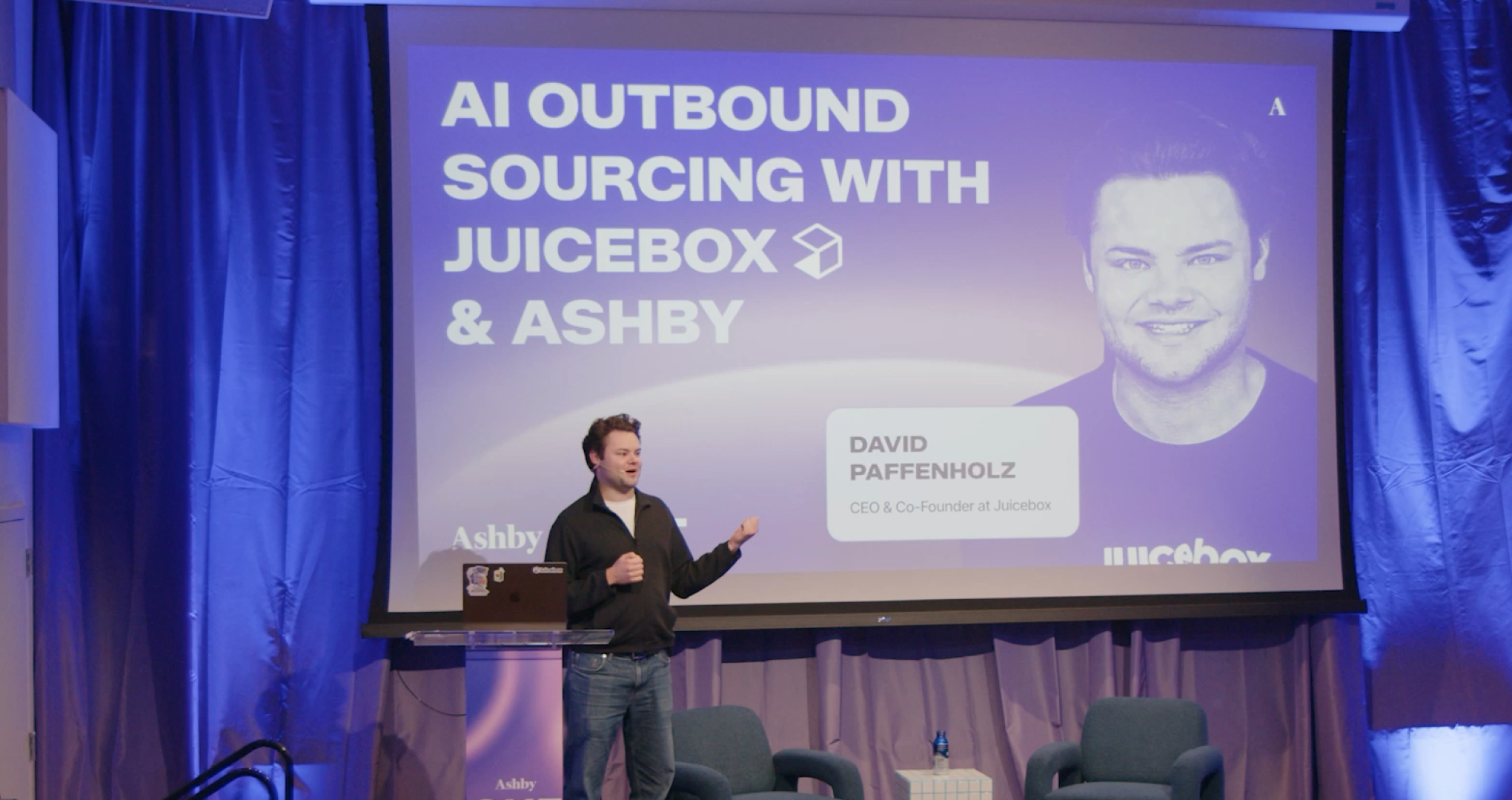
AI Outbound Sourcing with Ashby & Juicebox
See how Juicebox's AI sourcing engine works alongside Ashby to help talent teams discover and engage net-new candidates outside their existing pipeline. Presented in partnership with Juicebox.
View session

